
Answered
Audio Problems
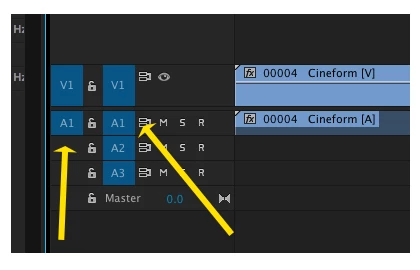
I have these videos that I Imported onto premier pro. I've been working with them for a few days with no problems, suddenly today I have problem with them... I dragged one of the videos on to my timeline and it appeared with no audio. I of course freaked out, I figured I had done something wrong when recording or importing but on further inspection I don't think it was me. The video says it has linked audio, in fact, when I double click to preview it has audio, I hear their words, but for some reason when I drag to the timeline, no audio. I thought it was just the one video, but even videos that I have already used so I know for a fact that in the past I was able to drag with audio, are appearing without audio! PLEASE HELP!
 AdChoices