Participant
August 2, 2024
Answered

Audio settings keep returning to the initial settings

  • August 2, 2024
  • 1 reply
  • 303 views

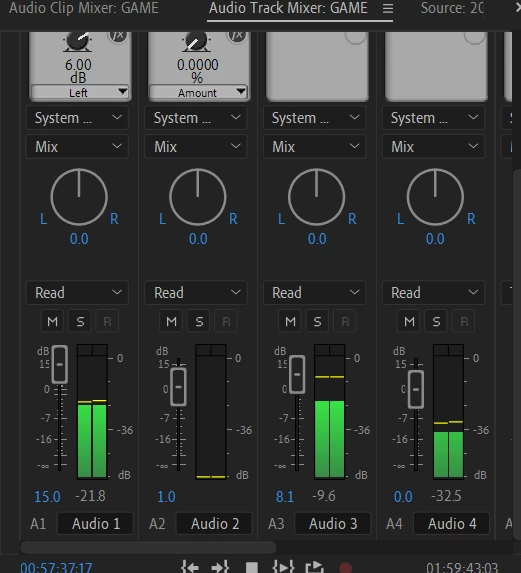
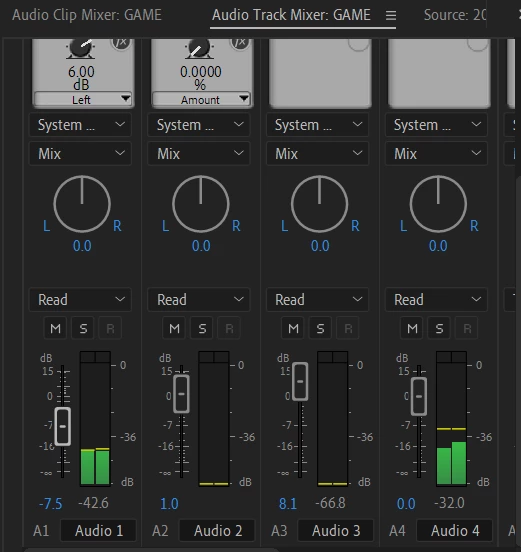
I tried to change the audio volume in the audio mixer but the setting returned to the previous setting (cannot be changed).

Does anyone know how to fix this, or maybe I'm hitting the wrong hotkey for this?

This topic has been closed for replies.
Correct answer PaulMurphy

Hi Hiraihan,

Does the track volume have keyframes in the timeline? Keyframes can cause the audio settings to revert back to the initial settings if they are set at specific points.

To check for and adjust keyframes in the timeline, follow these steps:

1. Expand the audio track in the timeline.
2. Click the Show Keyframes button and choose Track Keyframes > Volume.
3. If you find keyframes, you can either adjust or delete them.

For more detailed information on adjusting track volume with keyframes, you can refer to this guide: Adjusting Volume Levels in Premiere Pro.

Cheers,
Paul

1 reply

PaulMurphyCommunity ExpertCorrect answer
Community Expert
August 2, 2024

Hi Hiraihan,

Does the track volume have keyframes in the timeline? Keyframes can cause the audio settings to revert back to the initial settings if they are set at specific points.

To check for and adjust keyframes in the timeline, follow these steps:

1. Expand the audio track in the timeline.
2. Click the Show Keyframes button and choose Track Keyframes > Volume.
3. If you find keyframes, you can either adjust or delete them.

For more detailed information on adjusting track volume with keyframes, you can refer to this guide: Adjusting Volume Levels in Premiere Pro.

Cheers,
Paul
HiraihanAuthor
Participant
August 4, 2024

thank you sir thats so helpful