
Question
Audio synchronizing not working
In the past, I would import clips of the same content, highlight both clips, right-click and select synchronize. Then PP would auto-sync them based on the sounds. Well, now when I select synchronize with my clips highlighted this box pops up:
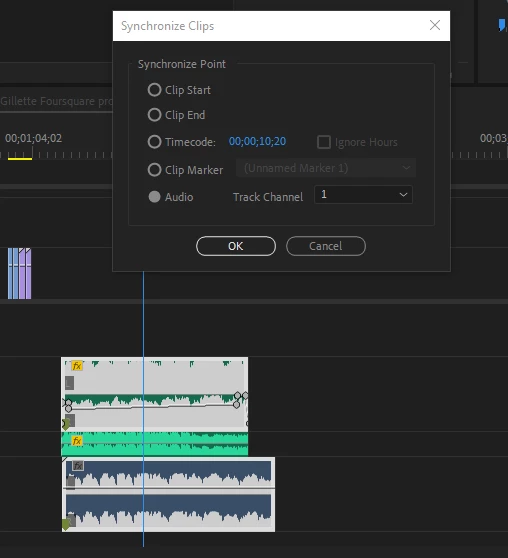
However, I cannot remember which radio button I click to have PP process the clips and auto-align them. Everytime I have tried it just moves the bottom track to the front of the other audio clips. These are two songs with the same lyrics in them so I figured they would sync pretty flawlessly. I was wrong.
Did Adobe change the auto-sync audio in the latest PP update?
Randy S. Milliron


 AdChoices