
gentenbettiba
Participant
January 9, 2025
Answered

audio track - a line that appears

  • January 9, 2025
  • 3 replies
  • 343 views

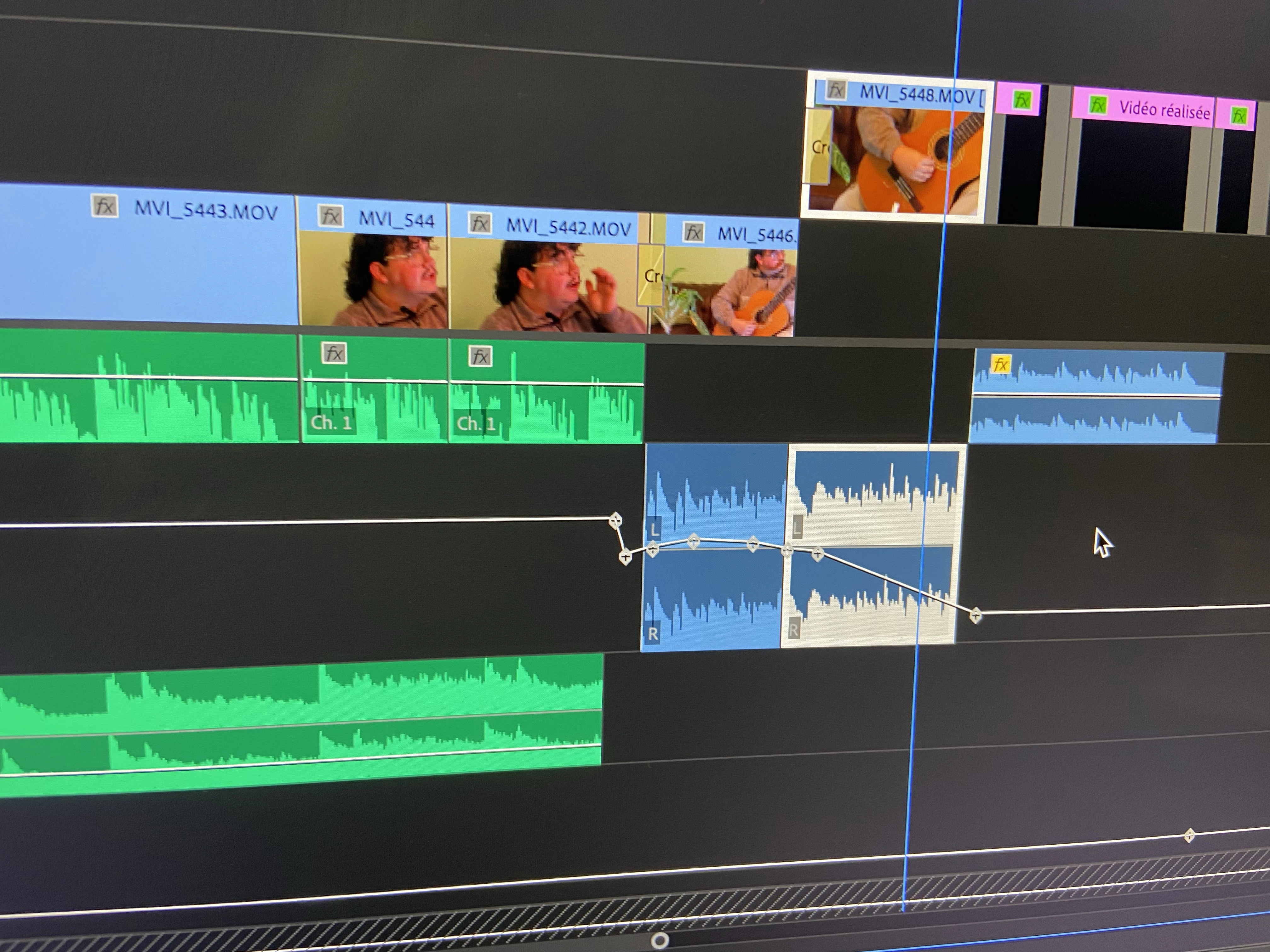
I have an issue with an audio track in Adobe Premiere Pro. There is a line that appears, as shown in the photo. I don’t know how to fix it to make it correct again. I don’t even understand how it appeared. Can you help me? Thank you very much
Correct answer Kevin J. Monahan Jr.

Hi @gentenbettiba,

These appear to be track keyframes, which control parameters for an entire track rather than individual clips. See, Edit keyframe graphs from a Timeline panel in the User Guide for full details. I hope the advice and link helps you.


Thanks,
Kevin


3 replies

Kevin J. Monahan Jr.
Community Manager
Kevin J. Monahan Jr.Community ManagerCorrect answer
Community Manager
January 22, 2025

Hi @gentenbettiba,

These appear to be track keyframes, which control parameters for an entire track rather than individual clips. See, Edit keyframe graphs from a Timeline panel in the User Guide for full details. I hope the advice and link helps you.


Thanks,
Kevin


Kevin Monahan - Sr. Community and Engagement Strategist – Adobe Pro Video and Audio
R Neil Haugen
Legend
January 10, 2025

That is showing what changes you made at those keyframes. I don't understand the problem... ?


If you want to undo effects, go to the Effects Control Panel and you'll see everything applied to the selected clip there.


Although if you applied those in the Track Mixer audio Panel, you can work there.


Or perhaps try double-clicking on the line.

Everyone's mileage always varies ...
R Neil Haugen
Legend
January 9, 2025

Do you mean the audio level, showing on A2, with keyframes for audio levels?

Everyone's mileage always varies ...
gentenbettiba
Participant
January 9, 2025

yes.