
Inspiring
November 15, 2024
Answered

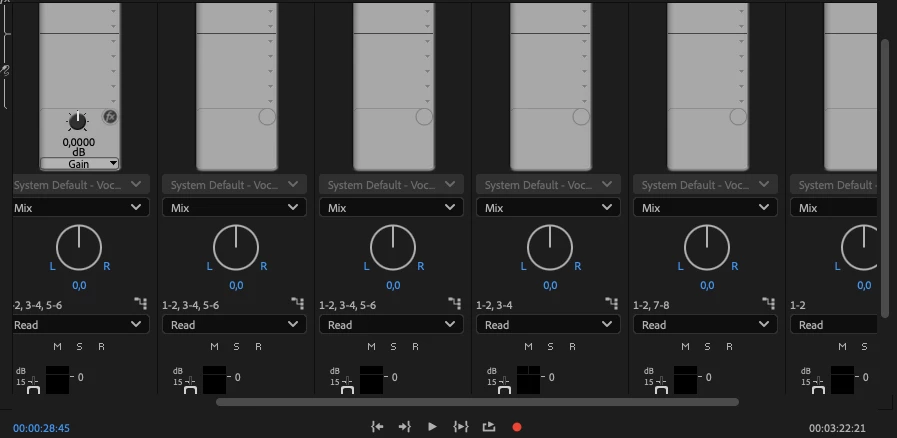
Audio Track Mixer Panel way to zoomed in

  • November 15, 2024
  • 5 replies
  • 578 views

On Macos track mixer panel is zoomed in very wide now on macos and i cannot get it back. tried to switch workspaces or close and open the panel but the zoom settings remain. How can I change the width of the track faders on macos?
 

This topic has been closed for replies.
Correct answer Ali Jaber

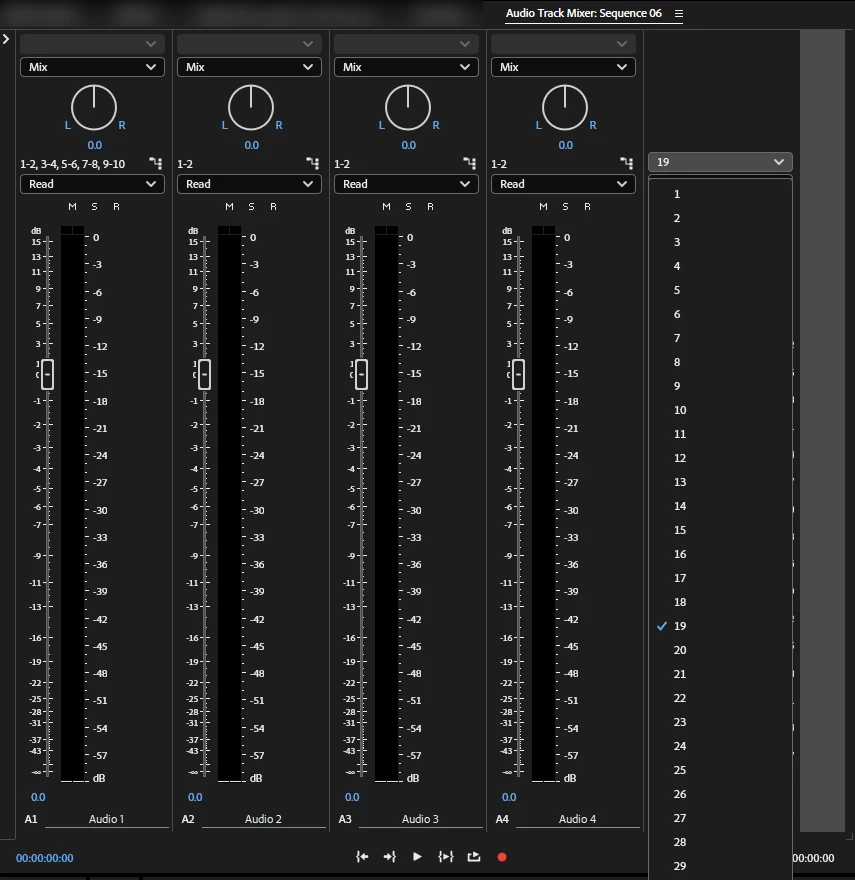
I did some tests, the only way I found to change the tracks width was by changing the number of audio channels:


5 replies

Community Expert
November 18, 2024

What's the resolution of your screen?

Inspiring
November 18, 2024

Its wqhd (2560x1440). the issue seems project-related. I opened another project and the tracks were smaller again. But there must be a way to change the width. Or does it matter which effects are loaded? Maybe if the name of the track effects is longer? I dont think so.. It must be a shortcut somehow to change it.

Ali JaberCommunity ExpertCorrect answer
Community Expert
November 18, 2024

I did some tests, the only way I found to change the tracks width was by changing the number of audio channels: