Participant
June 25, 2021
Question

Audio tracks become distorted upon import

  • June 25, 2021
  • 1 reply
  • 275 views

Hi, 

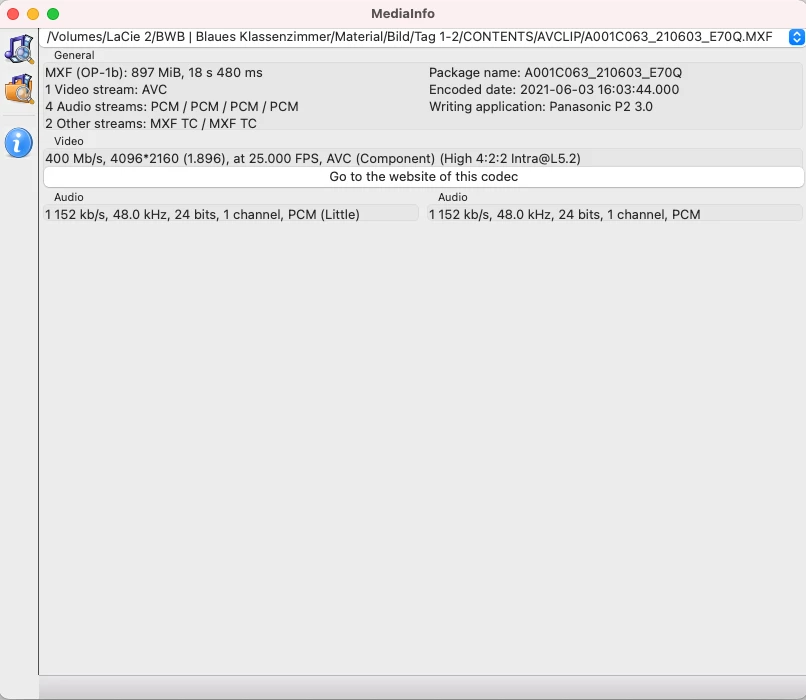
I am trying to import MXF Files from a Panasonic P2 camera. They include a 4k video and 4 audio tracks. The playback in the Mac Finder works perfectly. 

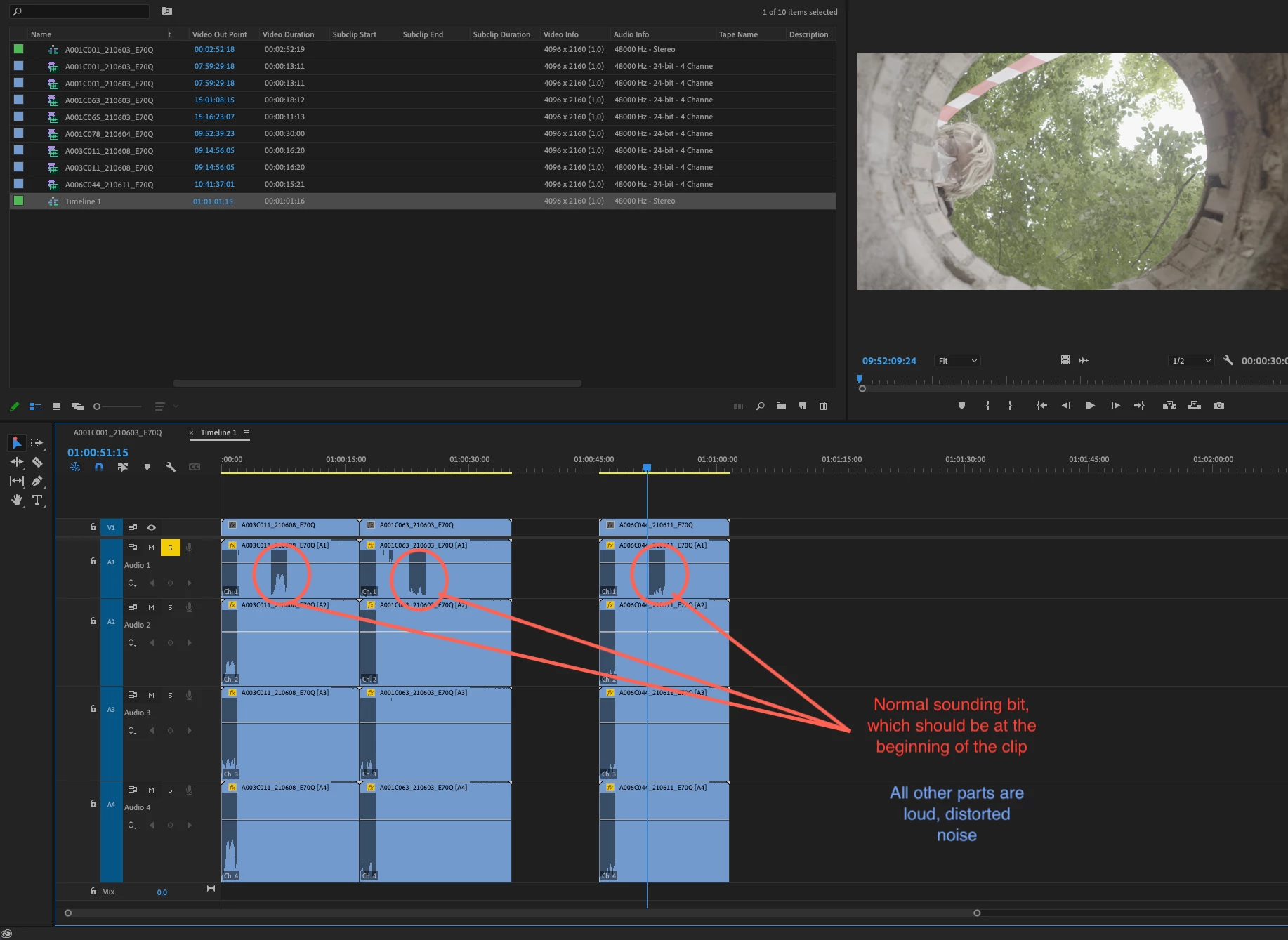
However, when trying to import, all 4 audio tracks become completely messed up. They start normally, but then the waveform turns into loud static, white noise. Within the clip, the sound briefly goes back to "normal", but from a completely different part of the clip. (e.g. the actor is already visibly talking while we are hearing the white noise and suddenly the sound goes back to normal and we can hear the director saying "action"). 

This seems not like a playback issue, but an import issue, because the waveform in the timeline is visibly damaged. Also, I could not import the clips into PluralEyes. Any help will be much appreciated. 

Thank you!!
This topic has been closed for replies.

1 reply

Adobe Employee
June 25, 2021

Hi marcok43530042,


We're sorry about the poor experience. We're investigating a similar issue that has been addressed in one of our Beta builds. Would you mind installing the latest Beta build from the Creative Cloud Desktop app to check if it's working properly? You may refer to this link to know more about Creative Cloud Beta.


Thanks,
Sumeet

Participant
June 25, 2021

Sumeet! Thank you very much for the quick response. This seemed to do the trick. I am very grateful ! 
Now, only one small problem remains: The files that I had previously imported for tests in Premiere 15.2 still show the old waveform (white noise), but there is no sound on certain tracks. (And definitely no noise, which is positive). 

It seems like some sort of cache issue. Could you help me out there please. Which folders should I delete for a "fresh start"? Library/Application Support/Premiere.... is already deleted, but the waveform persists. 

Thank you so much for your help!