Audio Tracks being trimmed automatically when MP4 files from OBS are being imported
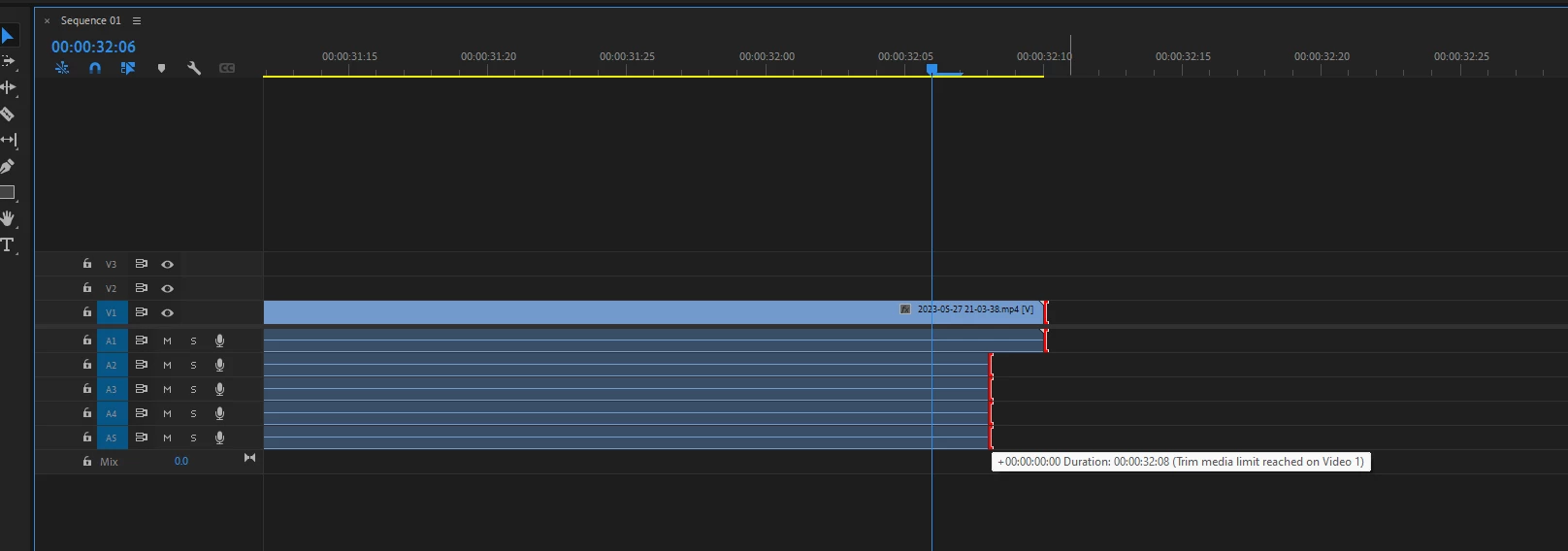
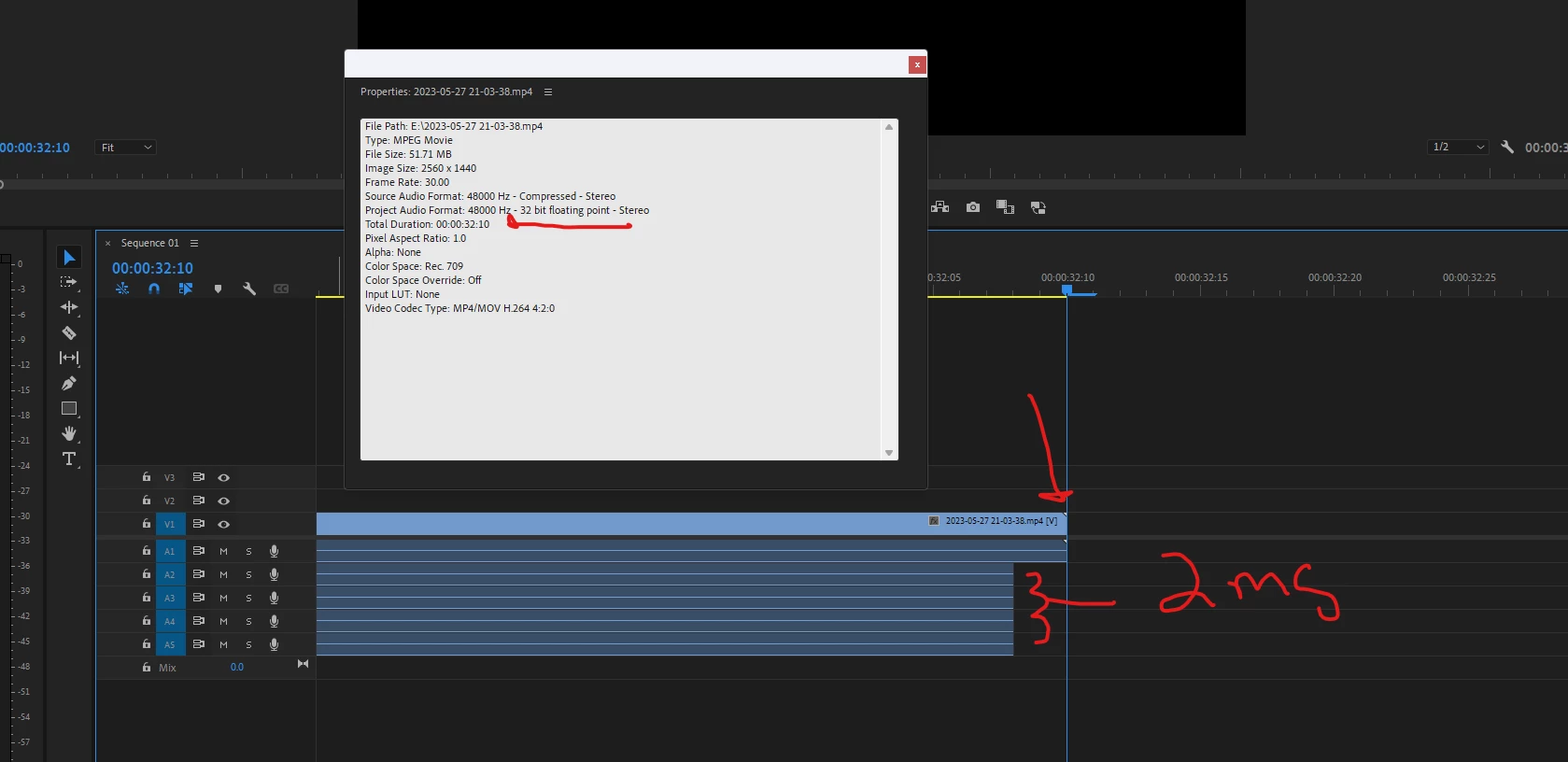
Premiere pro worked as designed until I recently decided to try an edit my 6 hour recording that I exported from OBS. Now, whenever I import any MP4 video, Audio Tracks 2-5 will be trimmed by 2ms at the end. Audio track 1 and Video track 1end when they are supposed to without any issues. I tried everything from resetting prefences, installing Streamlabs OBS (I use just obs and when I exported the MP4 File from Streamlabs, it still showed the 2ms being trimmed), using a different video editing software such as DaVinci Resolve (MP4 file showed correct audio tracks no trimming), and even resetting my pc completely wiping all files from it and starting like it was a new PC. I have no clue what I can do next. Attached are pictures from Premiere Pro. I will also attach MP4 if I am able to. Here is my google drive to MP4 video. Rendered MOV file is also in there, but not using that file only MP4. https://drive.google.com/drive/folders/1J8o_rSJVQKBfu0IWAxkHOiyy6TXMrM8N?usp=sharing
Should import MP4 File and all audio tracks are the same length no trimming.
Version is 23.4, Windows 11
 AdChoices