
Audio Transition Tries to Auto-Clear When It Shouldn't
Issue: Hold down the Shift key and try to adjust the end or start point of an audio cross-fade transition. If you take it too far, rather than just having the fade exist on one single clip, it warns that it's about to be cleared.
Image Explanation: (the tooltip didn't show up in the screen-record, but it said "Transition will be cleared" when the cursor changes)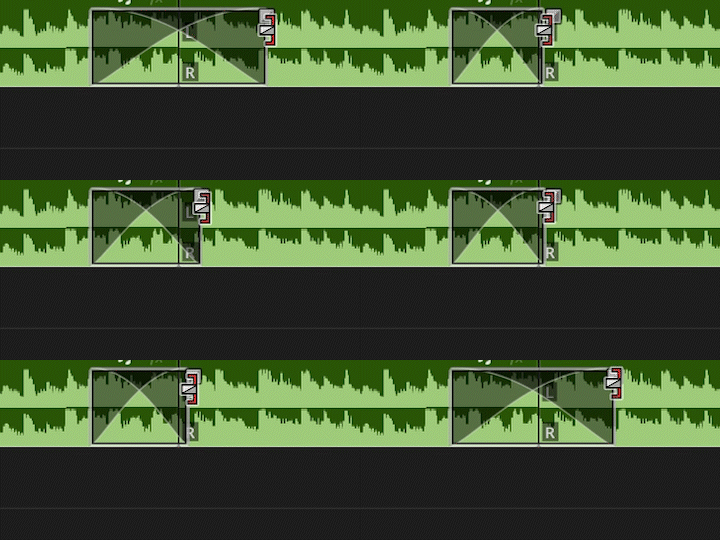
There is sufficient media on both sides, and this both happens with both through-edits and not.
This new bug seems to have been introduced with the implementation of multiple audio transition editing. It seems like an unhelpful, unintended side-effect that was overlooked.
For sure, if the transition becomes 0s in duration on both sides, auto-clearing would be great. But when I'm specifically only trimming one end of a single transition with the Shift key, I want the transition to stay there and there's no reason for it to be cleared and removed.
Can you please fix? This has been slowing me down quite a bit.
Technical specs:
Version: 2025.4 and onward
Windows 11, but I doubt it's platform specific


 AdChoices