


whamalamaboom
Inspiring
July 13, 2026
Question

Audio Waveform too "zoomed in" Version 25.4.1.
  • July 13, 2026
  • 3 replies
  • 32 views

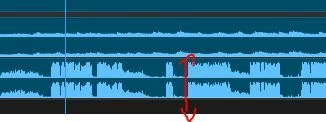
This may be hard to explain. My audio waveforms on the timeline are too high. I’m not talking about the vertical height of the track. I mean the display itself (marked in red) is higher as if the audio is louder than it actually is, and it’s never been like that before. It should be maybe halfway up, not nearly all the way.


I think I accidentally hit some combo of keys that made it happen, but I’m not sure, and don’t know if there’s a setting to look for. To help it make sense, in Audition, you can change the decibel range on the right side, which will make the waveform appear taller or shorter.


So if it’s like this…
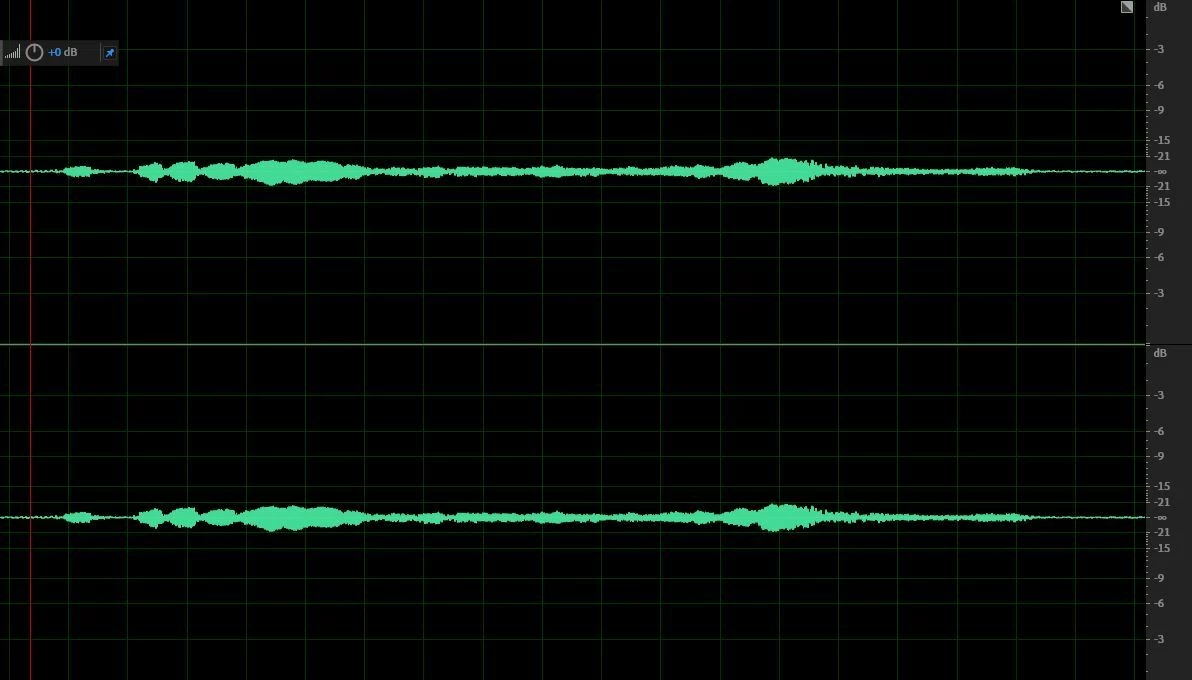


And I change the decibel range by scrolling my mouse wheel over it to display just the range I’m working with, the waveform “zooms in”, making it appear louder when it’s not. It’s just showing the audio more closely.
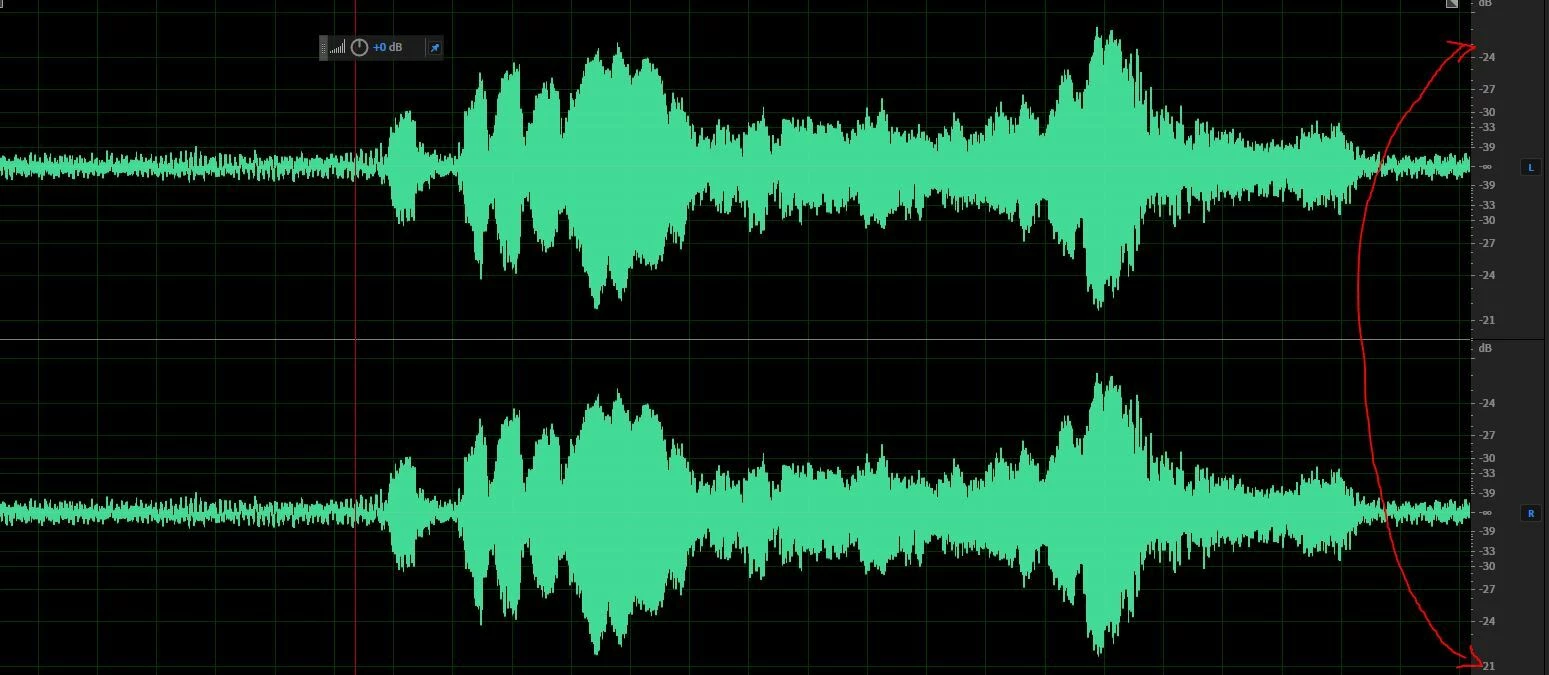


This is what it seems like happened to my audio timeline in Premiere, only it doesn’t have that decibel range thing on the side, just the volume meter, so I have no idea what I could’ve pressed to make it happen or how to undo it. Hopefully, one of you knows. Thanks!

    3 replies

    Community Expert
    July 14, 2026

    Click the panel menu on the Timeline (the three horizontal lines next to the sequence name), then untick Logarithmic Waveform Scaling.

    Averdahl
    Community Expert
    Community Expert
    July 13, 2026

    @whamalamaboom How does it look if you un-check Rectified Audio Waveforms in the Timeline menu? On the Timeline, click on the “hamburger menu” on the right of the name to bring up the menu.

    Personally i have always avoided recitified audio waveforms since it is too inaccurate and imprecise compared to the standard audio waveforms.


    whamalamaboom
    Inspiring
    July 13, 2026

    Thanks for the response! But it’s not that, and I visually prefer rectified. 

    MarekMularczyk
    Community Expert
    Community Expert
    July 13, 2026

    How loud is your audio? What’s the peak volume level?

    Adobe Community ExpertAdobe Certified Professional
    whamalamaboom
    Inspiring
    July 13, 2026

    It varies depending on the clip. I think the example I showed has a max peak overall at -6db, though there’s a 3db boost on the mixer, which isn’t the issue and is typical for all of these projects with the same source for the same purpose, which I’ve done hundreds of at this point.


    The issue is that I hit something and it suddenly made waveforms look more zoomed in as if I increased the loudness, but I didn’t. All of the audio sounds the same and has the same peaks they did before whatever I did. I just can’t figure out what I did and it’s visually throwing me off lol


    I didn’t try dumping preferences yet because I was hoping there’s some setting for it that I accidentally triggered the keyboard shortcut for. But I may need to do that.