

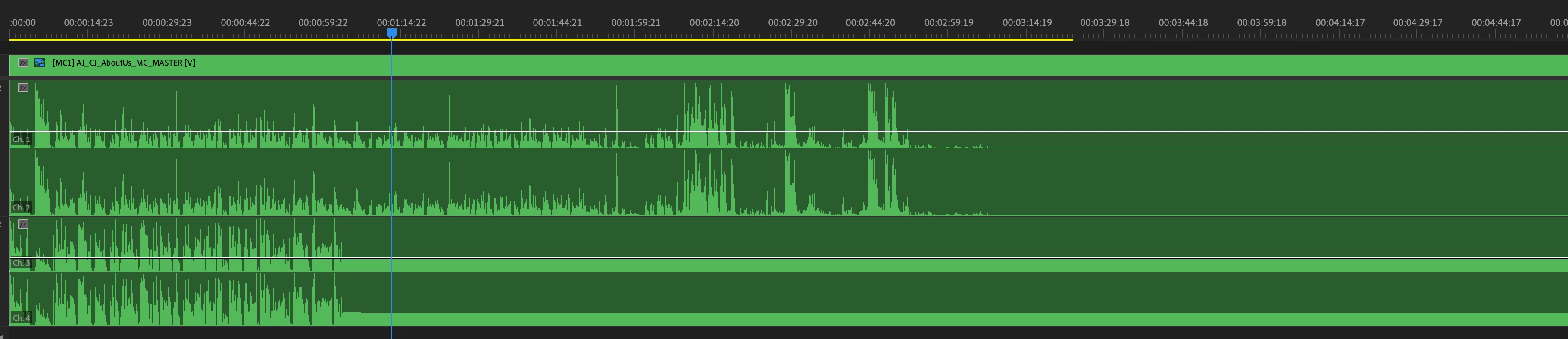
Audio Waveforms Incomplete in Multi-Camera Sequence
When do the Premiere Pro engineers finally take this long-standing bug seriously?!?! This can't be a difficult one to nail down. I've seen it on single-camera and multi-camera sequences, using both in-camera scratch audio and seperate WAV files from field recoders. Why is this still a thing? Yes, all of the media cache has been deleted multiple times. Yes, audio waveforms are turned on in the timeline settings. Yes, the sequences have been rebuilt. Yes, restarting and even re-installing PP, rebooting the workstation have not helped. There are hundreds of other posts in this community and beyond talking about this. I am convinced that this is not user error ever. Come on, Adobe. Fix this!!! It's inexcusable after going on for so long. I see many YouTube posts recently about switching AWAY from Premiere Pro to Davinci Resolve. We are getting sicl of this one!! Audio waveforms cannot be tricky to get right! Where is the fix?!?!
 AdChoices