



Inspiring
February 25, 2025
Answered

Auto color in Productions

  • February 25, 2025
  • 1 reply
  • 425 views

The "Progress" window in Productions is extremely helpful. It lets me know to slow down and let Premiere do its thing if I'm moving a bunch of stuff into a new project.


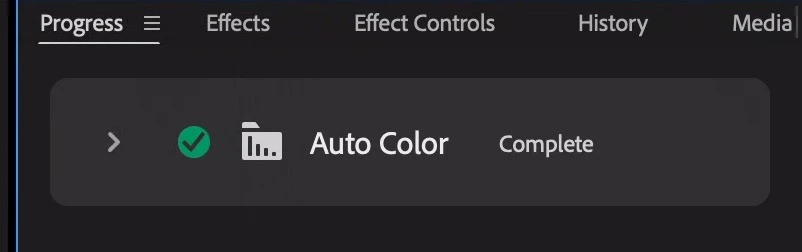
I'm seeing an interesting new alert, "Auto Color complete". What's auto color? Is the Production doing some auto coloring? Can I turn this off? I'm pretty sure my director does not want anything auto colored:
Correct answer Ann Bens

You cannot turn this off. As soon as you hit the Auto button in Lumetri its being processed.

No auto coloring is done on its own.

1 reply

Ann Bens
Community Expert
Ann BensCommunity ExpertCorrect answer
Community Expert
February 25, 2025

You cannot turn this off. As soon as you hit the Auto button in Lumetri its being processed.

No auto coloring is done on its own.

KazuTaAuthor
Inspiring
February 25, 2025

So, since I do not have the Lumetri panel open, no auto coloring is being done, correct? I'm wondering why Premiere is telling me that Auto Coloring is complete if it's not doing any auto coloring...?

Ann Bens
Community Expert
Community Expert
February 25, 2025

I assume you have color correction applied?
