Answered
Auto marker on Audio Clip
I noticed one of my audio files has a marker on it when I import it onto my timeline, is there a way to remove this?
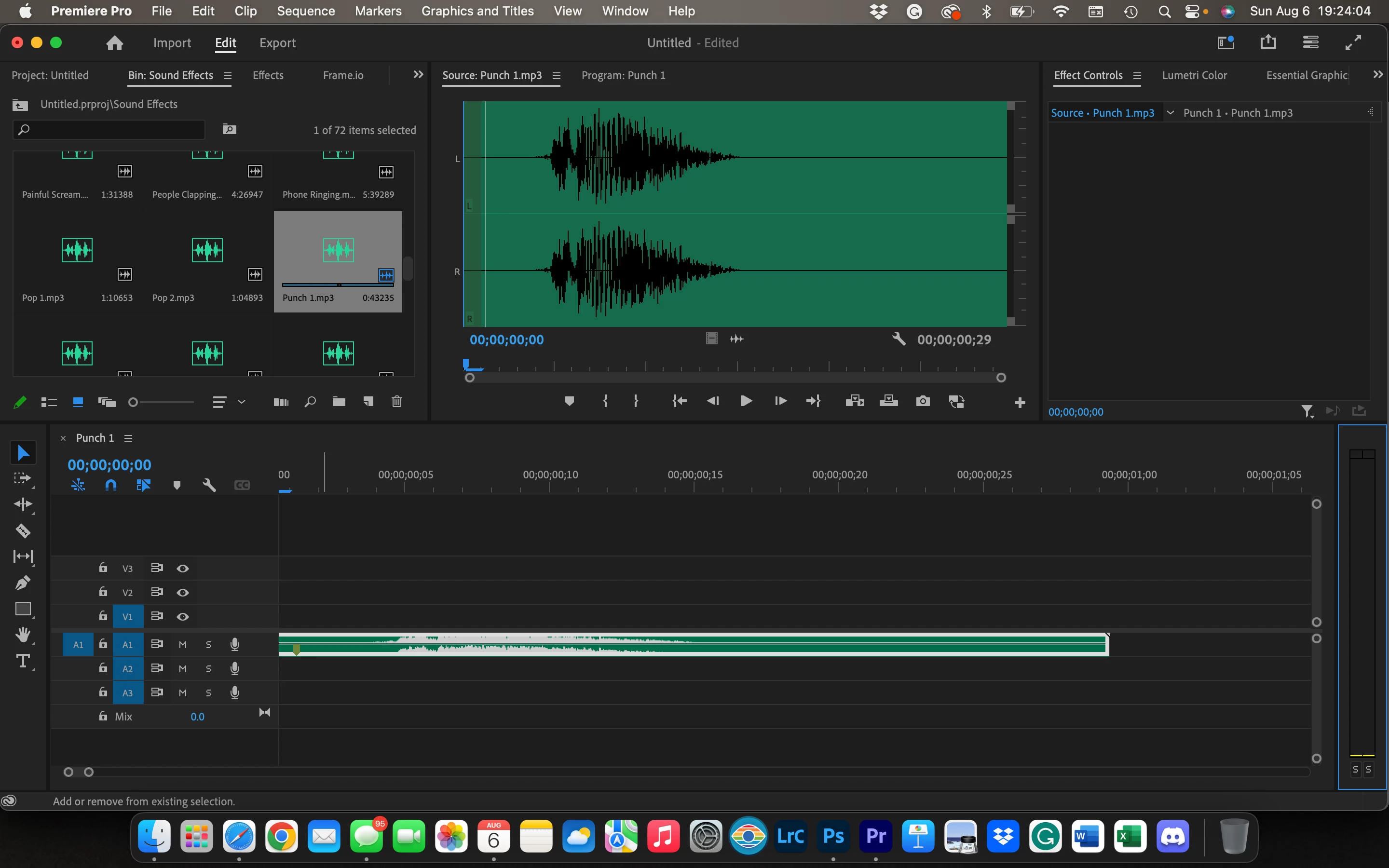
I noticed one of my audio files has a marker on it when I import it onto my timeline, is there a way to remove this?
Hi @Malachi Smythe,
Thanks for the question. You can remove a clip marker. Open the clip into the Source Monitor. Choose Markers > Clear Marker. That should remove the marker for you. Let us know if that worked for you.
Thanks,
Kevin
Already have an account? Login
Enter your E-mail address. We'll send you an e-mail with instructions to reset your password.
 AdChoices