
Participant
January 31, 2024
Answered

Auto Pod (Plug in Issue)

  • January 31, 2024
  • 4 replies
  • 6247 views

Hello, 

I've recently started recording podcast material and have run into an issue I can't understand. 

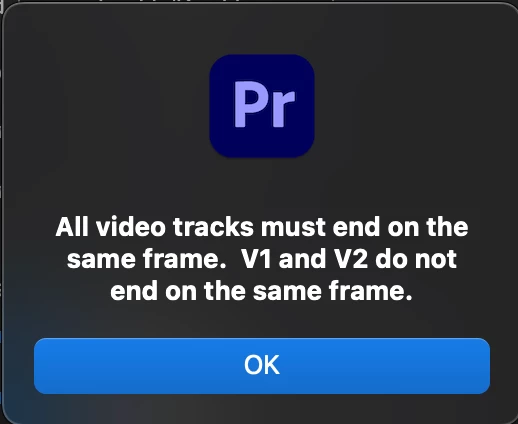
Within the "Auto Pod" plug in I have assigned my Audio and Video correctly however when creating the multi cam edit I recieve a error message. Seen Below:
I Have however sync the video to start and end at the exact same point, I've even gone so far as to edit the Original video files to be exactly the same length and still have this reoccuring issue. 

If anyone has any ideas as to why this is occuring your help is more than appreciated! 
Correct answer SteveVon36600241oj0f

Oh this isn't an error but an easy adjustment. All you have to do is line up the start of the video and audio to start at 0:00 and the trim the ending with both video and audio to match its endpoints. Once you do that AutoPod will do the magic. Try it and let me know how it goes. Good Luck!

4 replies

Participant
May 2, 2025

I'm also facing this issue anyone help me with that

Participant
October 10, 2024

Any solution?

Participating Frequently
October 17, 2024

Try nesting the short sequence, add a blank track with a transparent video and extend it to the same length as the longer clip, that way in the original sequence, both clips are the same length.

SteveVon36600241oj0fCorrect answer
Participant
April 8, 2024

Oh this isn't an error but an easy adjustment. All you have to do is line up the start of the video and audio to start at 0:00 and the trim the ending with both video and audio to match its endpoints. Once you do that AutoPod will do the magic. Try it and let me know how it goes. Good Luck!

Participant
September 22, 2024

What if one of the clips isn't the same length, but the video continues after that with the rest of the clips?

MyerPj
Community Expert
Community Expert
January 31, 2024

It sounds like an auto-pod issue, you should contact them.