



lowdencraftww
Known Participant
March 17, 2026
Question

Automation Blocks - add a metadata / BITC effect to an adjustement layer

  • March 17, 2026
  • 2 replies
  • 33 views

Hello

I am looking to automate the addition of BITC on an adjustment reading the timecode that is in a nested sequence.

  1. drag and drop a selection of sequences in a new sequence. The selected sequences become nested sequences in the new timeline.
  2. Add adjustment layer above the video track. Add the Metadata FX to the adjustment layer. Due to the limitation of the Metadata FX, it cannot read the timecode of the nested source video, therefore, I need to copy the timecode start number from the nested source to the offset in the Metadata FX window.
  3. Each nested sequence will have a unique adjustment layer Metadata FX.
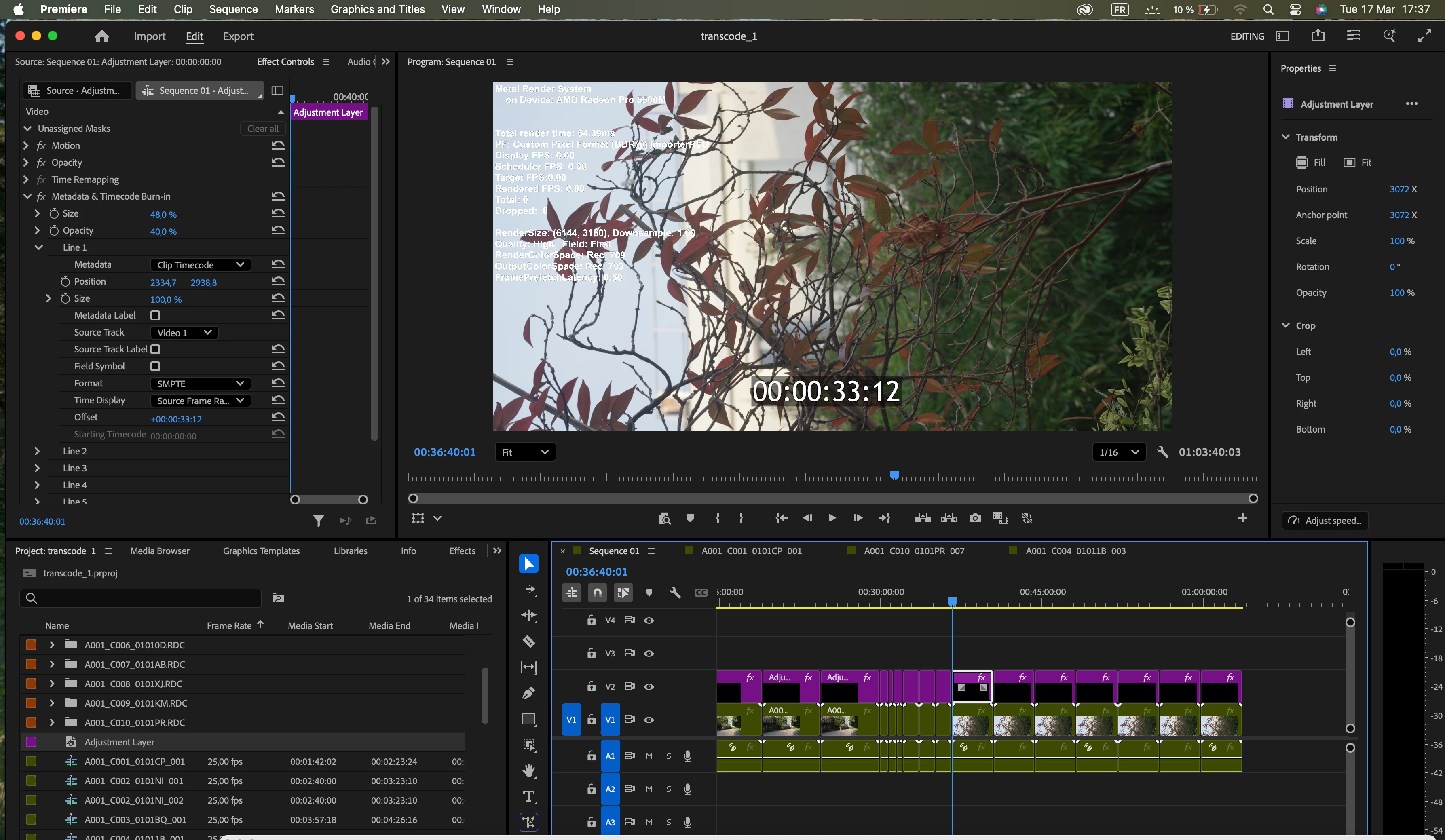
Is this possible with automation Blocks ?

Thank you

    2 replies

    Community Expert
    July 2, 2026

    You want the timecode of the clip inside the nested sequence, correct?
     

    If all the clips inside your nested sequences are on the same track, you can also achieve this with the following method:

    1. Add an adjustment layer above your sequence and apply the Metadata effect, set to Source Timecode.
    2. Add a video track above the nested sequences and below the adjustment layer, then copy a duplicate of the nested sequences onto it (video only).
    3. Select the duplicate nested sequences, right-click, and choose Multi-Camera > Enable. Then choose Multi-Camera > Camera 1 (if all your clips are on V1).
    4. Right-click again and choose Multi-Camera > Flatten. This places your original clips on the timeline above the nested sequences.
    5. Select the duplicate clips and open the Properties panel.
    6. Set their Opacity to 0. This hides the duplicates so the Metadata effect displays the original timecode while the nested sequences below remain visible.
    Mathias Moehl
    Community Expert
    Community Expert
    July 1, 2026

    Sorry for the delayed reply. Since the forum migration, I apparently stopped receiving notifications for some Automation Blocks questions, so I’m only catching up on them now.

    In principle, this sounds like something that could be automated with Automation Blocks, but the critical detail is the Metadata effect itself.

    Automation Blocks can automate workflows such as looping over selected sequences, creating a new sequence, placing/nesting those sequences, and creating related items around them. The part that would need testing is whether the specific offset parameter of the Metadata FX is exposed by Adobe Premiere’s scripting API and can be changed reliably from a script.

    So I would not describe this as a simple “use these three blocks” workflow, but it may be possible with a combination of Automation Blocks and a small custom code section.

    Mathias Möhl - Developer of tools like BeatEdit and Automation Blocks for Premiere Pro and After Effects