To learn using the block code of Automation Blocks, get started here:
https://docs.mamoworld.com/automation-blocks/tutorials-pr/firstSteps
I just looked at the block code of "Copy Auto Reframe Track to Transform" and noticed that it contains some logic to minimize the number of keyframes. For every frame it looks at the frame before and the frame after and if the agerage of these two is almost identical to the value at the current frame, it does NOT introduce a keyframe at the current frame. Due to this "almost equal" and keyframe easing, this might not be 100% accurate.
I attached a version of the script where I deactiated this optimization to minimize the number of keyframes (in the code I replaced the check if the current time needs a key by "true", to always generate a key on every frame):
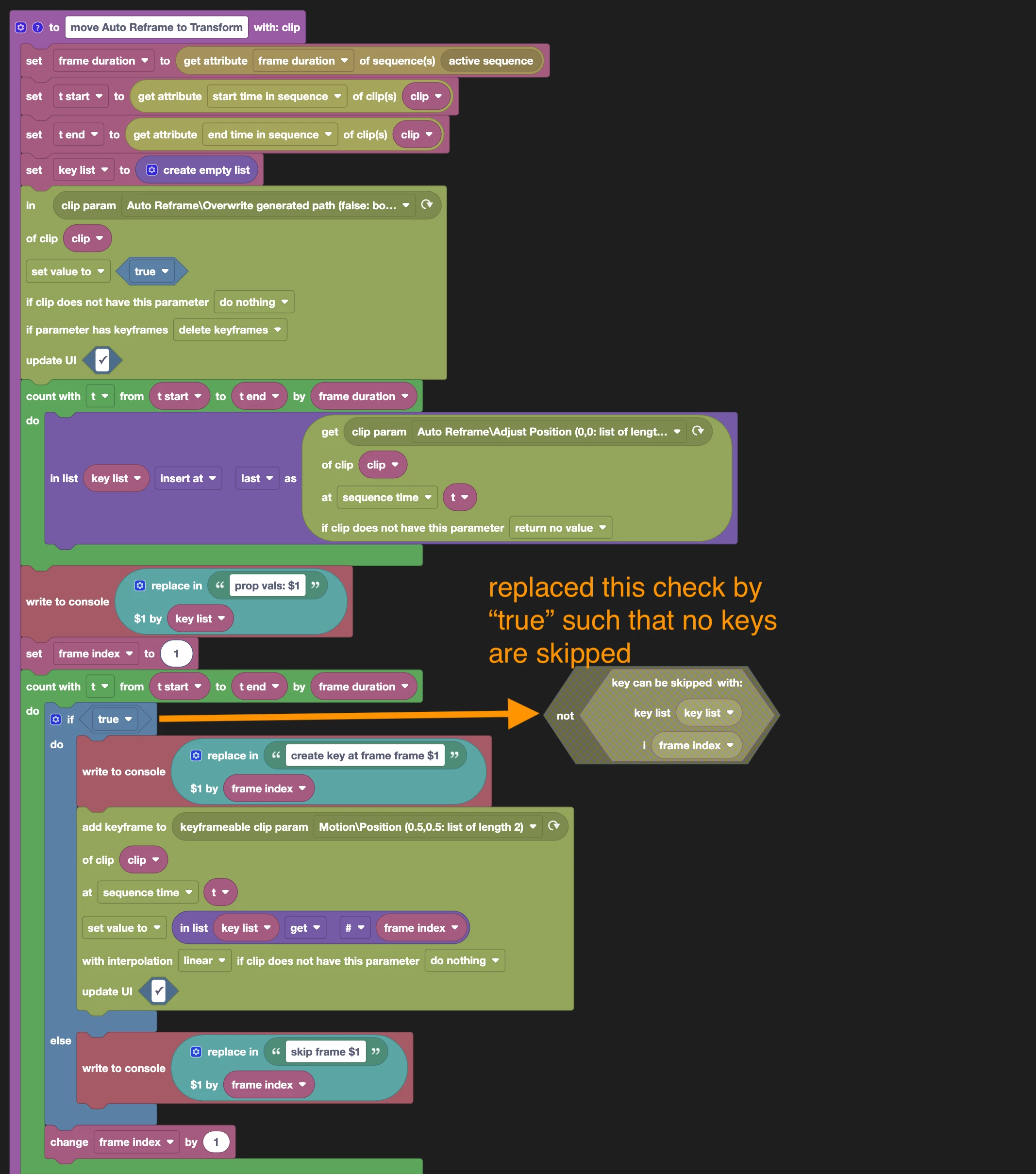
To test if this version is more accurate, you can download the attached xml file and load it into Automation Blocks.
I think I figured out what's happening.
There's an attribute in Auto Reframe called "Reframe Offset."
When "Overwrite generated path" is enabled, it takes the Reframe Offset into account when generating keyframes. But afterwards it adds the Reframe Offset again, effectively doubling it.
So until you reset the Reframe Offset back to zero, you're not seeing the original effect of the Auto Reframe.
This isn't a problem with the script, it's a problem with Premiere. So I added a code block that resets the Reframe Offset to zero after it sets Overwrite generated path to true.
I don't know if you'd want to include this step in the official collection, but I can send it to you if you like.
Thanks again for your help,
Ted



 AdChoices