



GabrieleLS
Inspiring
Jul 25, 2023 2:15 PM UTC
Answered

Automation Mode switches to Touch each time Premiere regains focus (becomes the frontmost app again)

I'm using Premiere Pro 23.5.0 on a MacBook Pro 16-inch 2023 with macOS 13.4.1.


In the Audio Track Mixer panel of Premiere Pro, I usually set the Automation Mode menus to Read.
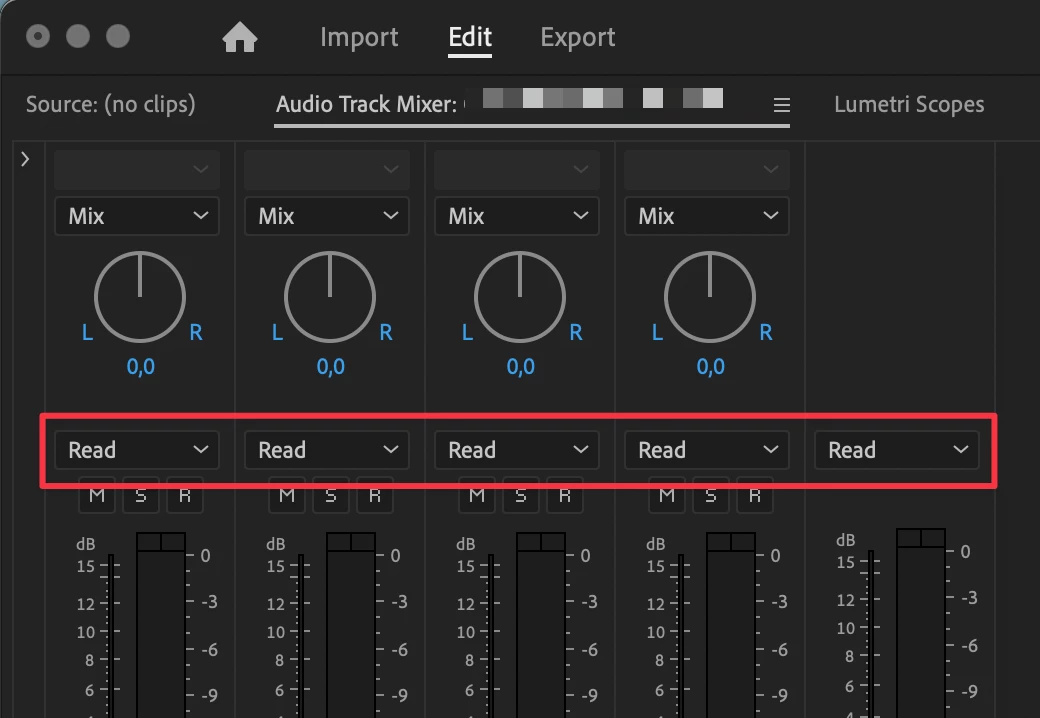


Unfortunately, each time I switch from Premiere Pro to any other app, and then I switch back to Premiere Pro, some of these menus switch automatically to Touch.
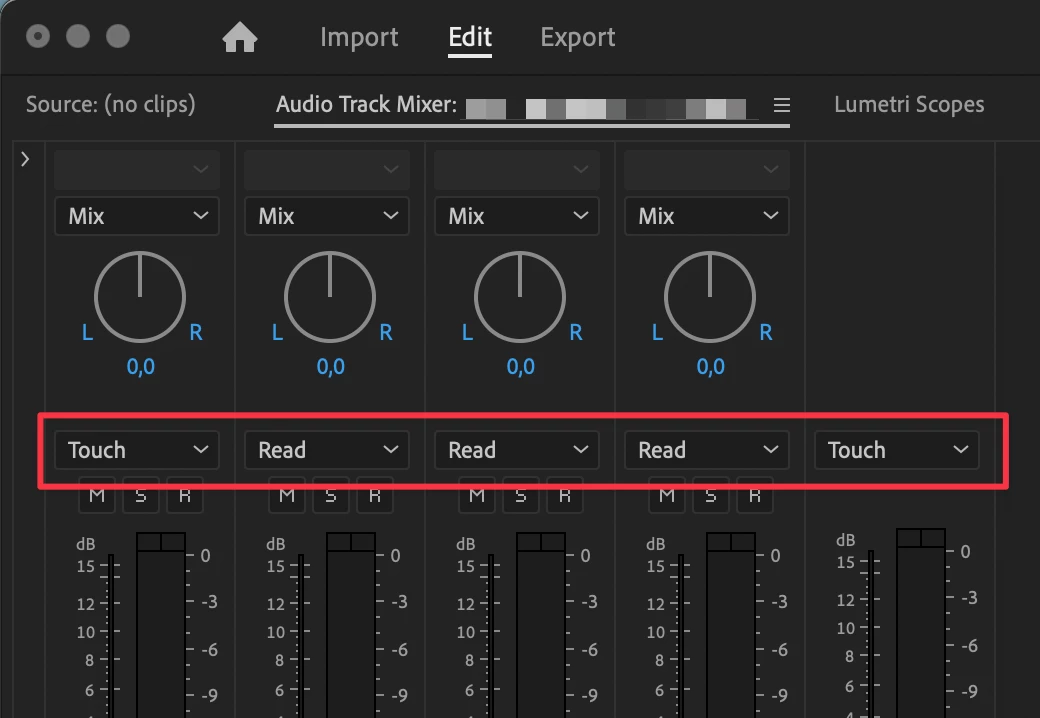


This is incredibily annoying.

GabrieleLS
GabrieleLSCorrect answer
Inspiring
Jul 25, 2023 2:43 PM UTC

After further investigation, I discovered Premiere Studio caused the problem. Uninstalling it, the problem disappeared.

5 replies

Community Manager
Jul 26, 2023 1:37 AM UTC

Thanks a ton @GabrieleLS!

Translate
GabrieleLS
Inspiring
Jul 25, 2023 10:57 PM UTC

Hi @mstegner, please have a look at this screenshot:


I also discovered that the same extension was responsible for a Premiere Pro crash I had repeatedly had during the past months. Here is a video description of the issue: https://www.youtube.com/watch?v=hGg1jc7TgrY In brief, re-opening a Premiere Pro project I had already opened and closed before caused a crash in Premiere Pro.


P.S. Strange but true: after uninstalling Premiere Studio, even reinstalling it, I was unable to replicate the issue described in my first post. 😵‍ On the other hand, I can easily replicate the crash described in this post.

Translate
Community Manager
Jul 25, 2023 9:18 PM UTC

Hi @GabrieleLS ,

I’m investigating this.  Can you provide a little more information for me as I try to replicate this and generate bug?   What parts of Premiere Studio did you have installed?  Do you remember?

Translate
GabrieleLS
GabrieleLSAuthorCorrect answer
Inspiring
Jul 25, 2023 2:43 PM UTC

After further investigation, I discovered Premiere Studio caused the problem. Uninstalling it, the problem disappeared.

Translate
Participant
Sep 3, 2025 7:06 PM UTC

Gracias. Funcionó para mí. Luego de desinstalar Premiere Studio el problema desapareció.

Translate