
Participant
July 27, 2021
Answered

Bad export resolution, but looks fine in preview window.

  • July 27, 2021
  • 1 reply
  • 1140 views

When editing a video, everything looks good in the preview window, but when I export it to my PC, it suddenly becomes all grainy. And when I upload to YouTube, the settings only go up to 480p, even though my Premiere Pro and my OBS settings are both at 1920x1080p. This has happened multiple times now, and I want to find a quick fix since I can't stand seeing my videos like this. All images that might be helpful are down below;
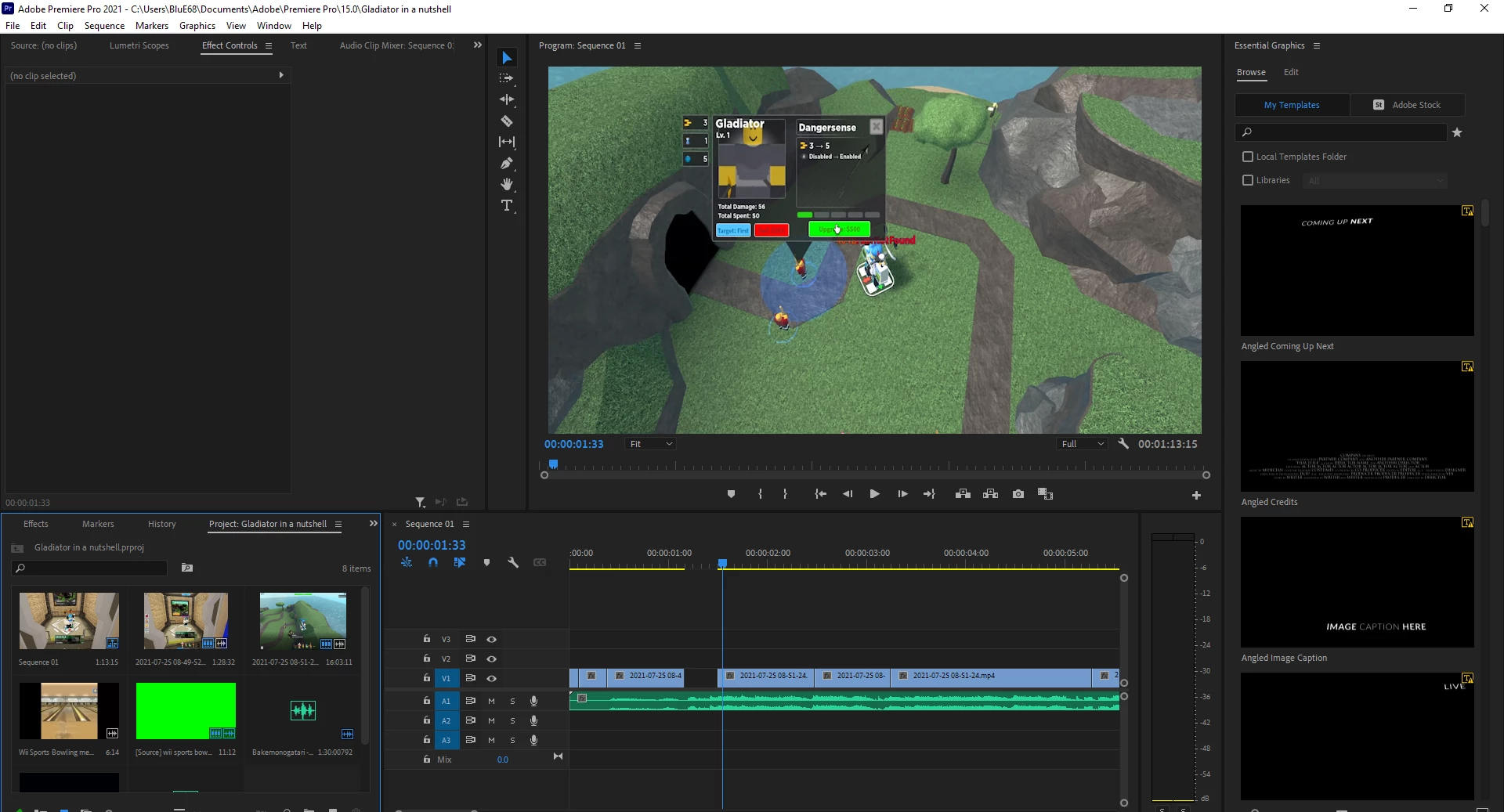
 What it looks like in Premiere
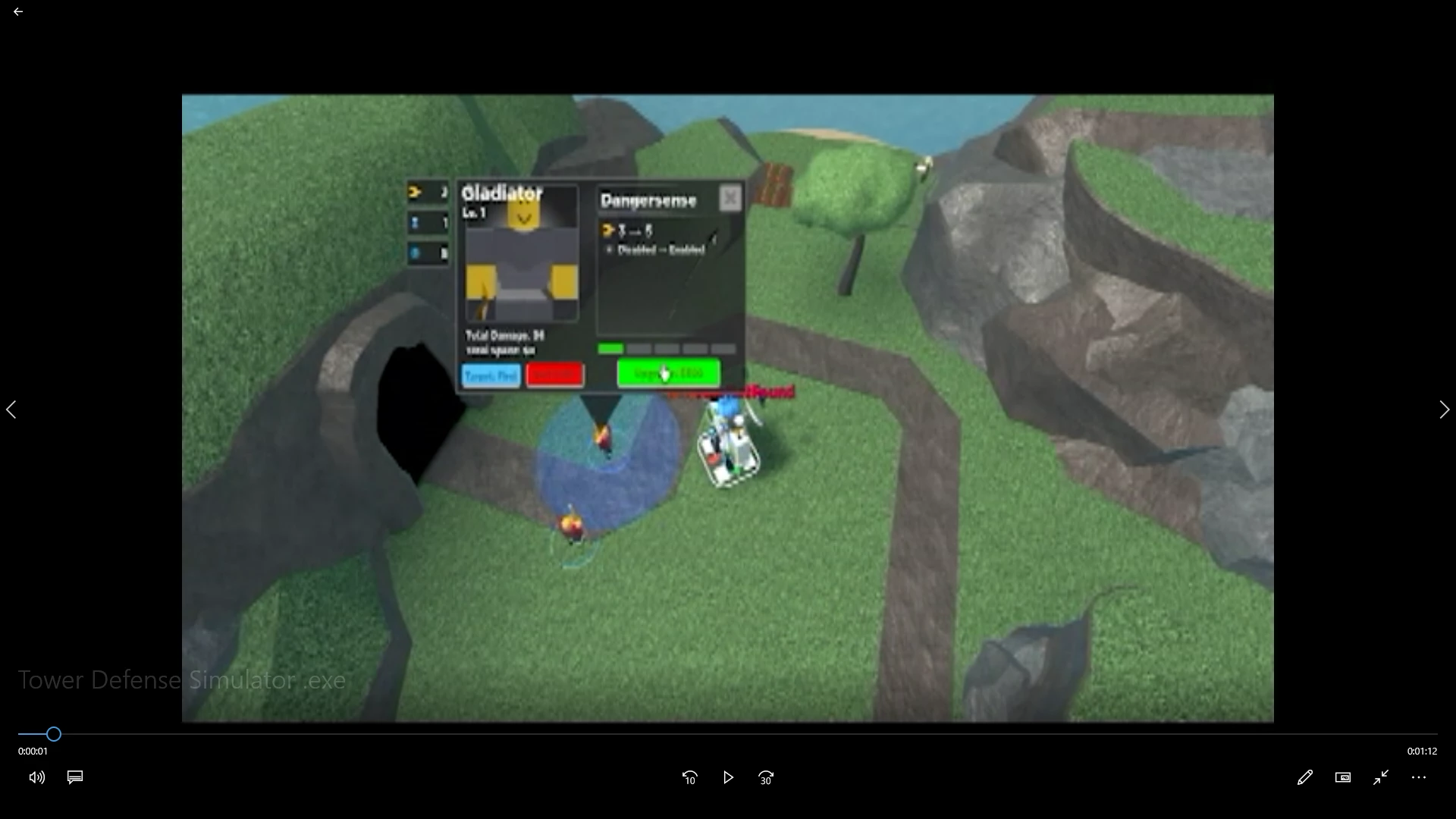
 

 What it looks like in the Windows video player
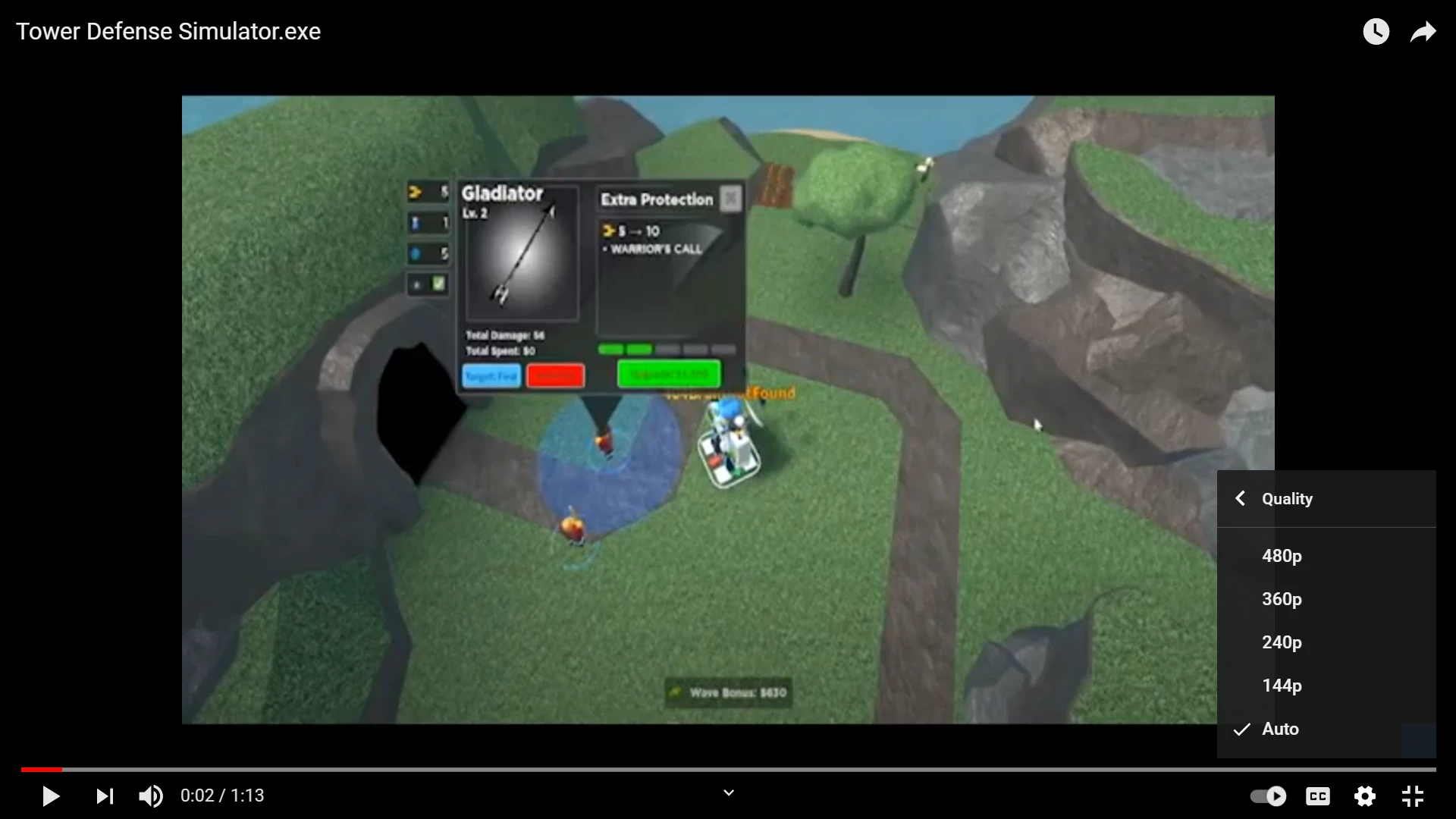
 

 YouTube Page
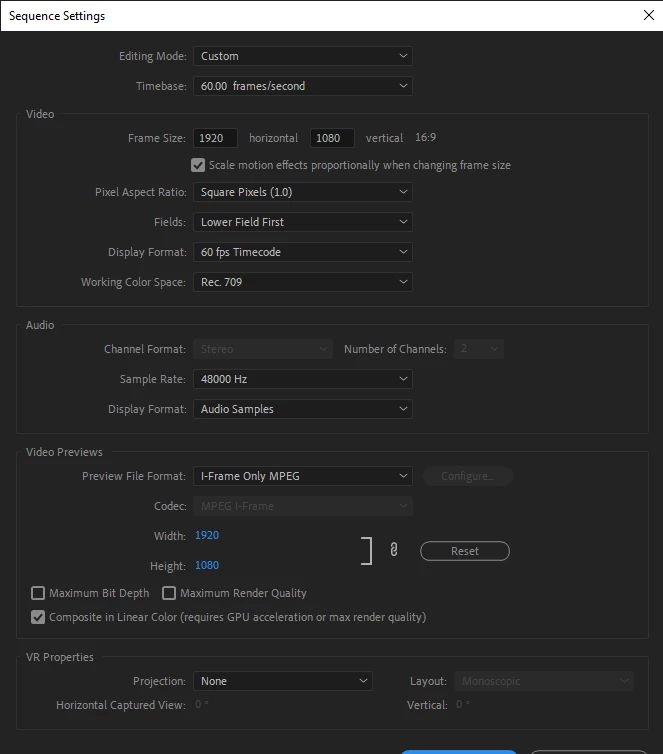
 

Sequence Settings 
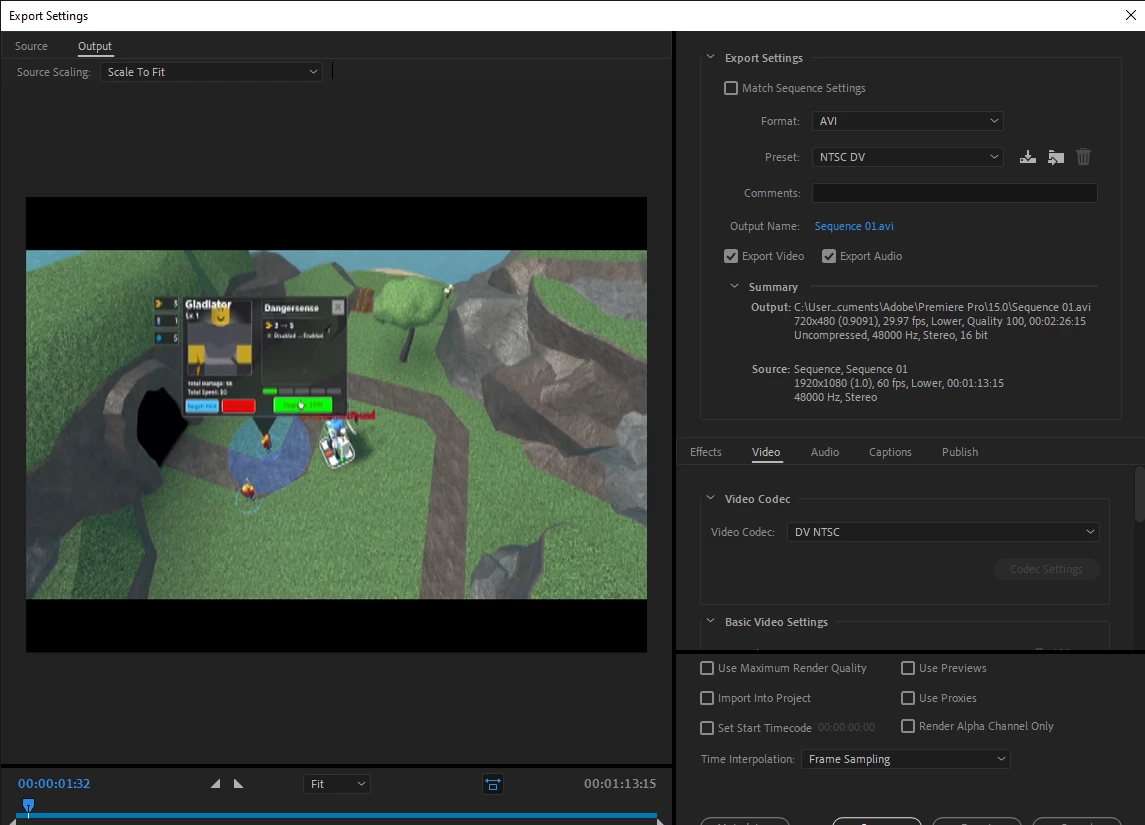
 

Export Settings
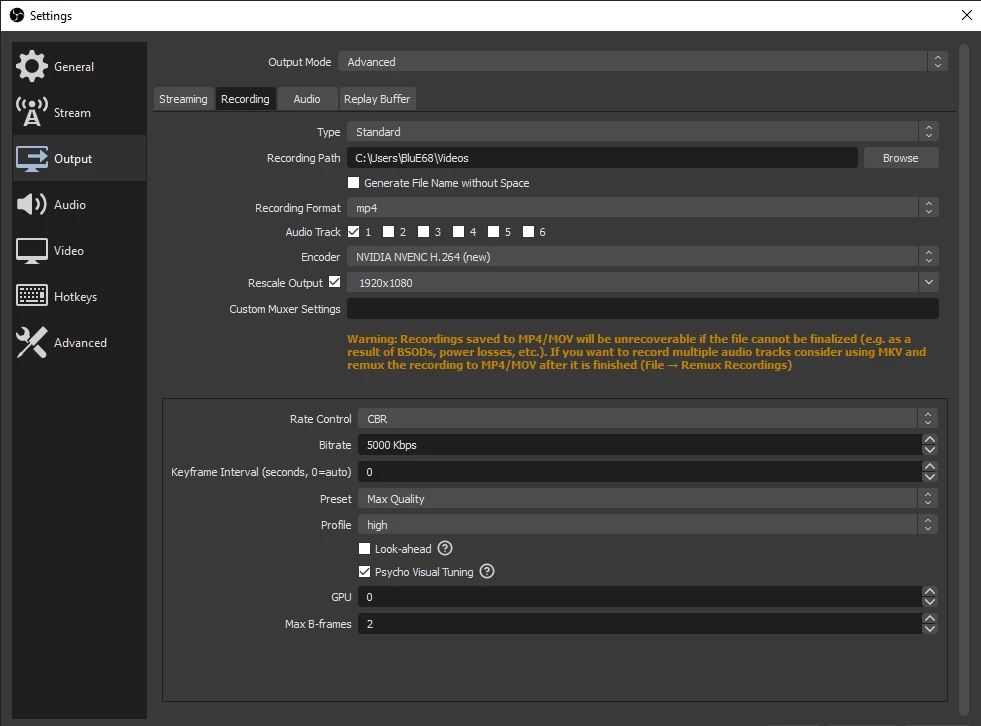
 

OBS Studio 

This topic has been closed for replies.
Correct answer Averdahl

You are outputting 1920x1080 @ 60 fps to 720x480 @ 29.97 fps, thats why it looks bad. If you have 1920x1080 you should output to 1920x1080 if you want the best quality, unless you are going to make a DVD.


Always aim to match the frame size and frame rate with your exports. You probably want to use the H.264 exporter instead of the DV AVI exporter as well.


EDIT:

I noticed now that your sequence is set to Lower Fields First. Your footage is progreessive, so go to Sequence > Sequence Settings and set the Fields to No Fields (Progressive Scan).

1 reply

Averdahl
Community Expert
AverdahlCommunity ExpertCorrect answer
Community Expert
July 27, 2021

You are outputting 1920x1080 @ 60 fps to 720x480 @ 29.97 fps, thats why it looks bad. If you have 1920x1080 you should output to 1920x1080 if you want the best quality, unless you are going to make a DVD.


Always aim to match the frame size and frame rate with your exports. You probably want to use the H.264 exporter instead of the DV AVI exporter as well.


EDIT:

I noticed now that your sequence is set to Lower Fields First. Your footage is progreessive, so go to Sequence > Sequence Settings and set the Fields to No Fields (Progressive Scan).

Participant
July 27, 2021

Worked like a charm, tysm!

Averdahl
Community Expert
Community Expert
July 27, 2021

Great! 🙂