Participant
July 18, 2020
Question

Bad quality after export

  • July 18, 2020
  • 4 replies
  • 3419 views

Hey there!

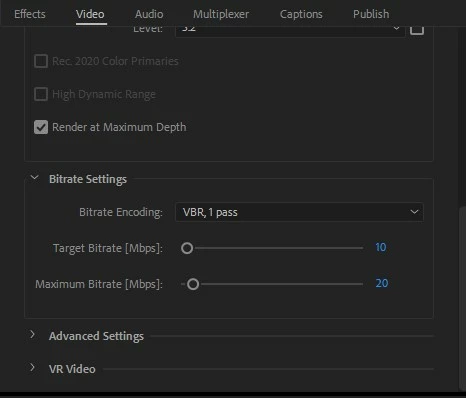
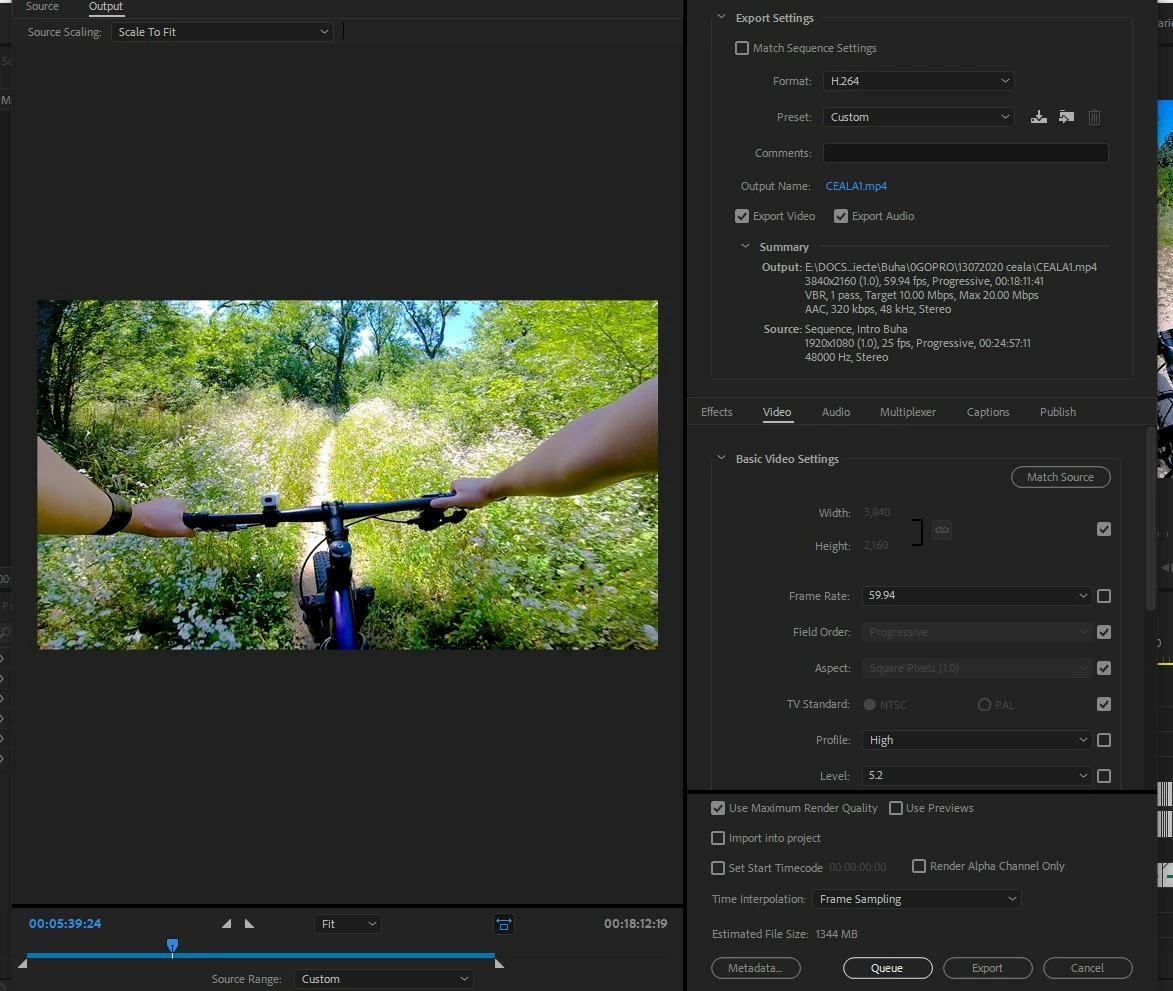
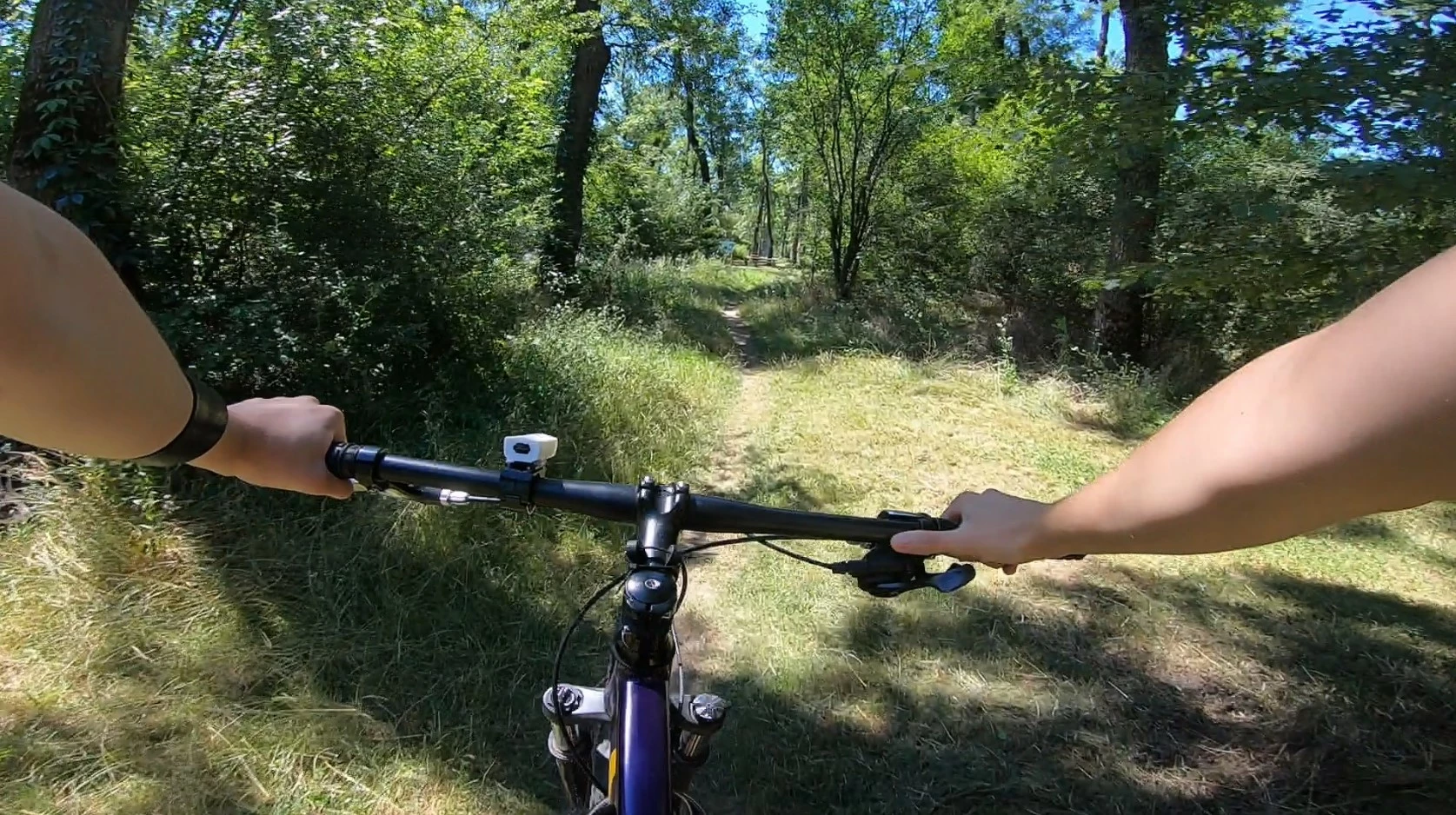
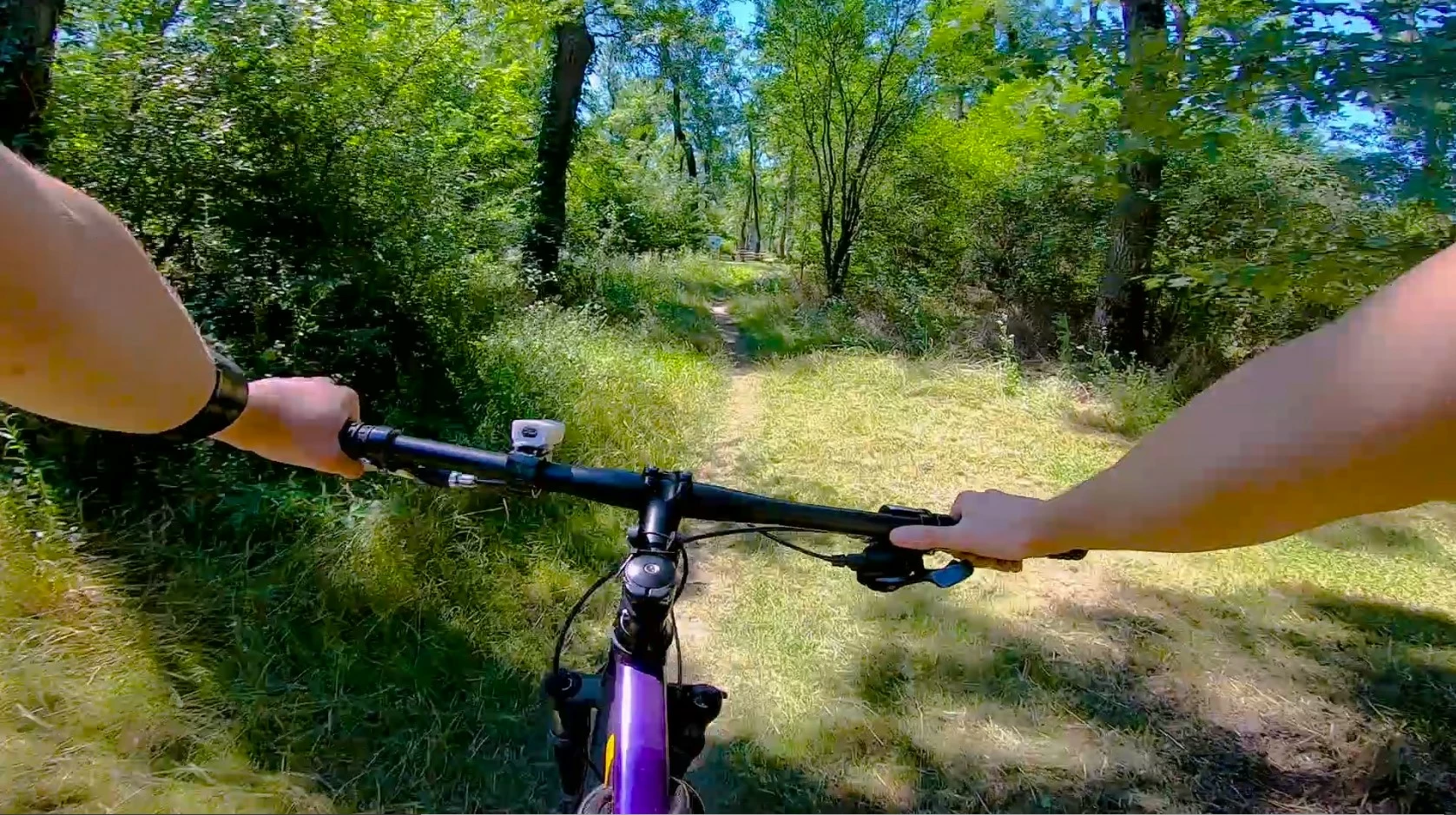
Im having issues with Premier Pro CC 2018. So i recorded a vlog with a gopro hero 7 black camera (1080p @283052). After exporting it, quality drops significantly. It pixelates and in some parts it gets even worse. I'll upload images with the export settings i used, and both before and after export images from the recording. I've read a few other posts invloving this issue and tried several settings but couldn't make it work. 
before:
after:
  

This topic has been closed for replies.

4 replies

Averdahl
Community Expert
Community Expert
July 18, 2020

...gopro hero 7 black camera (1080p @60fps)


Is there any special reason that you edit that footage in a 25 fps timeline? Editing 59.94 footage in a 25 fps timeline is not a good combo, especially when trying to output it to 59.94 again.

BuhaAuthor
Participant
July 18, 2020

Nope. Im a fairly new user to this software. I changed the timeline settings now and giving it another try on the export.


Averdahl
Community Expert
Community Expert
July 18, 2020

O.k, that´s better. Still no need to use Use Maximum Render Quality. Avoid to check boxes that you don´t know what they do or if you actually need them. There are more people here that have issues because one or more of those boxes are ticked than people that get better quality by checking them.

Warren Heaton
Community Expert
Community Expert
July 18, 2020

Usually, when footage breaks down that much it's that the source has a low bitrate.


Try transcoding the GoPro camera original footage to GoPro Cineform (the CODEC GoPro gives us for editing footage shot in their devices) and then export.   If it is the bitrate of the source though, there's no magically putting that back.  You can do the conversion in GoPro Studio or in Premiere Pro.  Cineform3 should be fine, but you could bump it to Cineform4.  On the Premiere Pro side, in addition to having the source be Cineform, you want your Sequence Video Previews to be Cinform as well.

Community Expert
July 18, 2020

Also try turning off 'Render at Maximum depth' and 'Use Maximum render quality'

Warren Heaton
Community Expert
Community Expert
July 18, 2020

Maximum depth doesn't apply to H264 and Maximum render quality, strangely enough, is for when you scale clips below 100% in the Sequence.

Community Expert
July 18, 2020

You seem to be upscalling from HD to 4K on export and changing the frame rate, is that intentional?

BuhaAuthor
Participant
July 18, 2020

Upscaling was not intentional, but the frame rate was. I tried another export, changing to HD resolution but i still get the same result. 


Graeme Bull
Community Expert
Community Expert
July 18, 2020

target bitrate is too low for 60fps with high movement. Double it and you'll see better results. Or drop the frames down to 30 maybe. One or the other 🙂