Participant
June 15, 2017
Answered

Batch syncing dual audio

  • June 15, 2017
  • 2 replies
  • 1729 views

Hi.

Is there a proper feature in Premiere Pro for timecode batch syncing dual audio with your footage? I'm looking for smt that feature film editors could use. I have 35 days of footage (1 camera) and separately recorded .wav files - all with matching timecodes day by day.

Let's say that "mergeing" is an option due to clip-by-clip sync.

I have tried to use "muticam" for the task but I'm ending up with different errors with the audio channels or linking between timeline and bins. There are numerous of ways to link and map audio channels during this process. I'm trying to find out if the multicam could be used for feature film syncing or is there any other possibilities.

Needs for feature film editor:

* timecode bach sync (in bins)

* link between the clips on the timeline and bins

* to be able to have raw camera file names and audio file names on the timeline in the end of the editing process (for OMF / AAF / XML / EDL exports)

MULTICAM ERRORS

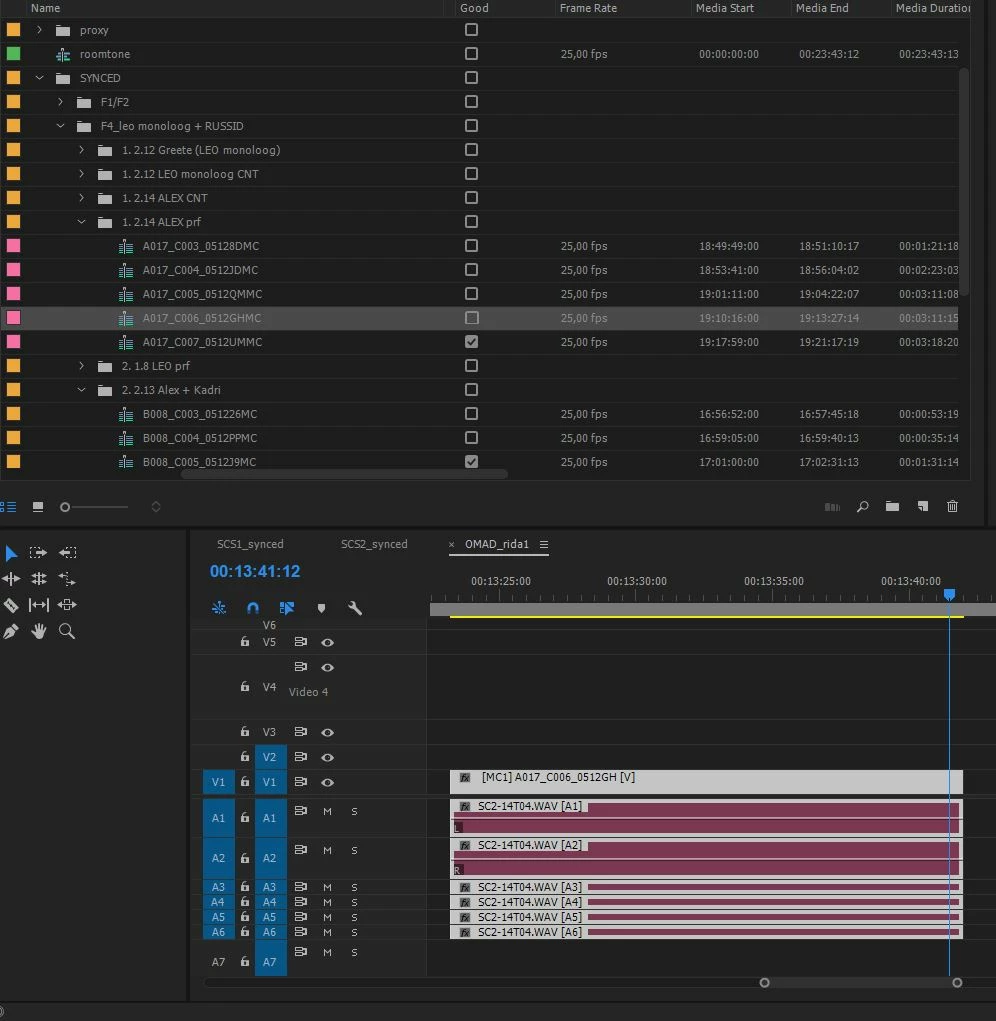
EXAMPLE1 ("insert and overwrite sequences as nests or individual clips" TURNED ON)

In this case I have clip on the timeline that seems to work well: "match frame" and "reveal in project" commands are working.

But after clicking "mutlicamera - flattern" on timeline (prep for OMF export) there are still 6 audio tracks but all the 6 tracks contain same audio channel: 1'st channel from the dual audio .wav
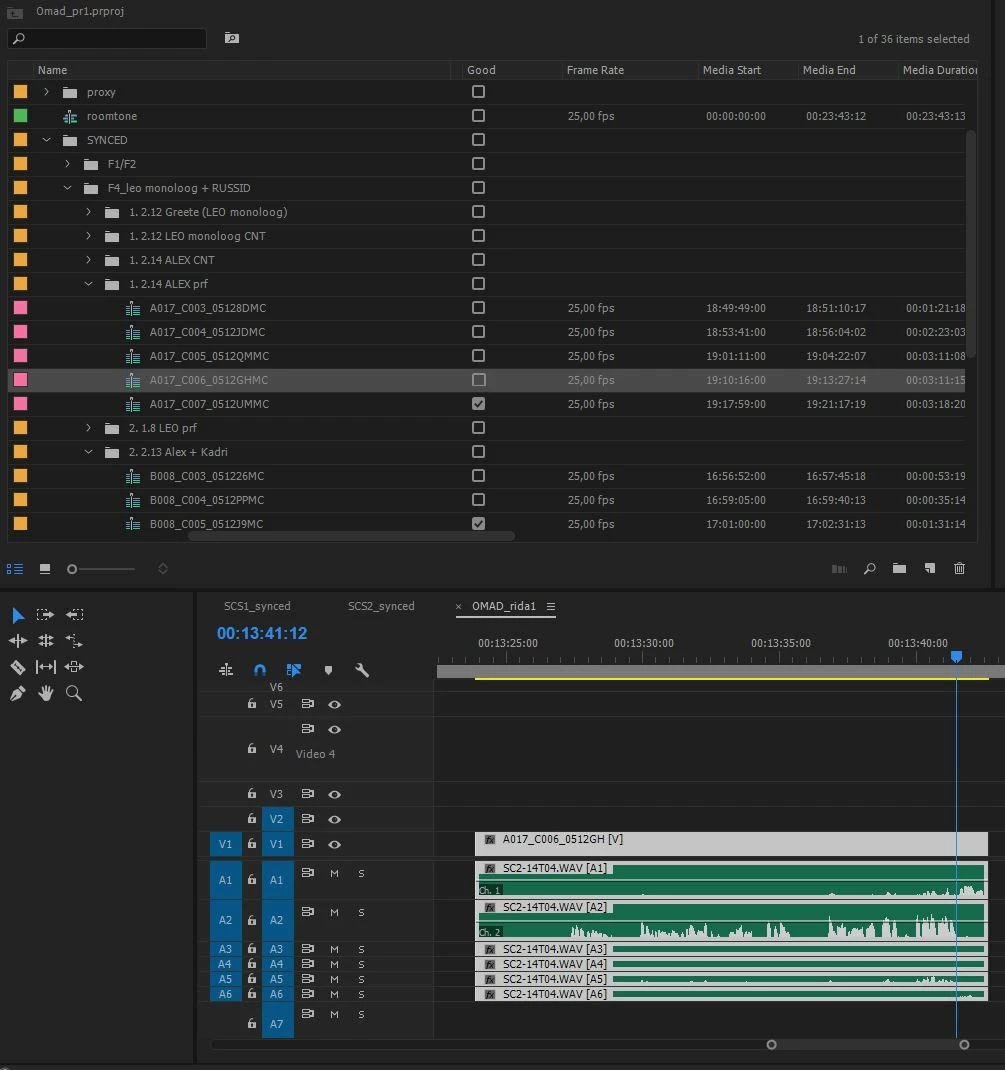
EXAMPLE 2 ("insert and overwrite sequences as nests or individual clips" TURNED off)

In this case all the audio channels on the timeline are correct as they should, but linking between timeline and bins seems to be affected.

You cannot use "reveal in project" command that is necessary. Secondly the "match frame" option is not linked to synced clip but just to the camera raw file.

If you bring clip to the timeline after "mach frame" command you end up with a clip that contains camera audio and not the synced .wav
    This topic has been closed for replies.
    Correct answer Kenny_Reff

    Actually, premiere Pro CC 2017 can do this easily.  Just use the Create Multicamera Source Sequence feature.  It doesn't matter that it's one video track and multiple audio tracks instead of the standard multiple camera tracks.  HUGE BONUS:  You don't have to guess which audio tracks match which video tracks.  Select ALL your video and ALL your audio tracks.  So long as you have reference audio on the video track, you can use the option for it to sync using audio.  Premiere will go through everything and create multiple multicamera source sequences.  Here's a video tutorial:

    Dual System Sound Syncing in Premiere Pro on Vimeo

    2 replies

    Kenny_ReffCorrect answer
    Participant
    November 5, 2017

    Actually, premiere Pro CC 2017 can do this easily.  Just use the Create Multicamera Source Sequence feature.  It doesn't matter that it's one video track and multiple audio tracks instead of the standard multiple camera tracks.  HUGE BONUS:  You don't have to guess which audio tracks match which video tracks.  Select ALL your video and ALL your audio tracks.  So long as you have reference audio on the video track, you can use the option for it to sync using audio.  Premiere will go through everything and create multiple multicamera source sequences.  Here's a video tutorial:

    Dual System Sound Syncing in Premiere Pro on Vimeo

    Participant
    November 5, 2017

    Adding screen shot to above post:

    Legend
    June 15, 2017

    Is there a proper feature in Premiere Pro for timecode batch syncing dual audio with your footage?

    There is not.  It will need to be done one clip at a time.

    Participant
    June 16, 2017

    This seems to be quite annoying issue. "Merge clips" window has a button named "remove AV audio" and multicam does not have the same feature.

    If the possibilites of mergeing and mutlicam would be in the same window then this dual audio automatic sync wold be possible. But all the good selections are in two separate commands.