
Participant
August 18, 2020
Question

Big Problem after todays update Premiere Pro 2020/ Procededure springin point not found

  • August 18, 2020
  • 1 reply
  • 439 views

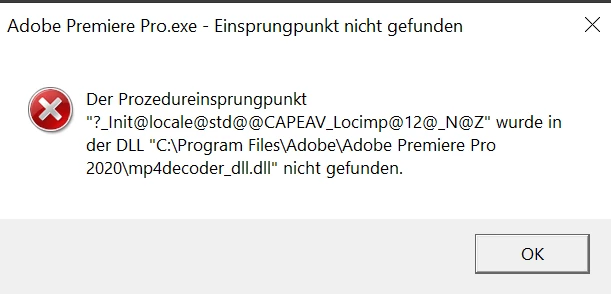
Einsprungpunkt nicht gefunden

Der Prozedureinsprungpunkt "?_Init@locale@std@@CAPEAV_Locimp@12@_NZ" wurde in der DLL "C:\Program Files\Adobe\Adobe Premiere Pro 2020\mp4decoder_dll.dll" nicht gefunden
 

This topic has been closed for replies.

1 reply

Averdahl
Community Expert
Community Expert
August 18, 2020

Un-install Premiere Pro and re-install Premiere Pro and see if that fixes the issue. There is clearly a problem with the installation.

Participant
August 20, 2020

did so, no solution. Too, I went to a reset point of my Windwos 10 installation of about ten days before, just to make sure, that the configuration of all visual basic C++  packages would be restored to a moment in time when everything was running fine. Really fed up, have to finish a project and there's not even the smalles idea how to get the software running

Averdahl
Community Expert
Community Expert
August 20, 2020

Then you can try FAQ: How to reset (trash) preferences in Premiere Pro?


If that don´t change anything i would try this: Use the Creative Cloud Cleaner Tool to solve installation issues


If the issue persist i personally find that the fastest way to get back on track fast is to do a clean installation of Windows since it is a quick process today: Download Windows 10