Participant
March 6, 2017
Answered

Bins not collapsing

  • March 6, 2017
  • 2 replies
  • 2419 views

Bins in my project are not collapsing. Next to each bin and clip there is a check box to the left. How can I get rid f the check box? I think that it is causing bins to stay open. Help.

    Correct answer shooternz

    Did look into it - the only one box checked is this - Premier Pro Project Metadata......

    Do you think thats it?
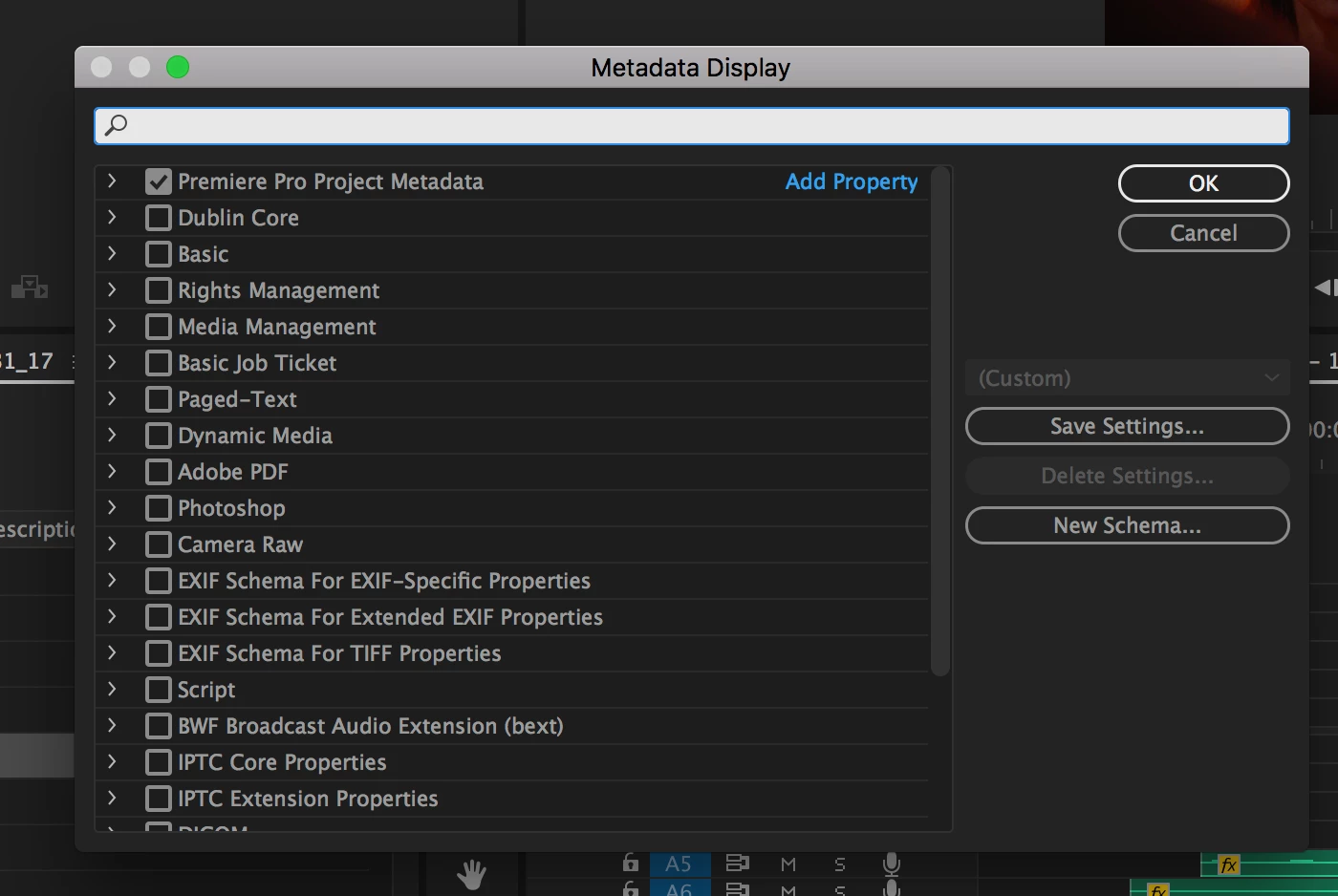

    Twirl that top one  open to see what is checked

    2 replies

    Known Participant
    May 23, 2022

    Same for me... just needed to uncheck the "Selected" option within "Premiere Pro Project Metadata", which fixed it, and so my sincere thanks to this discussion. It was bizarre though because I'm almost certain that it was working fine, and then all of a sudden I couldn't collapse or expand any of my bins, meaning the one bin I had open already was stuck open, and the the rest were stuck closed. Double clicking did indeed opened them in a new tab, but that's not the point of course.


    Cheers, Gary.

    shooternz
    Legend
    March 6, 2017

    If that "check box" is colored....that is the 'Label" which does nothing .

    Do you see twirl downs by the Bin Folders?

    Participant
    March 6, 2017

    its not colored

    see below

    [Screendump edited by mod: too big]

    shooternz
    Legend
    March 6, 2017

    Never seen that layout  before!

    Is it a Custom Bin Column Set up.  Can you edit that?

    I assume its the twirl downs that are not working on any thing.