
captainnut
Participant
January 12, 2021
Question

Black Artifacts/Glitches with adjustment layer

  • January 12, 2021
  • 2 replies
  • 570 views

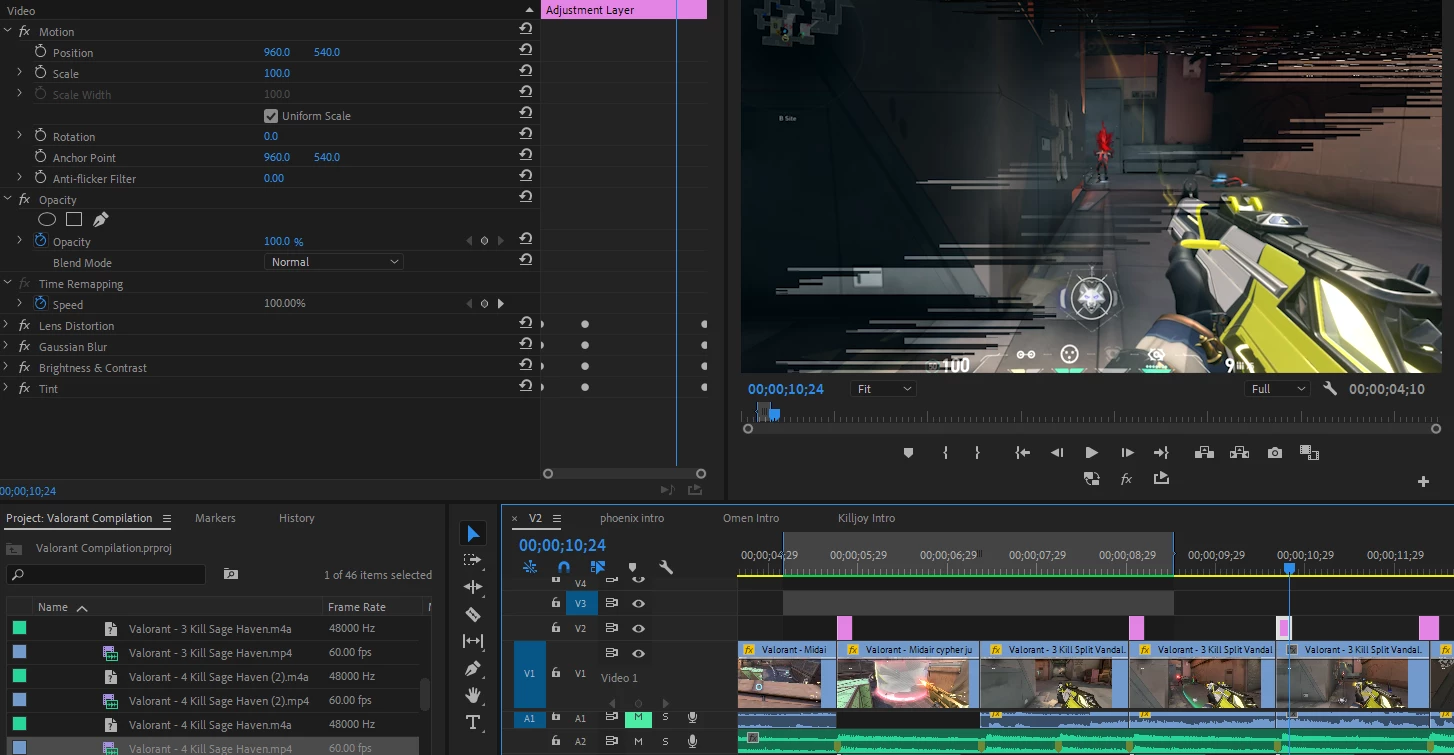
I keep getting random artifacts popping up on my projects, its caused by an ajustment layer with effects on which I've narrowed down to be the Gaussian Blur and Brightness & Contrast. Having both active causes the artifacts, but having only one stops them. My project used to be fine, I had the same effects but no artifacts, I can't think of anything I specifically changed. The artifacts are also inconsistant, they are different each time, sometimes they'll be there, but if I rewind and replay, they'll be gone or different. I rendered it out and even the rendered frames had the glitches

The issue can be seen below:

The black bars across the screen are not supposed to be there
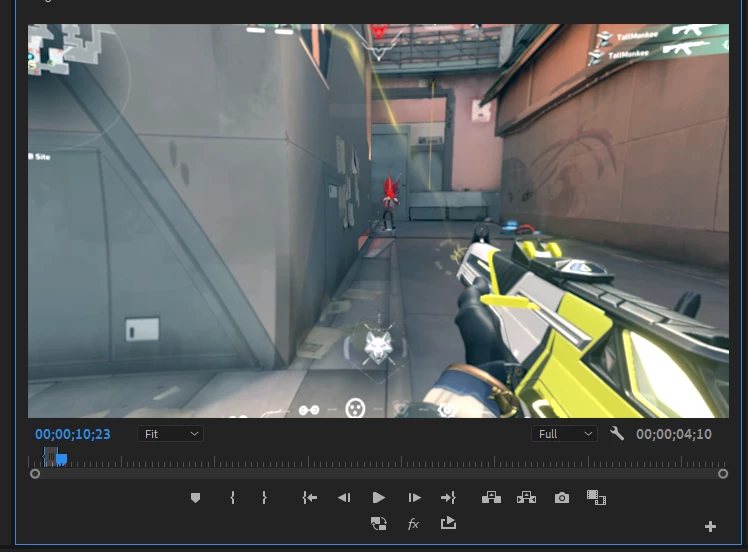
It is supposed to look like this:
 

This topic has been closed for replies.

2 replies

R Neil Haugen
Legend
January 12, 2021

I  don't understand why anyone mangles their pixels with that ancient Brightness and Contrast effect. When doing anything that affects color or tonality, check in the Effects panel to see whether it shows the 32 bit "lego block" icon.


Which "Brightness and Contrast" most certainly does not. It's only 8 bit color, and will result in banding and perhaps other artifacts quite frequently. Use Lumetri ... it's a vast improvement in math.


Applying actually contrasting effects like a blur and a color correction can interfere with each other. It's always good to apply one, nest, then apply the other. It internally separates the processing steps better.


Neil

Everyone's mileage always varies ...
Joëlle Bh
Community Expert
Community Expert
January 12, 2021

Hello,

What do you have the renderer set to? if you change to  Software Only if you're running OpenGL or Metal, does it change?


File > Project Settings > General. Under “Video Rendering and Playback,” there's a “Renderer” you can check this info there.