
Participant
April 10, 2025
Question

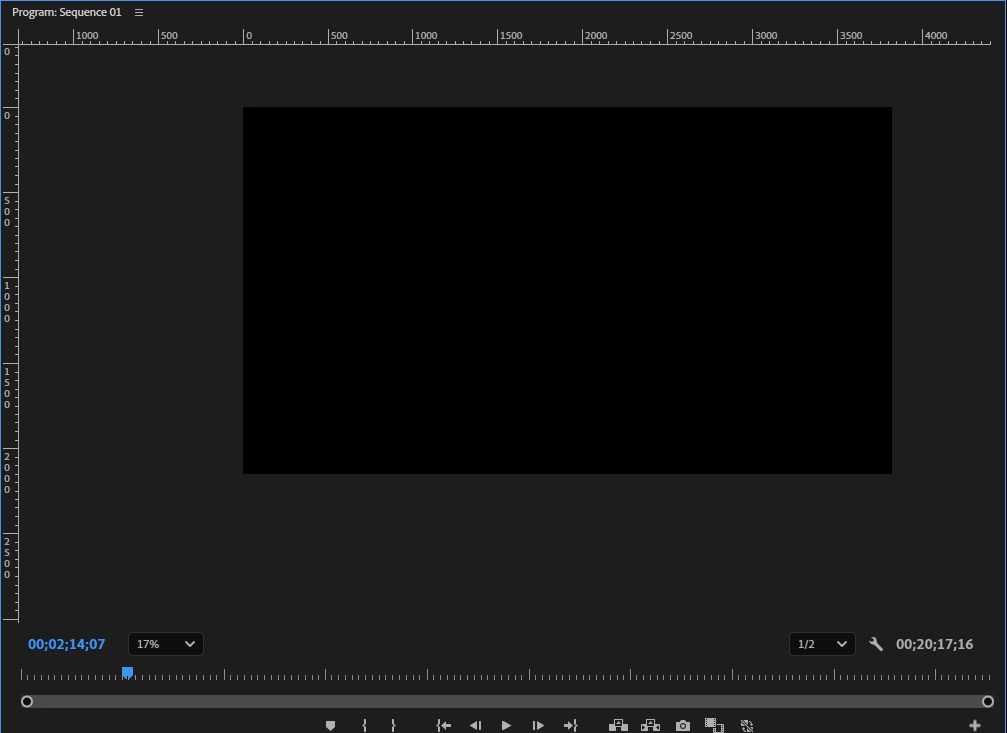
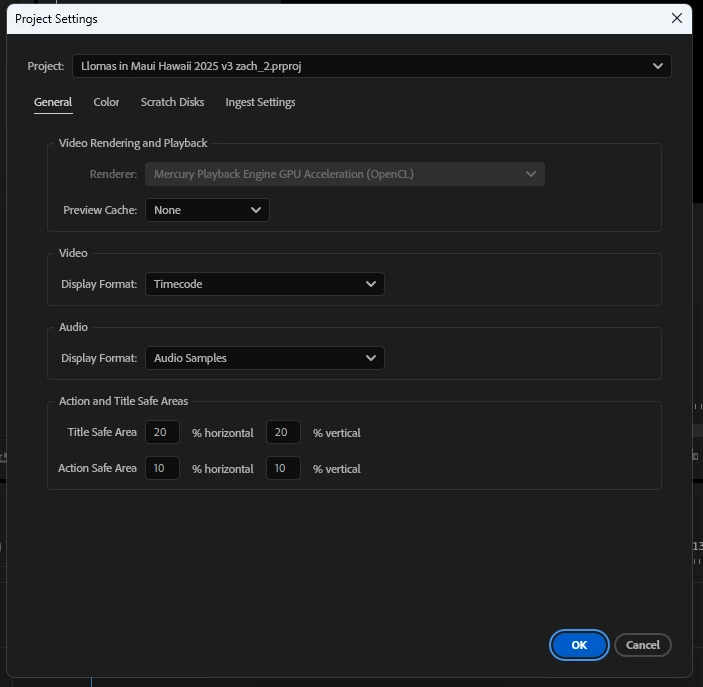
Black playback and unable to change renderer under file>project settings>renderer
  • April 10, 2025
  • 1 reply
  • 472 views

Hi,

On one of my edits, I have been unable to view the playback of my video... The playback is just black. I've watched a few videos on how to fix this, and they reccomend changing the renderer under file>project settings>renderer, but the button to change the renderer is not available either. The playback quality is set to 1/2 resolution. The playback on my other edits are fine, just not this one. I've also cleared the cache. What are my next steps? Thanks!


1 reply

Community Expert
April 10, 2025

We need a lot more info here:

  • Premiere version
  • Sequence Settings
  • Types of media on the timeline
  • Screen cap of the timeline showing all buttons on the left side
-------------------------------------------------------------------------JVK | Editor/Designer/Software Instructor. Pr, Ae, Ch, Ps, Ai, Id
Community Manager
April 10, 2025

Hi sailingMickey,

We're sorry to hear about the issue. Is it happening with any specific media or the entire sequence? Are you able to preview the media in the Source monitor? Let us know the version of Premiere Pro that you are using & the system specs. We're here to help, just need more info.


Thanks,

Sumeet

Participant
April 18, 2025

All of my videos have black playback, but some of my photos don't. I'm using version 24.6.5 (build 3). Yeah I can preview the media in the source monitor. I'm using a Gram Windows laptop. Only this one project is having issues with black playback... My previous videos are unaffected. Thanks for your help!