

Black Screen (source and preview) when using GPU (CUDA) [NVidia RTX 3070]
Greetings to the community (Adobe Premiere Pro 2020 - latest version)
Specs:
Ryzen 9 5950x
RTX 3070
128 GB RAM
SSD
MB: GIGABYTE AUROS MASTER X570
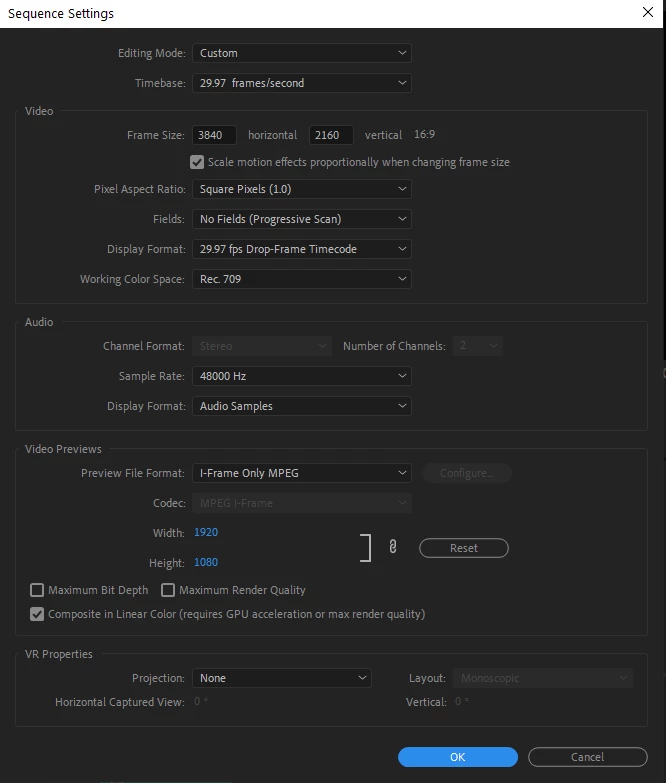
Sequence settings: (most often use for me both on my mac and pc)
ISSUE:
While working in premiere pro, suddenly without any reason the preview screen goes black (audio still works) in the both timeline and preview screen.
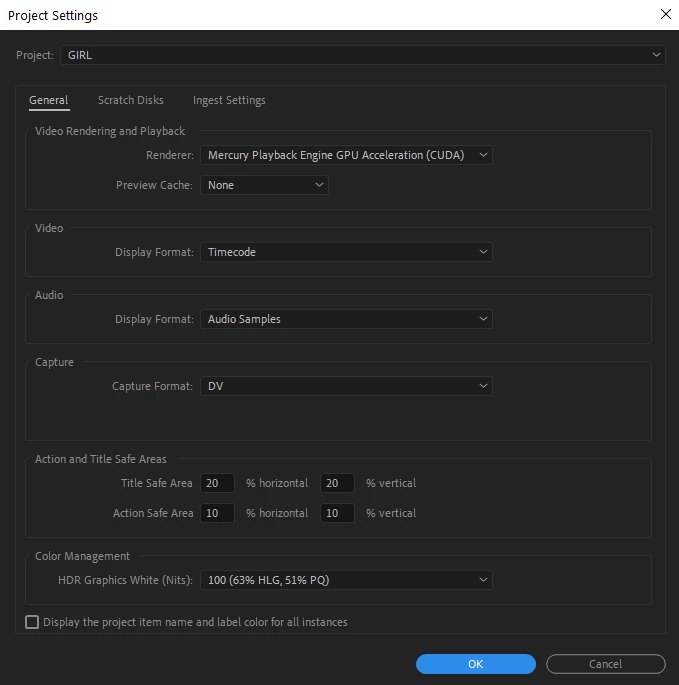
In the project settings if I change the render from CUDA to Software it works (really slow but preview comes back)
When I restart the application, it works once again for a while until it goes black again and it's getting really frustrating already.
All nvidia graphics are with latest updates
Windows is with latest updates
Tried:
Checked already some other old posts from the community with offering small changes in the nvidia settings which i tried with no luck.
Would be happy if somebody has any idea on the issue.
Thank you in advance!


 AdChoices