
Participant
May 1, 2023
Answered

Black side bars on Exported Video

  • May 1, 2023
  • 1 reply
  • 1227 views

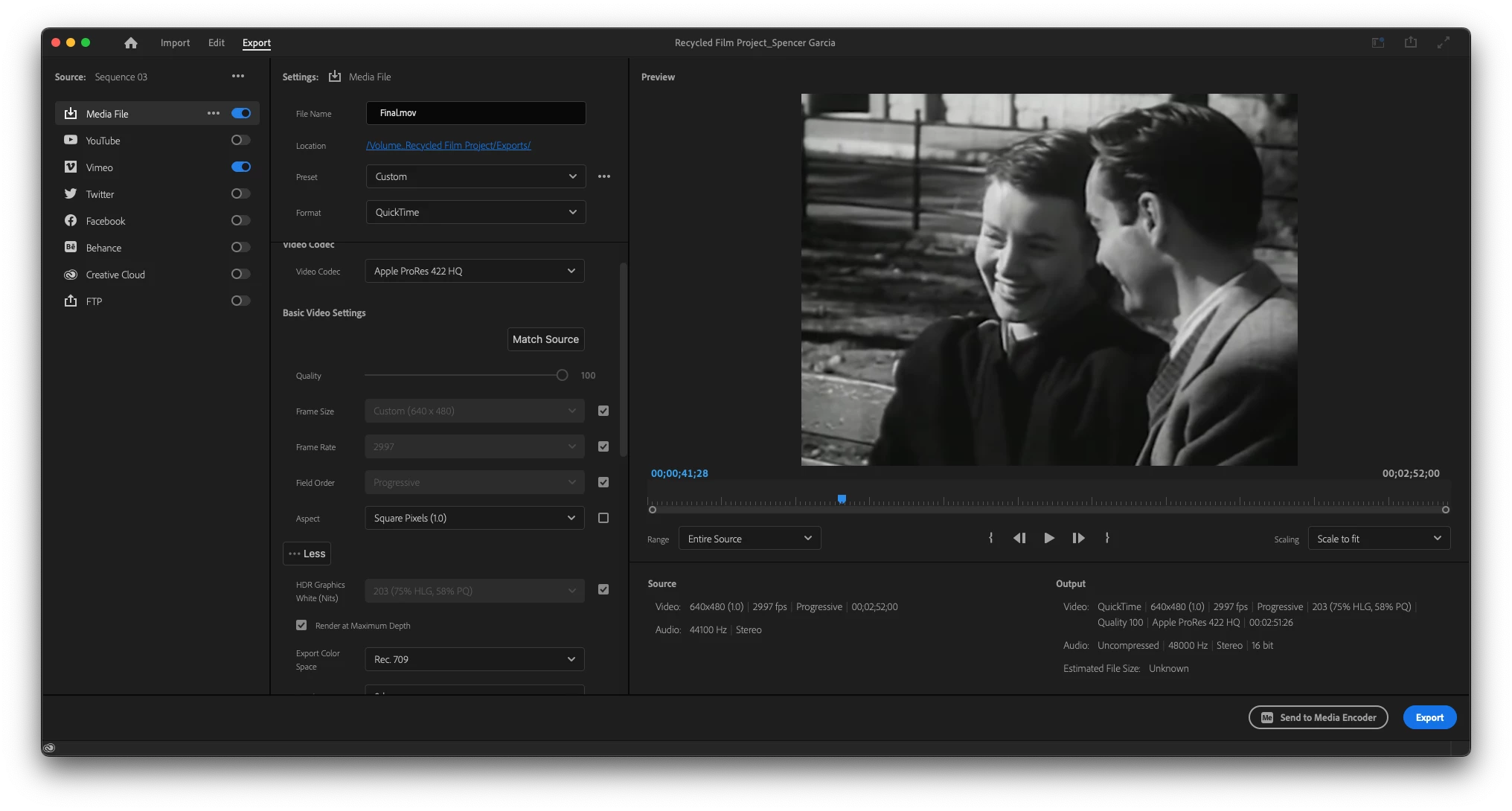
I rendered my video, and when watching it in QuickTime there are black bars on the sides even though there weren't when I was editing the footage. The footage is 640x480 so I assume it won't be high quality, but why does it look good when editing but not when I watch it in full screen? Are the black bars supposed to be there in the final export? 
This topic has been closed for replies.
Correct answer Sumeet_Kumar_Choubey

Hi Spencer Garcia,


Looking at the preview in the Export Settings panel, it seems like the media is not exported with the black bars on the sides. 640x480 media has a 4:3 aspect ratio, unlike 16:9 aspect ratio of 1920x1080 media. Your exported media is closer to a squarish frame compared to the traditional 16:9 media. When you watch 640x480 media on a 16:9 monitor in full screen, you will see the black bars on the sides as the squarish video (4:3) is supposed to fit in a rectangular preview screen (16:9). Hope this helps. Let us know if you have any questions.

Thanks,
Sumeet

1 reply

Sumeet_Kumar_ChoubeyCommunity ManagerCorrect answer
Community Manager
May 4, 2023

Hi Spencer Garcia,


Looking at the preview in the Export Settings panel, it seems like the media is not exported with the black bars on the sides. 640x480 media has a 4:3 aspect ratio, unlike 16:9 aspect ratio of 1920x1080 media. Your exported media is closer to a squarish frame compared to the traditional 16:9 media. When you watch 640x480 media on a 16:9 monitor in full screen, you will see the black bars on the sides as the squarish video (4:3) is supposed to fit in a rectangular preview screen (16:9). Hope this helps. Let us know if you have any questions.

Thanks,
Sumeet