

CJCARNAHAN
Inspiring
December 14, 2023
Question

Black video upon export in AME, Premiere export fine

  • December 14, 2023
  • 5 replies
  • 479 views

Hi all,


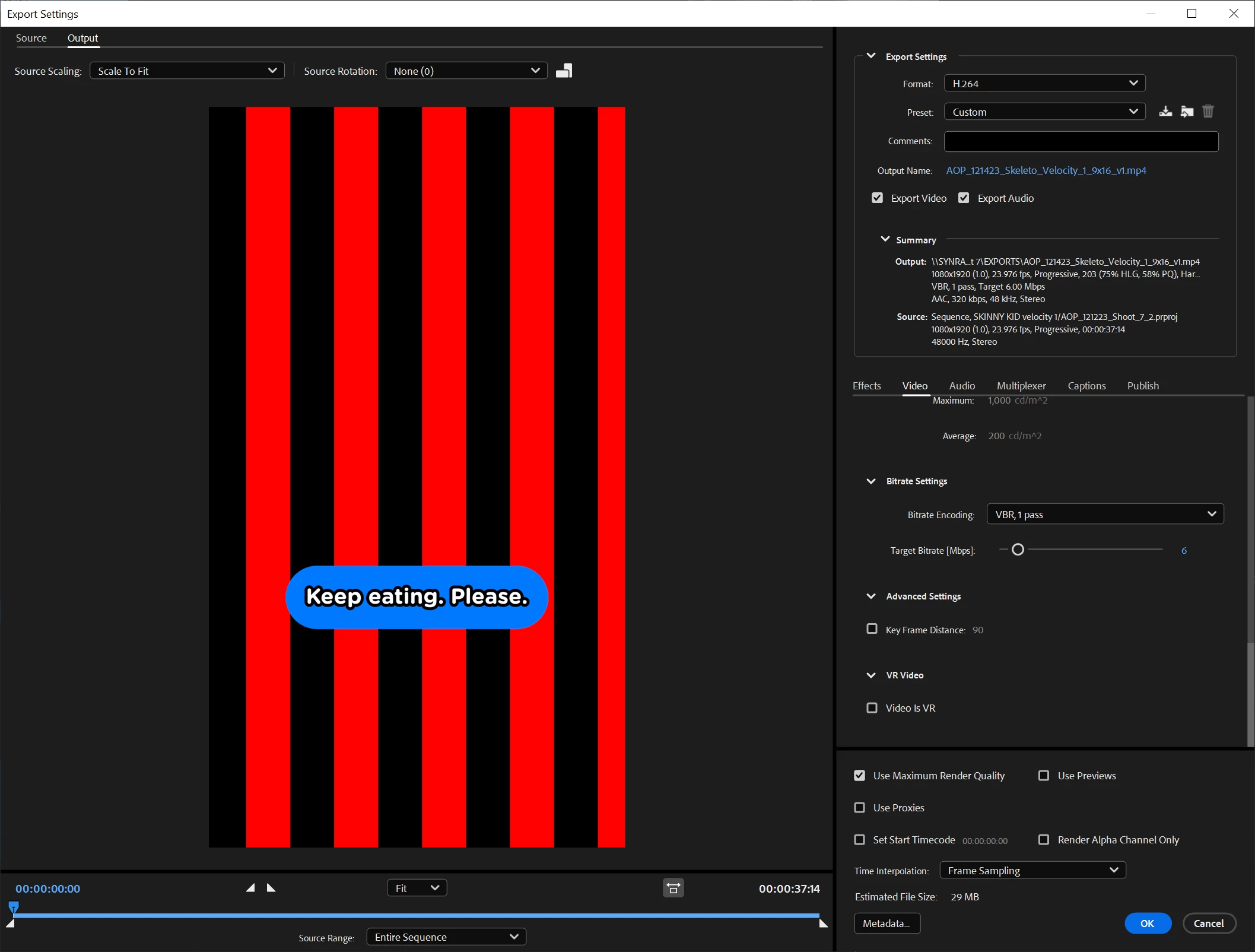
When exporting from Premiere to AME, AME exports completely black video. Audio and Captions are fine upon export. Why is this? I'm getting a completely black export in the preview window on the export, and the same when the file lands in my exported folder. 


When I export directly from Premiere, everythign is fine. Is this a NVIDIA/BRAW issue? If so, why is it exporting perfectly fine from Premiere and not AME? Thanks. 


Export settings:

h.264 1080x1920

23.976 Square pixels

Render at maximum depth ON

Hardware Encoding, Main, 4.1

VBR 1 pass 6Mbps


System: Ryzen 9 5950x

NVIDIA 3090

128gb DDR4 3600


This topic has been closed for replies.

5 replies

R Neil Haugen
Legend
March 14, 2024

I ran into this type of thing frequently with the freebie BM plugin. It's why I paid the (relatively) small fee for the Autokroma paid plugin, to get solid workflow and more options than the BM one has.


Everyone's mileage always varies ...
Participating Frequently
March 14, 2024

The link for your video is not working 😞 


I would suggest you to make some render tests (make small renders so it sould be quicker)

  • In AME preferences, try to check or uncheck "import sequences natively"
  • Try to uncheck "composite in linear color"
  • Use "software only" in the Export dialog in order to try if it comes from a GPU issue. 
  • Render at maximum depth OFF to test if it comes from this. 


If nothing is working, then :


Best,


Nicolas from Autokroma

CJCARNAHAN
Inspiring
March 13, 2024

I'm going to update this topic with a video since this bug is still happening and there's no response from Adobe.


https://vimeo.com/922953318?share=copy


Captions and audio will export, but not the source video. Anyone from Adobe, can I get an assist here? 

CJCARNAHAN
Inspiring
March 13, 2024

Hi Nicolas,


I am using the BRAW plugin directly from BlackMagic. 


I do not seem to have this issue when using other codecs on my timleline. It seems to be intermittent, too. Certain videos will have this issue on certain days, other days no problem at all. 

Participating Frequently
December 20, 2023

Hello,


You are using BRAW files right ? Do you have the same behavior if you put another codec (ProRes, H264, ..) in your timeline ? 


Which BRAW plugin are you using ? There are 2 differents : the Blackmagic RAW Plugin and our Autokroma BRAW Studio plugin. More info about differences in this article.


Nicolas from Autokroma