
BlackMagic .RAW Essential Graphics problem
I started working with BlackMagic .raw in Premiere Pro and I found some problems with it combined with essential graphics we made.
So the first problem is that the BlackMagic .raw footage doesn't pick up the alpha layer from the essential graphic (see image 1). The black solid needs to be more transparent. I tried using exposure effect to fix it with a workaround but I wasn't very happy with the result.
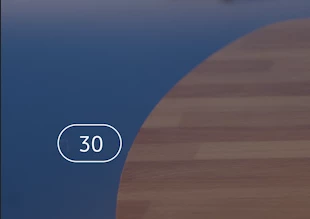
The second problem is that it adds a letter (the letter 'N' for some reason) to another essential graphic we build. It's a countdown expression. When I use footage with another codec the 'N' isn't visable.
Does anyone have an idea how to fix this? I know exporting the footage to another codec works, but that workaround isn't ideal.
Here are some technical specs what I use:
Premiere Pro Version 23.6.0 (build 65)
Blackmagic .Raw version: 3.3
I edit on a Mac: Ventura 13.5.1
Image 1:
Image 2: (notice the subtle N on the left side)


 AdChoices