
andrec12920837
Participant
January 7, 2017
Pregunta

Blank Screen When loading file

  • January 7, 2017
  • 3 respuestas
  • 1285 visualizaciones

Hi all,

For some reason when I try to open a file, Premiere shows a blank canvas. I try to click on one of the tabs at top to see if something needs to be open but it doesn't let me. It acts as if another window is open that I need to close out so I can work in premiere.

So to break it down

I open up Premiere

I find a recent file I want to work on

It goes through a loading process

And then nothing the window is blank and un-clickable
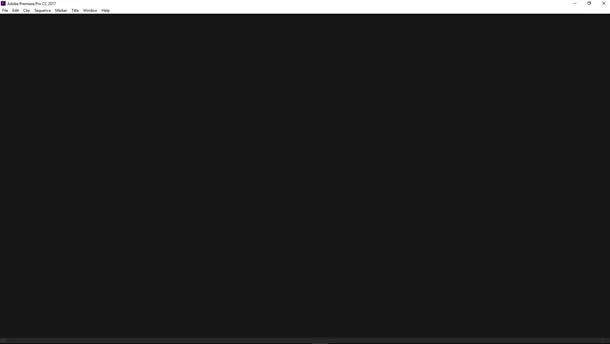
It doesn't say anything is corrupted. It doesn't say anything. Please help as soon as you guys can.

Thank You

Este tema ha sido cerrado para respuestas.

3 respuestas

Rameez_Khan
Legend
February 15, 2017

Hi andrec,

Were you able to solve this issue? If so, let us know how.

Please let you know if you need further assistance.

Thanks,

Rameez

Legend
January 7, 2017

What happens if you start a new project?

andrec12920837
Participant
January 7, 2017

Well if I start a new project its fine but when I open a recent project the blank screen happens. I don't know if it is corrupted or not. It doesn't give me any error notification. It just shows a blank canvas.

John T Smith
Community Expert
Community Expert
January 7, 2017

Exactly what is INSIDE the video you are editing?

Report back with the codec details of your file, use the programs below... A screen shot works well to SHOW people what you are doing - For Windows Internet Explorer press the PRINT SCREEN button on your keyboard, and then do CTRL-V to paste the screen print from the clipboard into a forum message

Free programs to get file information for PC/Mac http://mediaarea.net/en/MediaInfo/Download POST IN TREE VIEW

More information needed for someone to help... please click below and provide the requested information

-Premiere Pro Video Editing Information FAQ http://forums.adobe.com/message/4200840

-WITH Exactly which version of Premiere Pro

-WITH the brand/model graphics adapter (ATI or nVidia or ???) and exact driver version

-Do not count on Windows to be fully up to date when it comes to device drivers

-Go to the vendor site to be sure you have an updated driver for your graphic adapter

•nVidia Driver Downloads http://www.nvidia.com/Download/index.aspx?lang=en-us

•ATI Driver Autodetect http://support.amd.com/en-us/download/auto-detect-tool

andrec12920837
Participant
January 7, 2017

I cant access anything. This is the window that pops up and nothing more. What I have in the video, well videos of course, after effects, pictures, music, audio, and a few transitions. Your average video. The screen shot above is what I'm getting, once i try to load my file it just shows a blank canvas.

John T Smith
Community Expert
Community Expert
January 7, 2017

Start with "More information needed for someone to help" and read the links and answer the questions