
eillin831
Participant
August 1, 2018
Question

Blank source monitor Premiere Pro CC 2018

  • August 1, 2018
  • 2 replies
  • 1147 views

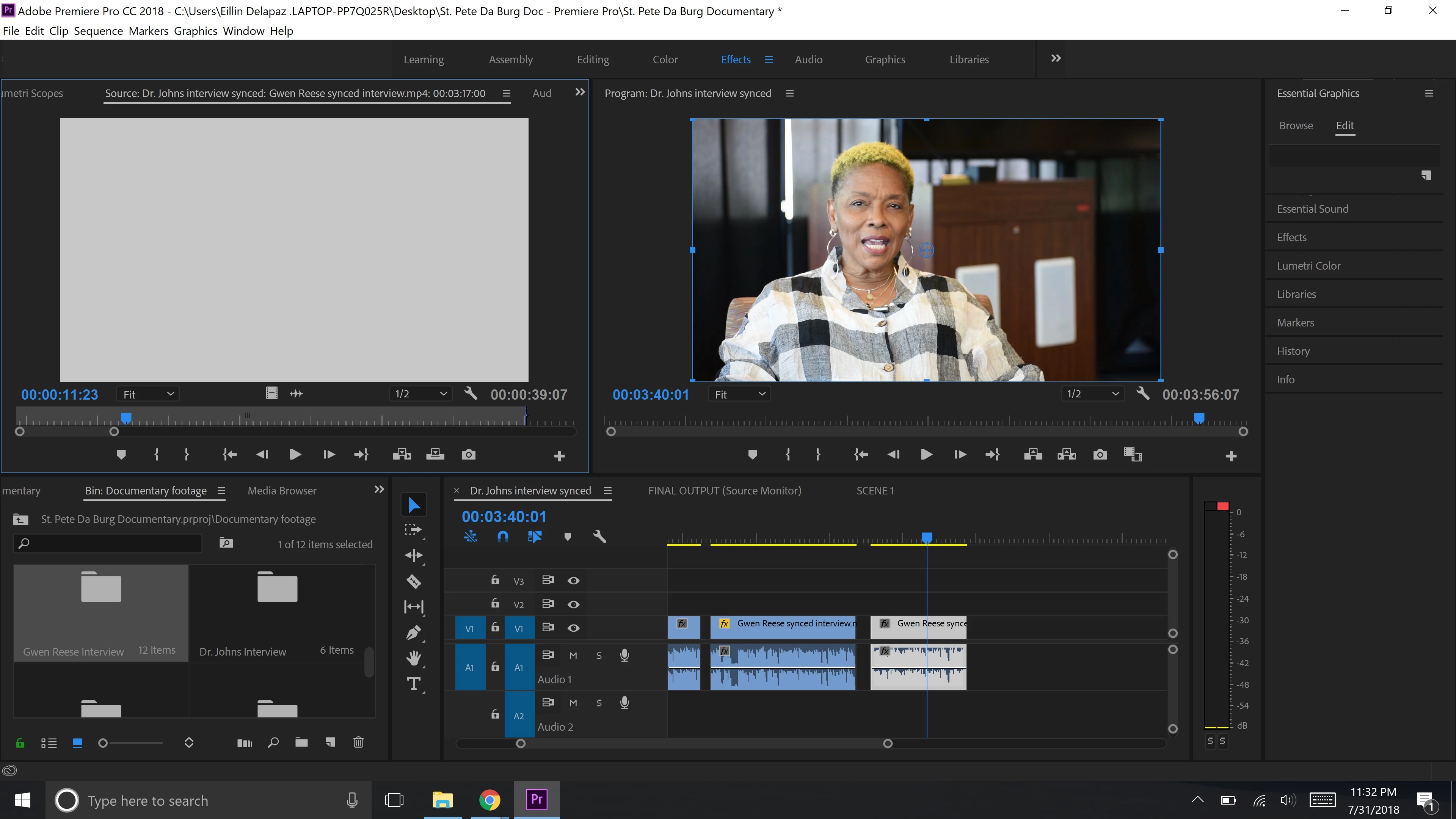
Hi, I've been having issues with videos not playing in the source panel. They play just fine in the project panel, but the source panel is just white. Can someone please help me fix this? Here's what is looks like.
    This topic has been closed for replies.

    2 replies

    Inspiring
    August 1, 2018

    In the source monitor, in the lower right corner, click on the wrench icon and confirm the video display is set to Composite Video and not Alpha.

    MtD

    John T Smith
    Community Expert
    Community Expert
    August 1, 2018

    More information needed for someone to help... please click below and provide the requested information

    -Troubleshooting https://forums.adobe.com/thread/2261475

    -Premiere Pro Video Editing Information FAQ http://forums.adobe.com/message/4200840

    Do not count on Windows to be fully up to date when it comes to device drivers

    Go to the vendor site to be sure you have an updated driver for your graphic adapter

    •nVidia Driver Downloads http://www.nvidia.com/Download/index.aspx?lang=en-us

    •ATI Driver Autodetect http://support.amd.com/en-us/download/auto-detect-tool

    There are also intermittent reports that the newest driver is not always the best driver due to driver bugs or compatibility issues, so you MAY need to try an earlier driver version