Known Participant
October 20, 2021
Question

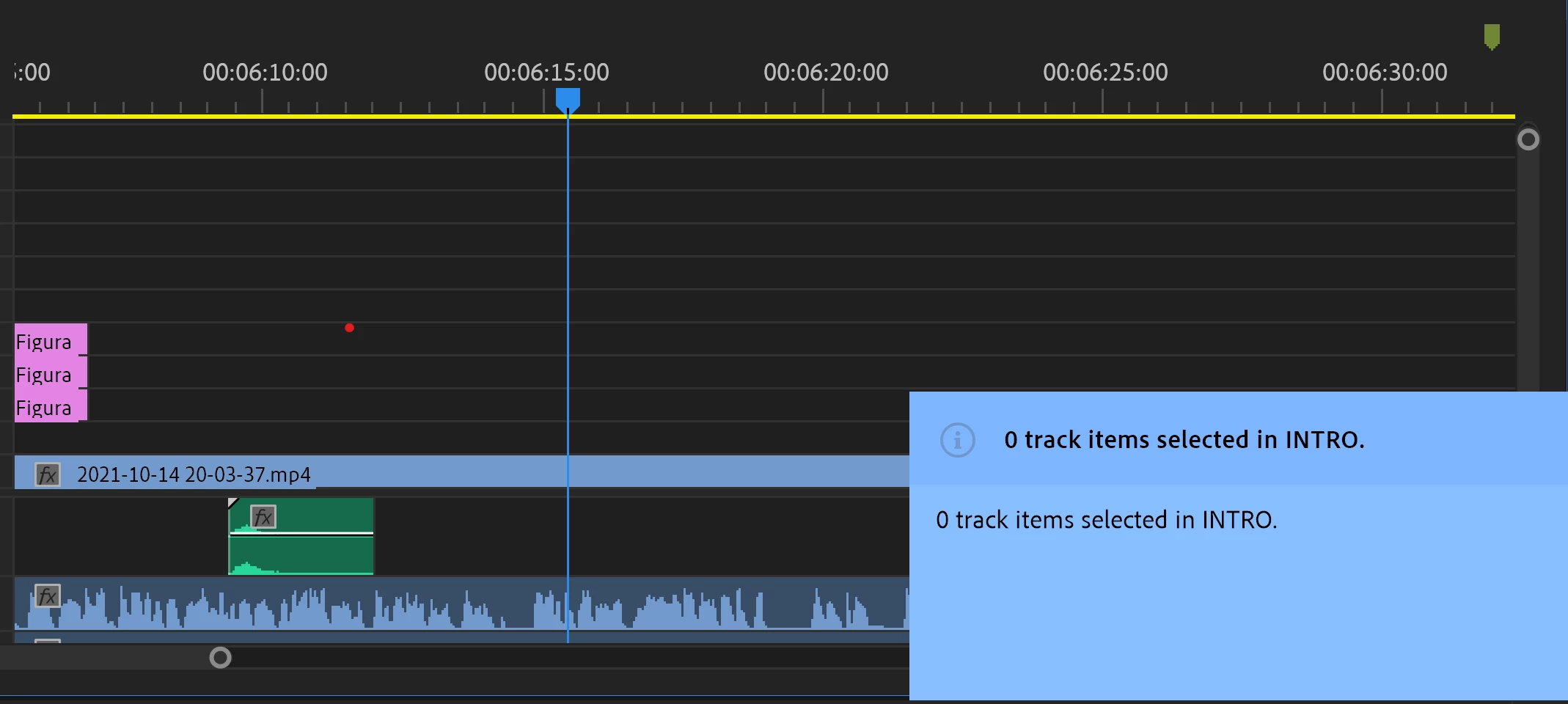
BLU EVENT PANEL ON THE BOTTOM RIGHT CORNER

  • October 20, 2021
  • 1 reply
  • 173 views

After installing PPRO PANEL sample through CEP, a blu panel appears any time I do some changes to the project (both through my custom panel and through the normal interface). 


I'm not expert, so I don't know if such event panel is a standard Premiere feature that I've activated accidentaly, or if it comes with the PPRO PANEL sample. 


In both cases, I would like to block this feature. 


Someone could please help me with this? 


Thanks in advance 😃 


This topic has been closed for replies.

1 reply

Known Participant
October 20, 2021

I've solved this. I reply the solution, just in case someone will need it:


This functionality comes with the PPRO panel sample, and it is triggered through a function contained in the file: Premiere.jsx , called updateEventPanel. 


In order to block it, you can just comment the lines of code contained inside the function.


Functionalities of my custom panel (build starting from the Sample one) , seem not to be affected by this change.