
Participant
November 30, 2022
Question

Blue line in timeline error
  • November 30, 2022
  • 3 replies
  • 867 views


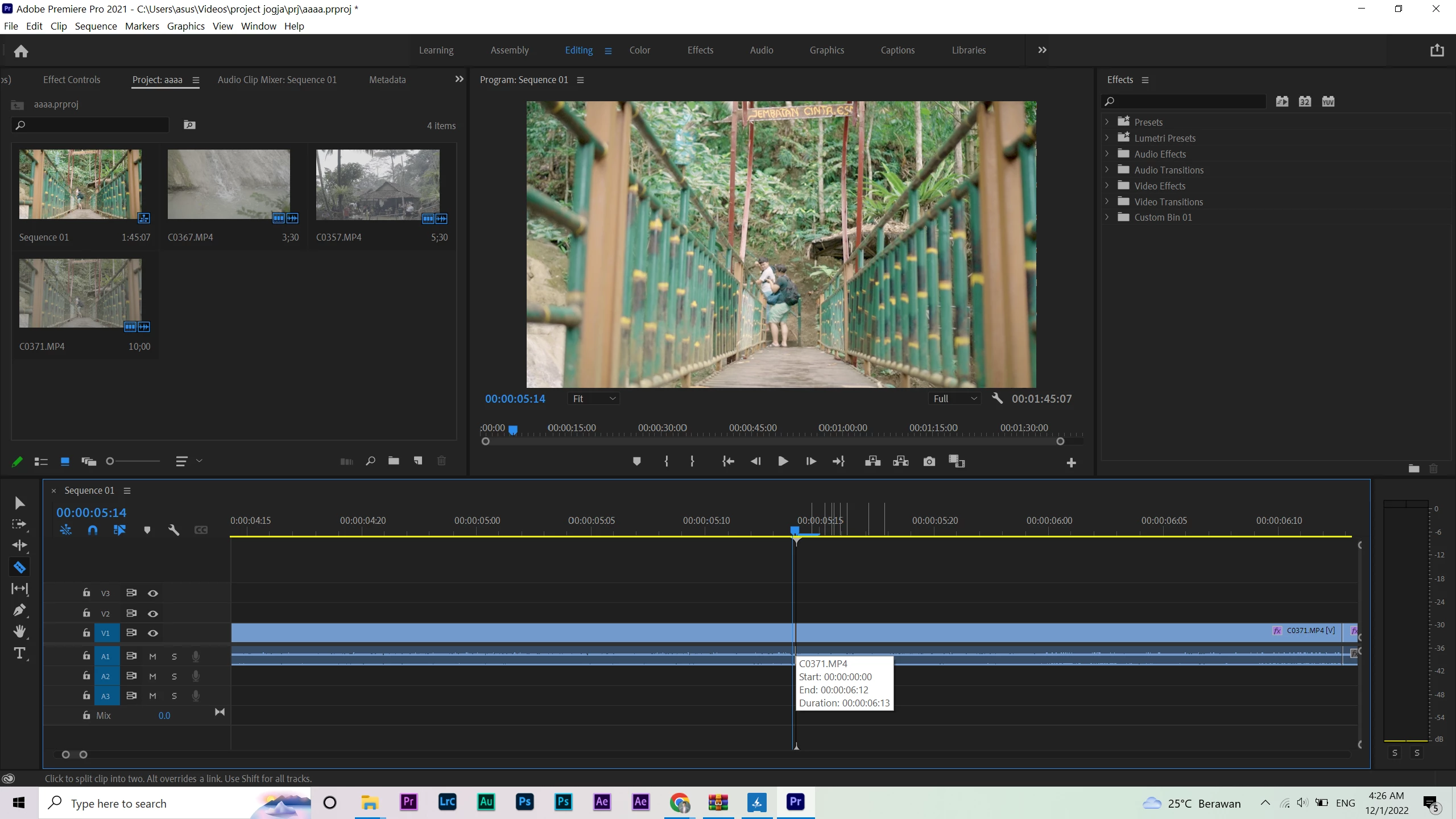
The blue line on my premiere pro timeline has a bug.

Since yesterday I have been using an external 2K monitor, but when I opened Premiere Pro there was something strange with a blue line on the timeline.

The dot seems more advanced than the blue line, so when I use the razor tool or cut clips it feels very strange and uncomfortable.

Can you guys help solve my problem? I am very grateful for your help.

This topic has been closed for replies.

3 replies

Peru Bob
Community Expert
Community Expert
December 1, 2022

Try resetting the preferences:
https://community.adobe.com/t5/premiere-pro/faq-how-to-reset-trash-preferences-in-premiere-pro/td-p/8236158?page=1

If that doesn't work, try resetting the Workspaces:
Reset a workspace
Reset the current workspace to return to its original, saved layout of panels.
1. Do one of the following:
• Click the Workspace menu icon and select Reset to Saved Layout.
• Choose Window > Workspace > Reset to Saved Layout.
from here:
https://helpx.adobe.com/premiere-pro/using/workspaces.html

If that doesn't work, try Preferences > Audio Hardware and set Input to None.

If that doesn’t work, try updating or rolling back your graphics driver directly from the video card manufacturer’s site. If NVIDIA, do a clean installation of the 517.40 Studio Driver (NOT the Game Driver)

If that doesn't work, try creating a new project and import the old one into it.

Community Expert
November 30, 2022

You are very zoomed into your timeline. Try pressing the backslash key and see if the blue line disappears when you zoom out.

Mike Dziennik
Community Expert
Community Expert
November 30, 2022

This looks like a UI glitch.

Does it go away when you disconnect the external monitor? If not, try resetting your prefs:

https://helpx.adobe.com/in/premiere-pro/using/reset-preferences.html