Participant
May 14, 2019
Question

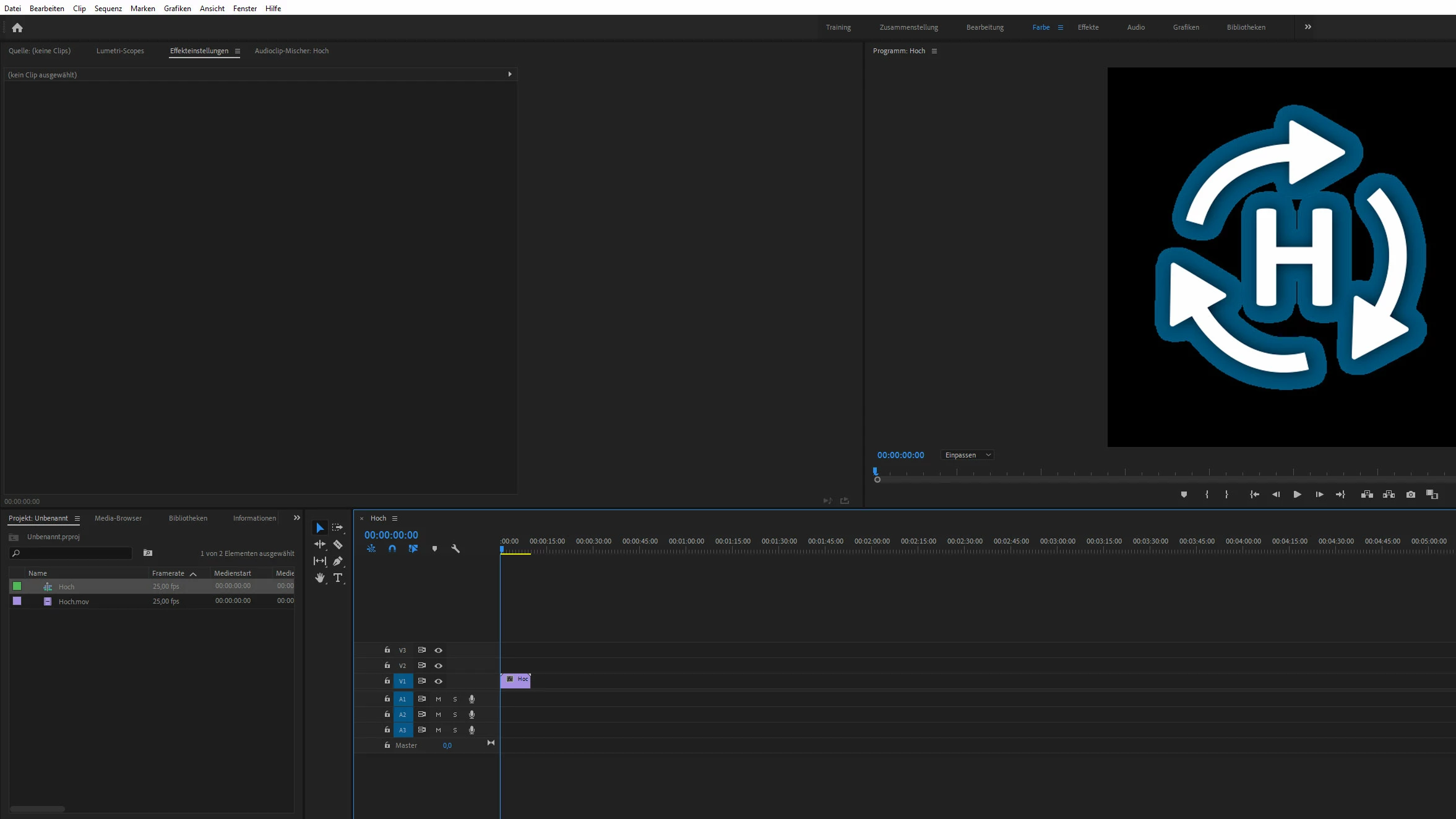
Blue shadow arround transparent MOV-Files

  • May 14, 2019
  • 4 replies
  • 2229 views

Hello,

we’ve a prblem with Premiere. Since an update the problem ist at every workstation the same:

When we import a MOV-file with a transparent background, premiere puts a blue shadow around the element. We do not know where the problem lies. It only occurs with MOV files. Not with transparent graphics.
    This topic has been closed for replies.

    4 replies

    Community Expert
    May 14, 2019

    did you try to switch the renderer to software only?

    or go to modify - interpret footage and change how the alpha channel is imported

    khomthepreditor
    Inspiring
    May 14, 2019

    Additionally, a simple fix may be to just luma key out anything not white, and you should be left with a clean MOV in your Program Monitor.

    khomthepreditor
    Inspiring
    May 14, 2019

    I don't think that's quite what I'm looking for, but your screenshot gave me a hint as to what might be your issue.

    It looks like there's a slight shadow around the white portion of the video; I imagine that's affecting how the background keys out within premiere since those shadowy pixels will be a lower value (darker) than the rest of the blue being keyed out.

    Where did you originally get this clip? Did you create it yourself? Is it downloaded from the internet? Is it from a friend or colleague? I ask because if you can access the project files of the original composition, you could delete that shadow and the background should export and key out cleanly.

    Participant
    May 14, 2019

    Hello, thanks for the hint. That's what we'll try now. Strange that it has never been a problem, only a few days ago.

    khomthepreditor
    Inspiring
    May 14, 2019

    True; it almost 100% had to do with the update. I see the pro's recommend you never upgrade while you're in the middle of a project. And make sure auto-updates are turned off

    khomthepreditor
    Inspiring
    May 14, 2019

    Where are these MOV's coming from? Do you know if the alpha channel is bring properly exported?

    Participant
    May 14, 2019

    These are files stored on local computers. If I export the project as mp4, then the blue shadow is exported with.

    khomthepreditor
    Inspiring
    May 14, 2019

    Where are you exporting them from? Could you share a screenshot of your original MOV export settings?