
Blurred Edge Transition? Help!
Hi Adobe Forum,
I'm trying to create a type of blur transition where the text is blurred at the edges primarily and gradually reduces revealing the text. I know the latter part involves keyframes, which is easy, I need help on how to create the initial blur effect -- in Premiere, not After Effects.
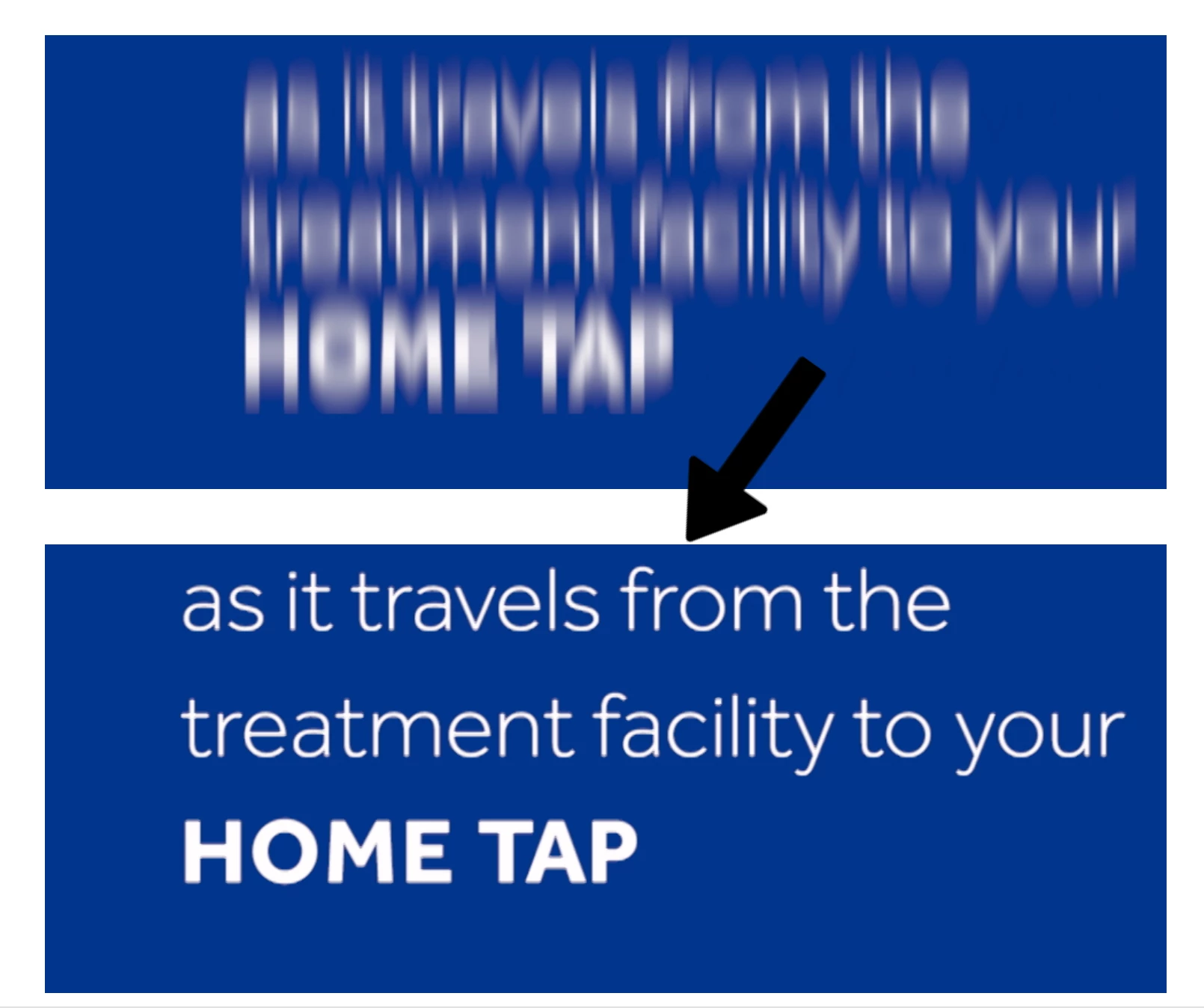
I've tried "fast blur", "Gaussian blur", and all the other blurs you'd find in the "Blur & Sharpen" effects. Those effects blur the text's entire body and muddles the color (white) intensity of the text. I want the text to blur in to focus, while retaining its sharp color the whole time. Any solutions here?
I've attached a visual to give you a picture (top is "fast blur", what I DON'T want; bottom is WHAT I WANT). Fast blur is more fuzzy, whereas the one I want below is genuinely blurry. Hopefully that visual aid will help you see the difference. Thanks in advance.

 AdChoices