
Blurring through Adjustment Layers does not seem to preview or render properly
Hey all,
Does anyone have a quick fix for broken blur tools on Adjustment Layers? I have been experiencing a lot of trouble using these types of effects as of late, be it over transitions or over "still" video footage.
It mostly happens with Gaussian Blur, where it sometimes shows up properly, but later on just might completely dissappear. Messing with the keyframes or values never seems to do anything in my favour, although deleting the effect and completely setting it back up again does work, from time to time. Problem is, the effect will just evaporate again, after maybe a full 30 seconds of editting further down the timeline. It's bothering me to bits.
It's not only the preview, the effect will also not render when this happens. I've experienced this multiple times (messing up a few edits here and there), and the bug (I presume it is) seems to be getting more consistent on my end.
I'm working with Windows 10 (64 bit), a GeForce GTX 1070 (on CUDA preferences), Intel Core i7-5930K (3.5 GHz), 16 gigs of DDR4 RAM, and the latest version of Premiere Pro 2020.
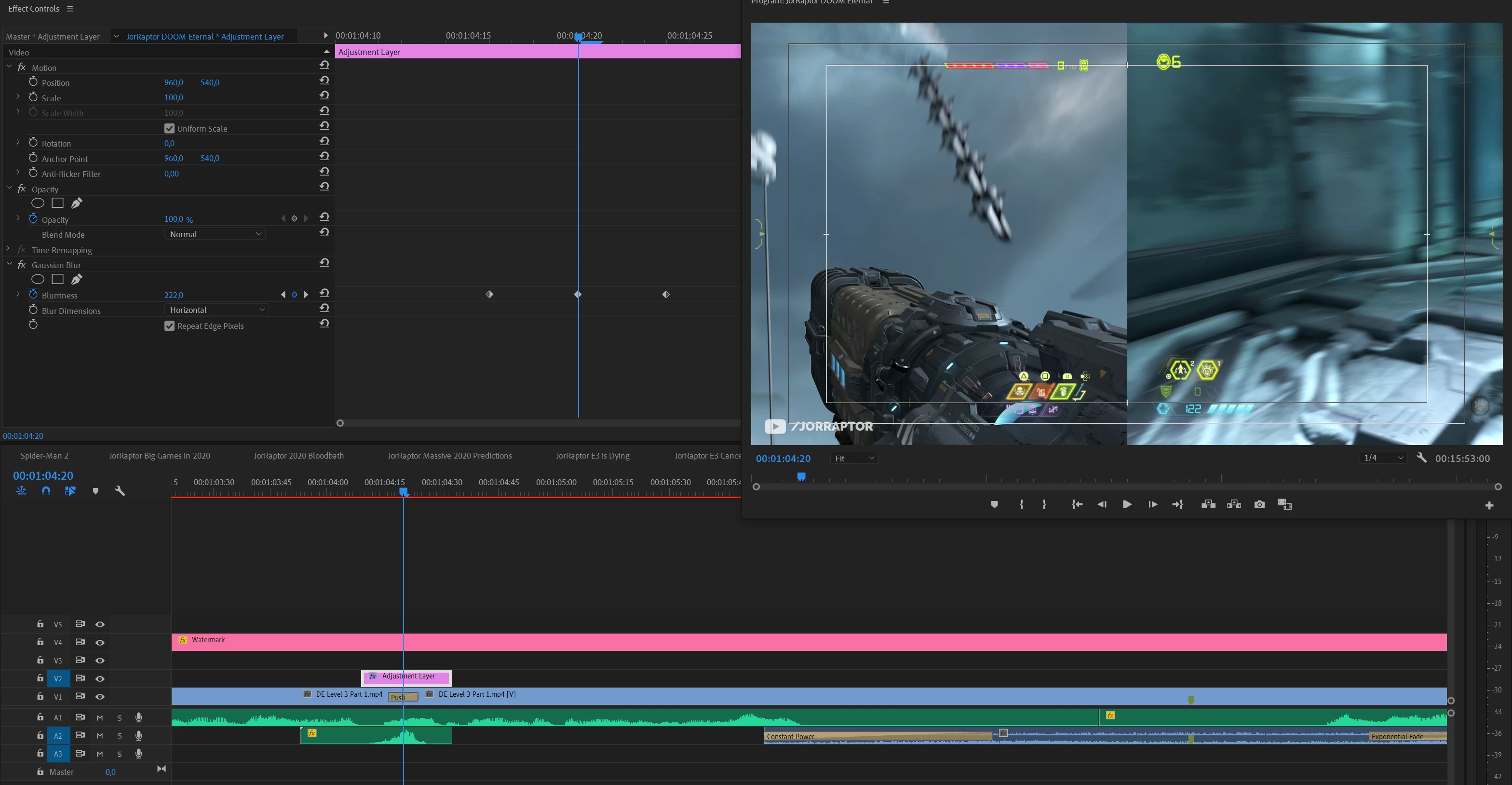
Here's an example where the footage should clearly be blurred to hell, but it shows up completely clean. In this particular edit, *none* of the blurs stayed around for longer than a minute — even after setting them up multiple times.
Any quick work-arounds would be greatly appreciated!
Cheers,
Tom
 AdChoices