Participant
January 15, 2021
Answered

Brand new Install - Source panel blank on importing from Project panel

  • January 15, 2021
  • 1 reply
  • 379 views

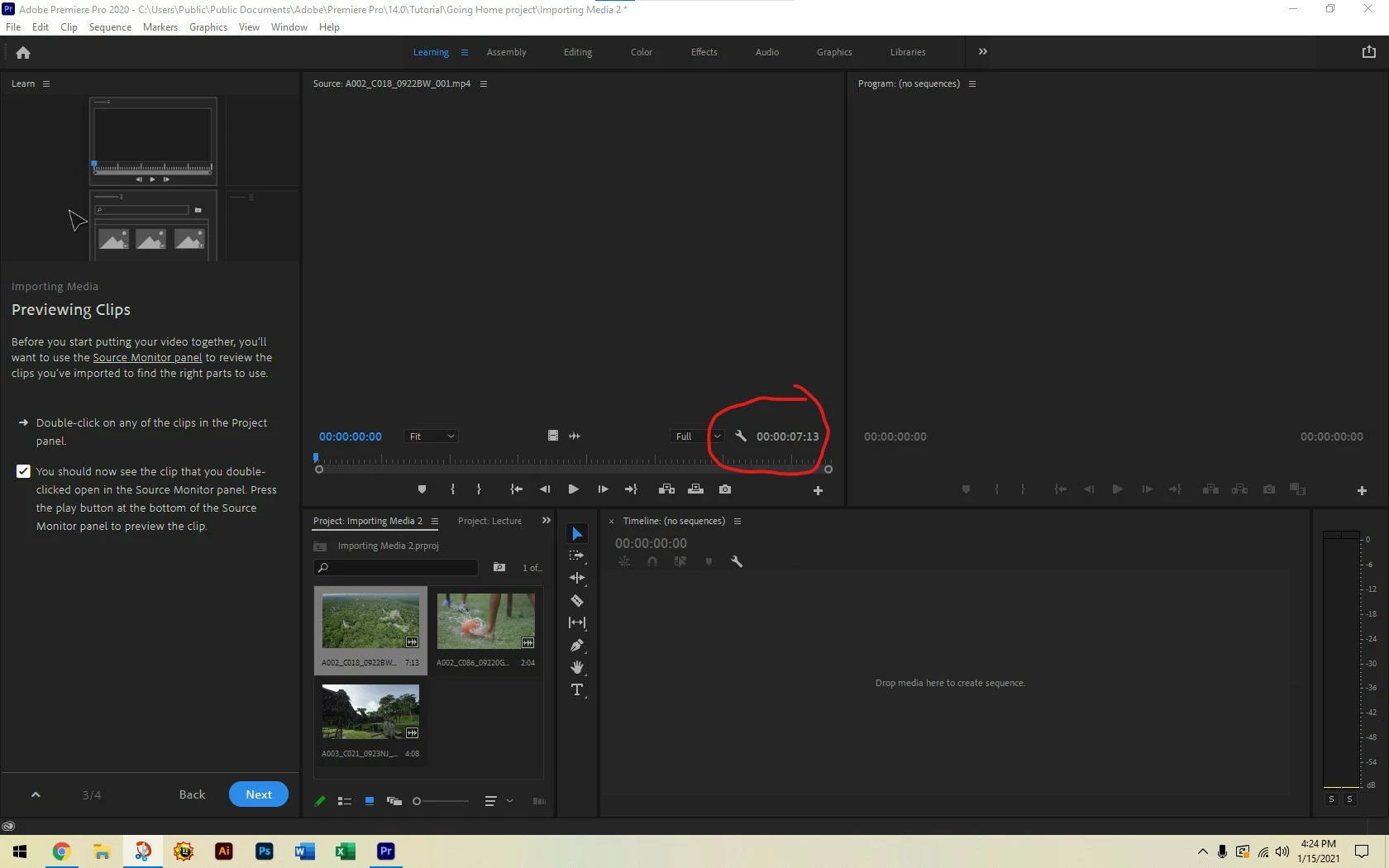
I have a new clean install (first time) of Premiere Pro. I selected the first tutorial and it asks me to drag or double-click a clip from the Project Panel to view it in the Source Panel.


The clip seems like it is moved (the length shows), but there is no audio/video. The screen stays blank. When I hit play nothing happens.


I thought this would be a common problem, but it is neither as common as I think or I am using the wrong keywords in my search here. 
This topic has been closed for replies.
Correct answer Michael Grenadier

First, please tell us your system specs: OS version, Premiere version, amount of RAM, Hardware specs including graphics card.  You might check to make sure your system meets requirements

https://helpx.adobe.com/premiere-pro/system-requirements.html

What happens, if you control click on the clip in the bin and choose reveal in explorer and then double click on it.  Does it play in the default windows media player?  

1 reply

Michael GrenadierCorrect answer
Legend
January 15, 2021

First, please tell us your system specs: OS version, Premiere version, amount of RAM, Hardware specs including graphics card.  You might check to make sure your system meets requirements

https://helpx.adobe.com/premiere-pro/system-requirements.html

What happens, if you control click on the clip in the bin and choose reveal in explorer and then double click on it.  Does it play in the default windows media player?  

Participant
January 18, 2021

Hello - turns out that when I double-checked I met the requirements one of my RAM memory cards failed, putting me below the required 8 GB. Strange because I bought the RAM specifically for this program. Anyways, the issue was solved - thanks!

Legend
January 18, 2021

thanks for closing out the thread.  a good reminder that things like ram can fail.