


Participating Frequently
March 26, 2026
Question

Break a stereo track in timeline into mono tracks

  • March 26, 2026
  • 1 reply
  • 56 views

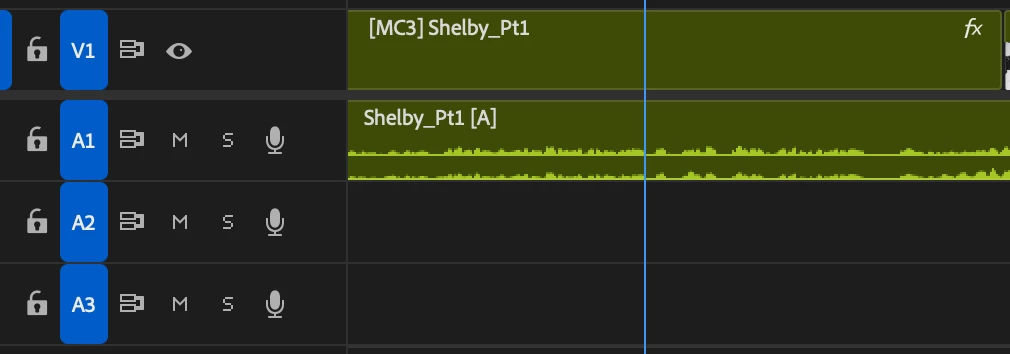
How can I break out one stereo track in my timeline into two discrete mono tracks? I know how to do it on a clip, I modify the audio channels. But I have a sequence where there are two audio channels on one timeline track, and I want to break them out into two separate mono tracks so that I can edit them independently, but I have searched all over the web for years for this one and cannot find the solution. Can someone please help?  The sequence is too long modify all the source audio clips and re-cut them in.   
 

    1 reply

    Inspiring
    March 26, 2026

    @Anthony Lucero I’d duplicate the track and deactivate the left or right channel in the audio channels attributes on each clips.

    Participating Frequently
    March 26, 2026

    Thank you. How do you “deactivate” the channel? I duplicated them and panned each channel left and right, which works. Now I can edit the channels separately.

    Now that they are panned, they are playing discretely out of the left and right channel. Is there a way I can also monitor them in the sequence in both left and right, mono?

    Inspiring
    March 27, 2026
    Right click a clip in the timeline and deactivate the left or right channel, depending of the mono source you wanna keep in that particular track.