Known Participant
June 21, 2020
Frage

Bright and airy color- how can I achieve this?

  • June 21, 2020
  • 7 Antworten
  • 1966 Ansichten

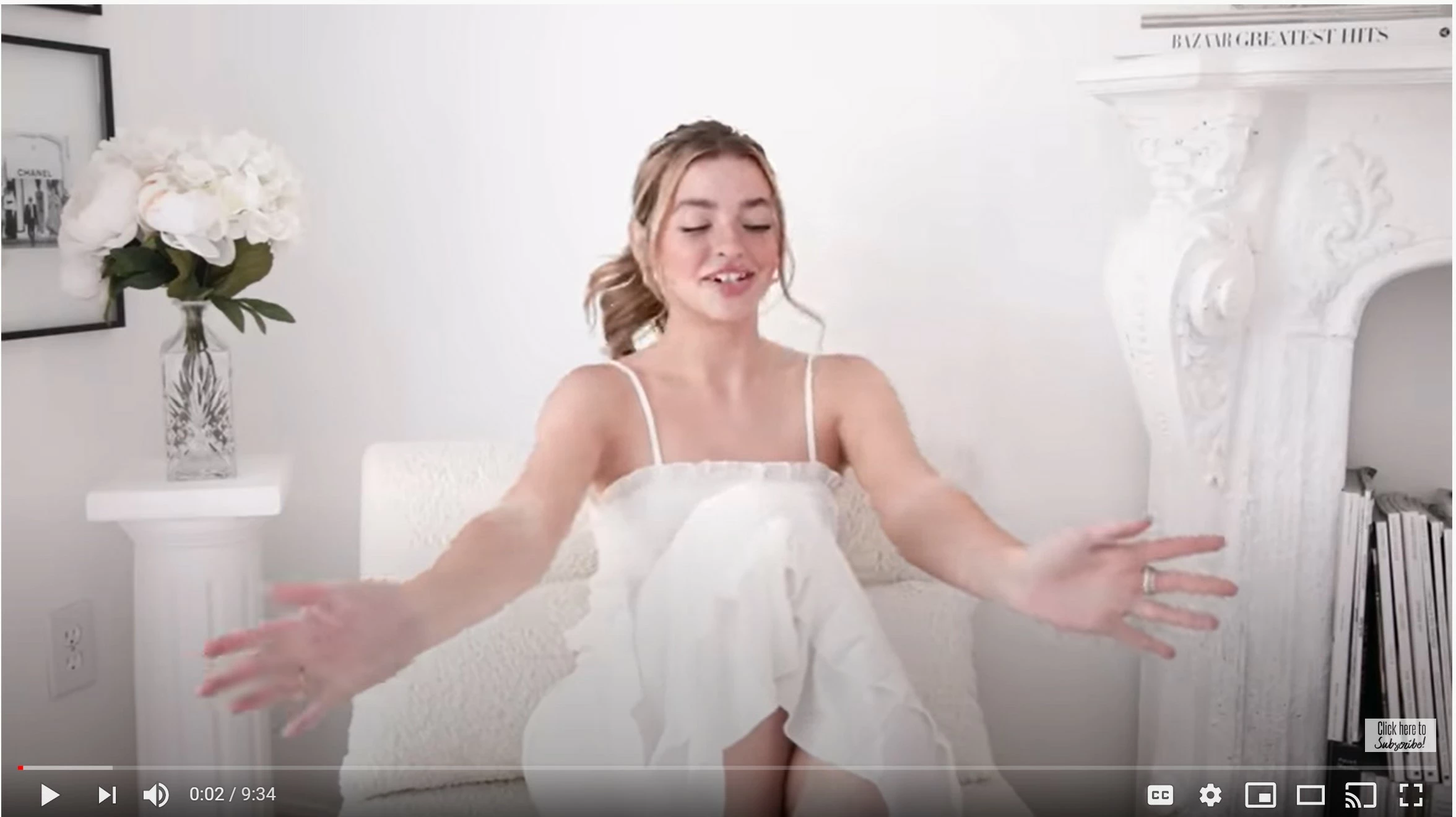
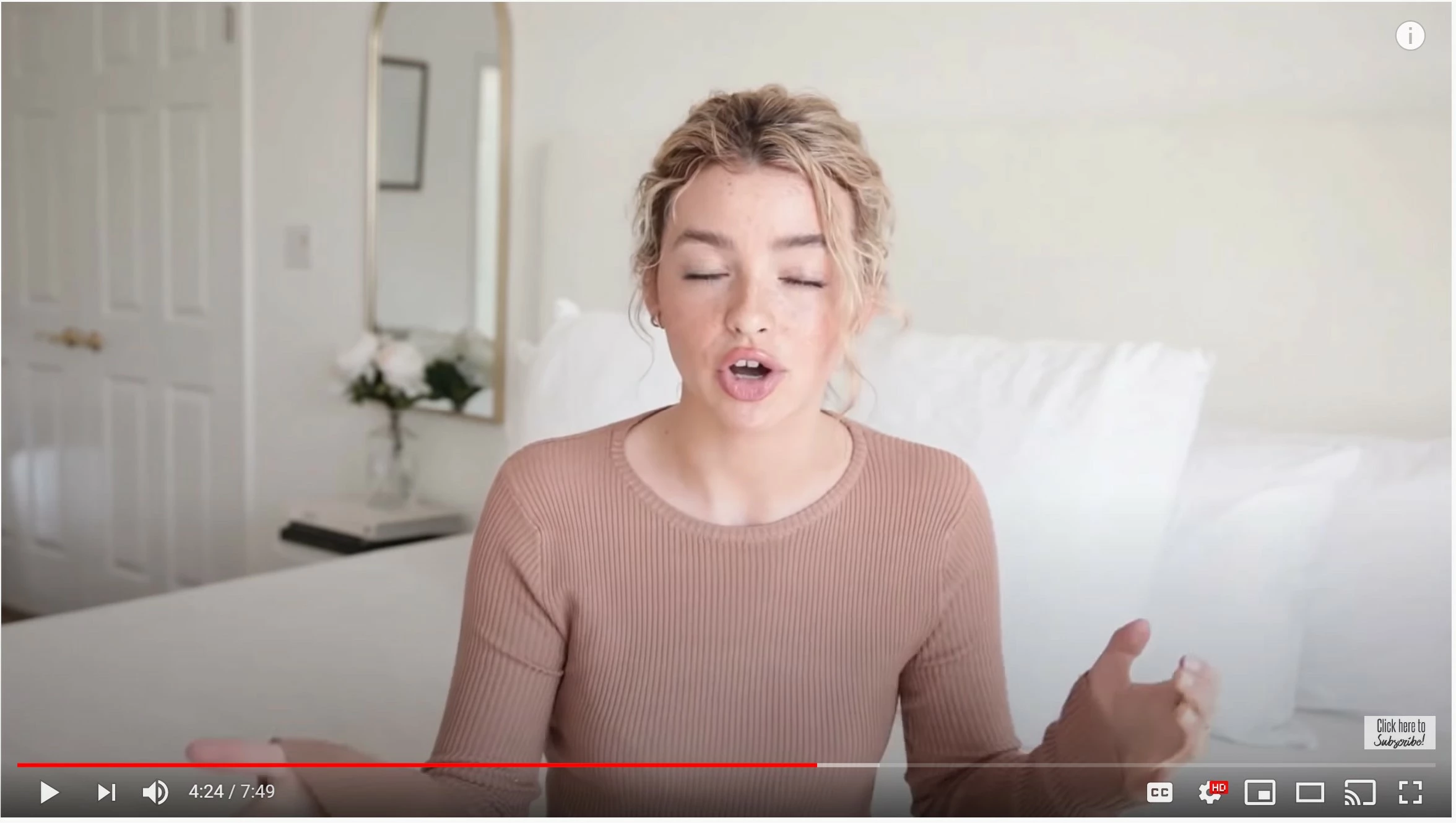
Hi, I'm new to premier pro editing. I'd like to achieve a bright and airy color for my videos like this (these are two screen shots from one of the channels I subscribe to). Can you point me to the right directions? Do you know any luts I can purchase that's already made? If I had to do it myself, what do I need to do- what should my camera setting be? what should I work in in color correction? Is this mostly determined by white balance? Exposure? 

Any input is much appreciated!
Dieses Thema wurde für Antworten geschlossen.

7 Antworten

Inspiring
June 22, 2020

don't forget... you are leaving everything else you had before the same way..... and are now using the 2nd light that you hadn't used before to do the bounce on ceiling to wash the wall with light.

Some will come down on talents head ( top of hair etc. ) but should look good.


MyerPj
Community Expert
Community Expert
June 21, 2020

And when you go for the 'bight and airy' look have your talent open their eyes, it makes for a better look! 🙂

Inspiring
June 21, 2020

I was thinking and thought this might be worth trying when you shoot.

Take the reflector light ( I'm assuming you use the key from right with the soft diffusion on it ? ) and put it near camera and aim it directly at the ceiling. If walls are white ( and that door jamb on left as MTG auto color correction indicates is white ) the ceiling is probably white too.

Now you are using the ceiling as a giant bounce source, which would be soft and overall it would ( if aimed up and slightly forward but not so much that it hits the wall directly ) .. it should give you the white wall and leave your other stuff alone.


Inspiring
June 21, 2020

also, if you only have auto wb set it to daylight. If you can dial in the WB make it 6500.


Known Participant
June 22, 2020

I think I can set it. Let me try!

Inspiring
June 21, 2020

I am not able to understand what you had set up for your sample.

maybe draw a diagram ( top down like a floor plan ) and take pic and post it.


maybe then something can be worked out sorta maybe


Inspiring
June 21, 2020

56k and 32k are color temps, not prices. Your light is 65k ( slightly more blue than normal daylight, which is 56k ).

Inspiring
June 21, 2020

p.s. the K stands for KELVIN

Inspiring
June 21, 2020

lighting for movies is pretty tricky and the equipment can be expensive. A house normally does NOT have enough power to use movie quart halogen lighting. Small HMI lights are expensive ( has to be square wave ballast ). Bacially your problem is the difference in light level of the back wall and your lit subject. Ideally you would light the wall separately, but you won't be able to do that I don't think ( power, equipment, room to place the lights and diffusion, etc. ).


If I was you I'd try to bring down your key ( from right ) and your fill ( your studio light in front left of subject casting shadow on wall ? ) to match the wall ( increase overall exposure so it's white, after knocking down the key and fill on subject ) but leave the light on the wall... hard to describe.


If you have the light from right coming from a window you can maybe put some wax paper on the window to bring down light on her face but leave on wall. Buying real diffusion materials would be expensive.


Inspiring
June 21, 2020

p.s.

most people are  now using LED lights for small sets ... but they are  really expensive still cause it's a new technology. Don't forget there are light COLOR requirements too ( which is your white balance). Usually it is 56k or 32k

Inspiring
June 21, 2020

Anne is right. 99% of what you percieve as bright and airy is the result of the 'set' ( colors and soft lighting ). Even the pale sweater color (pastel type color ) adds to it ( and lip stick color too ).


you can play around with levels ( ylift ygamma ygain ) and saturation to help your own shots along but this stuff is really the way it was shot.

Known Participant
June 21, 2020


This is my typical background- it's a white wall but somehow in the video it looks brownish! In terms of the lightling, I was using a white studio light, but somehow in the video it still looks brownish...

I'm wondering if it's the camera setting I need to change?

Peru Bob
Community Expert
Community Expert
June 21, 2020

Is the shadow intentional?

Ann Bens
Community Expert
Community Expert
June 21, 2020

Its the way is has been shot: entire background is white and the way she is dressed.