Participant
November 18, 2020
Answered

brightness error

  • November 18, 2020
  • 2 replies
  • 685 views

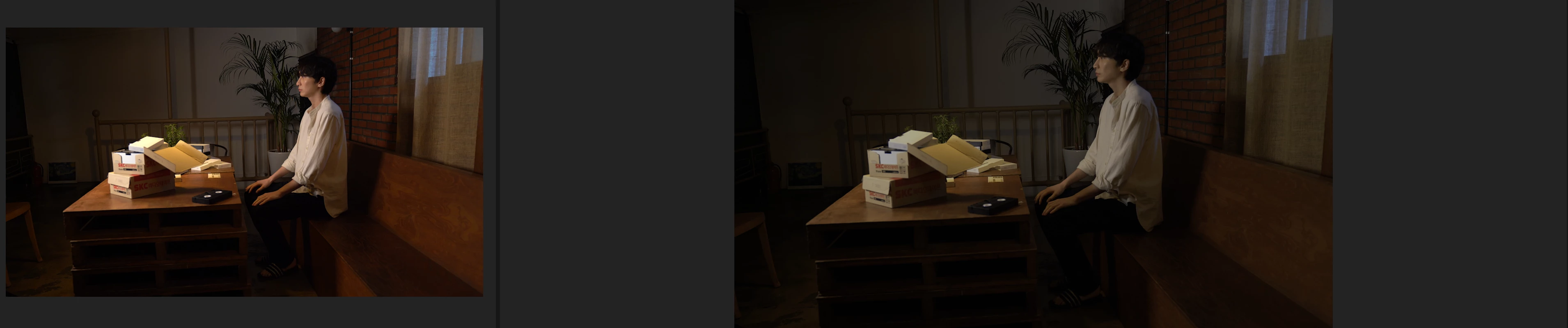
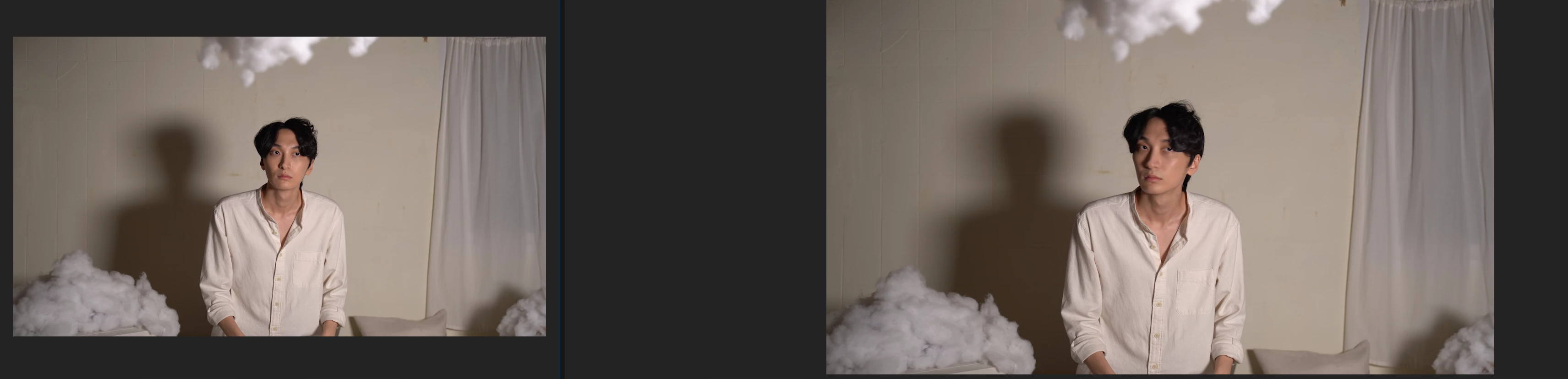
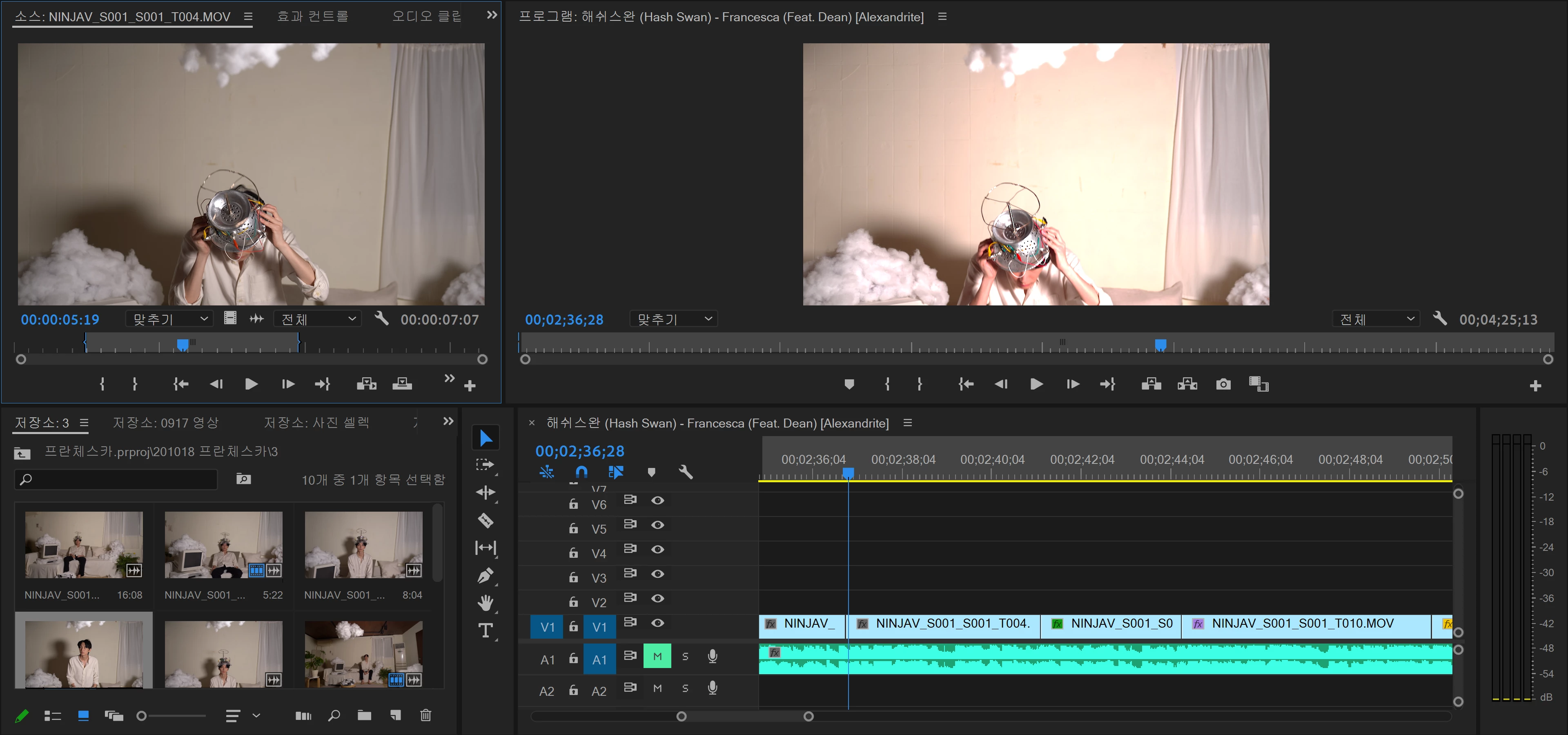
When I take the clip and put it on the timeline, some of the clip exposure turns strange (gets brighter. see the first photo) in the preview window. I have tried opening the new project and add the clip that went brighter first onto the timeline. It looked fine but the other clips that were okay went darker.(See photo 2 and 3) I've also exported the video but it still looks the same. How can I solve the problem? Thank you.
This topic has been closed for replies.
Correct answer Kimmy_yourlove

I used two Sony a7m3 cameras, shared one ninja atomos v. The settings were codec ProRes, Compression HQ, Color gamut Rec. 709


I checked the color space and it was Rec. 2100 HLG. I changed it to Rec 709 and the problem was fixed.

Thank you!!

2 replies

R Neil Haugen
Legend
November 18, 2020

What is the clip properties? Shot by what camera, what format/codec?


And in the project panel, right-click Modify/Interpret Footage, what is is showing for color space?


And in the Sequence Settings, down at the bottom, what is it showing for color space?


Neil

Everyone's mileage always varies ...
Kimmy_yourloveAuthorCorrect answer
Participant
November 19, 2020

I used two Sony a7m3 cameras, shared one ninja atomos v. The settings were codec ProRes, Compression HQ, Color gamut Rec. 709


I checked the color space and it was Rec. 2100 HLG. I changed it to Rec 709 and the problem was fixed.

Thank you!!

Inspiring
November 18, 2020

If you right click on the clip in the project and click on New Sequence From Clip, do you get the same behaviour?

Participant
November 18, 2020

Yes, I have tried but the new sequence follows the brightened clip, not the original clip. Please see the video that I've uploaded. (Mind that the program is in Korean) Thank you