


Answered
Bring back the “Ripple Trim In” command in Premiere Pro
Dear Adobe Team,
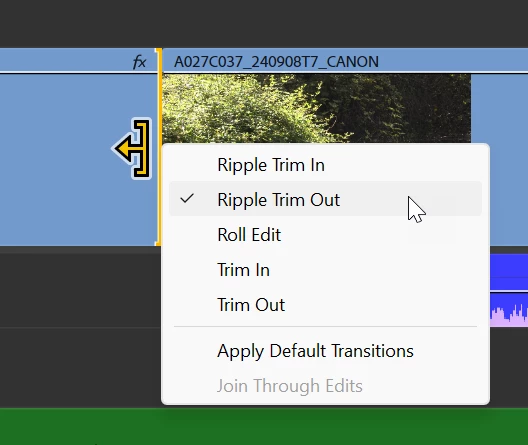
I’ve noticed that the “Ripple Trim In” command is no longer available in Premiere Pro 2025. This was a very useful tool for trimming clips from their In point to the playhead, and its removal has significantly disrupted my editing workflow.
While alternatives like “Ripple Trim to Playhead (Next/Previous Edit)” still exist, they affect all clips on the timeline, not just a single selected one. The original “Ripple Trim In” gave precise control over individual clips — and this level of precision is important in fast-paced editing environments.
Please consider bringing this feature back or making it available again in the Keyboard Shortcuts panel.
Thank you for continuously improving Premiere Pro!
Best regards,
A dedicated user

 AdChoices