Pyroconstructivism
Participating Frequently
January 5, 2019
Question

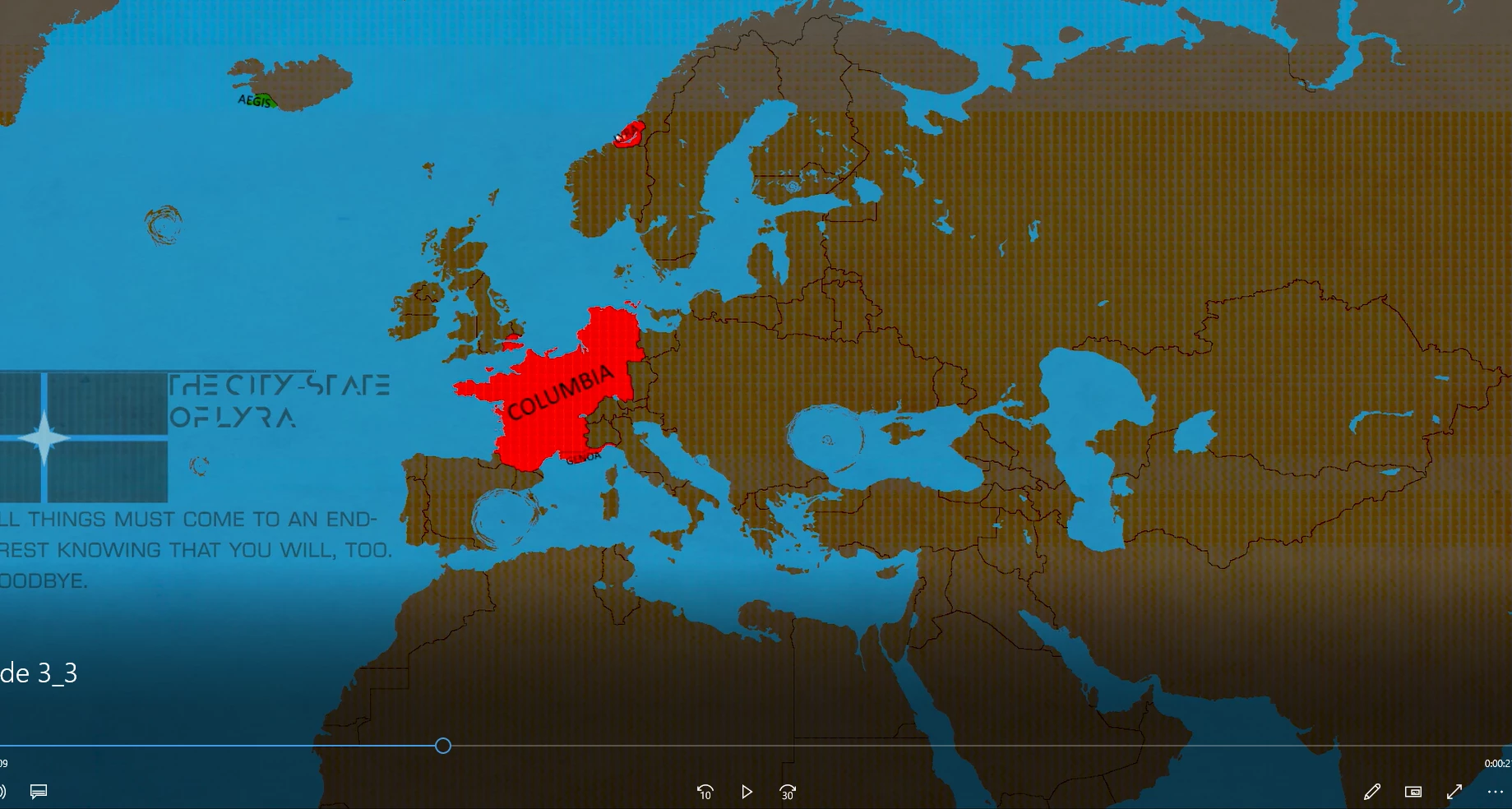
Brown grid/film flashing over video after export

  • January 5, 2019
  • 3 replies
  • 1061 views

So hello, Premiere Pro forums, I've been trying to fix a problem with my video clips to no avail for some time now. I have a project that's basically just six images spread out with default transitions between them and a single audio clip, and inside the program while previewing the video everything looks fine and dandy but after export on all the presets I've tried so far it develops a weird brown-ish... film? That glitches over the video while it's playing in Media Player. Any help? Am I stupid? I dunno?
    This topic has been closed for replies.

    3 replies

    Adobe Employee
    January 15, 2019

    Hi Pyroconstructivism,

    Please try to switch the Renderer to Mercury Playback Engine Software Only and then check if it's exporting properly.

    FAQ: How to change the Video Renderer in Premiere Pro?

    Let us know if it helps.

    Thanks,

    Sumeet

    Legend
    January 5, 2019

    What are your export settings?

    Pyroconstructivism
    Participating Frequently
    January 6, 2019

    H.264

    Youtube 1080p Full HD

    Nothing else is changed beyond the default I get when I first click Export, and I haven't changed my default settings at all.

    Ann Bens
    Community Expert
    Community Expert
    January 5, 2019

    Does it show the brown overlay in the Program monitor when importing the exported file back into Premiere.

    Pyroconstructivism
    Participating Frequently
    January 5, 2019

    Yeah, it shows it when I import it.

    Ann Bens
    Community Expert
    Community Expert
    January 5, 2019

    Can you show original timeline?