
Bug: Imports without Audio File
Hello,
1) Version of the app: Adobe Premier Pro: Version 23.4.0 (Build 56)
2) Platform and OS version: MackBook Pro; Apple M1 Max; 64 GB; Macintosh HD; macOS 13.4 (22F66)
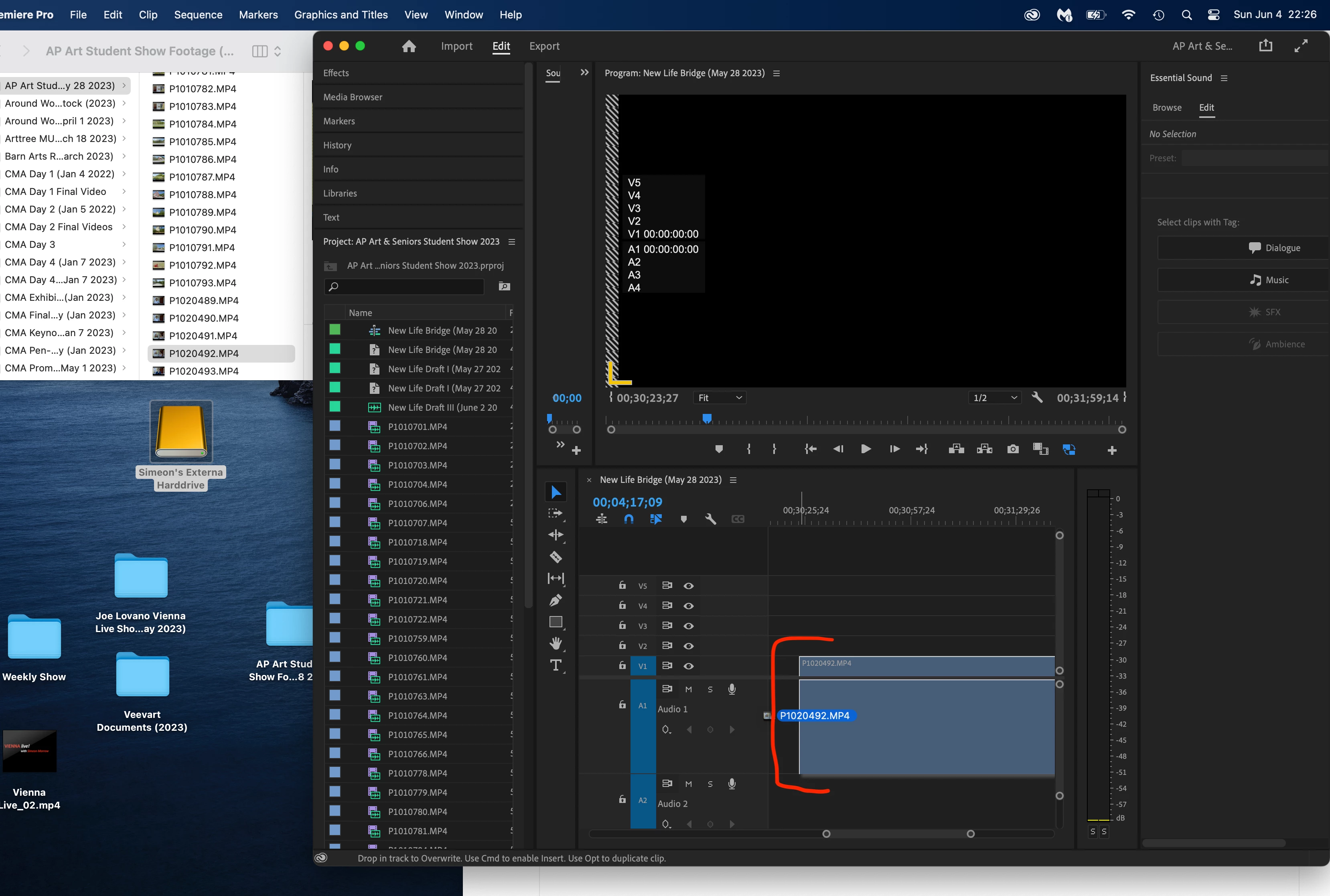
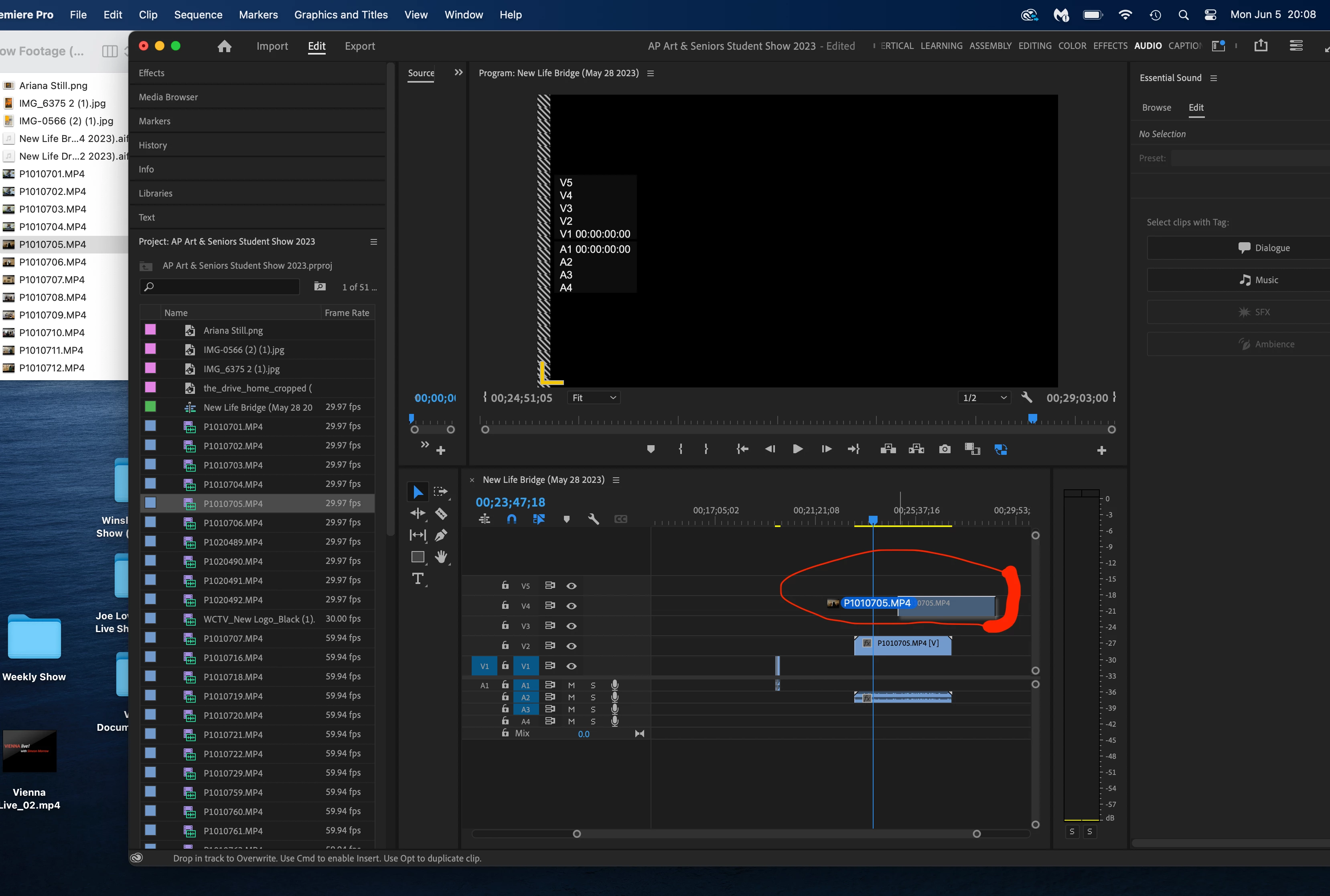
3) The bug occurs when I import a visual/audio file to Premier. When I import a first file, it works fine (imports both the visual and audio components of the file [please see screenshot "Imports Correctly"]). Then, when I try to import any subsequent file(s), only the visual component of the file imports [please see the screenshot "Imports without Audio"].
4) This bug means that I have to close and restart Adobe Premier Pro every time I want to import a file with both visual and audio components. I often have to close and open the app more than ten times in a row. It is extremely frustrating.
Appendix a) Screenshot: "Imports correctly"
Appendix b) Screenshot: "Imports without Audio"
 AdChoices