



AndrewTheGreat
Known Participant
August 21, 2026

Bug: syncing clips move the main clip, will this ever be fixed?

  • August 21, 2026
  • 4 replies
  • 48 views

I don’t understand, is everyone alright with that? Does everyone not know or see this problem?

When you have one big clip in your timeline and small chunks of clips with the same sound you can use to syn them this is what happens when you do:
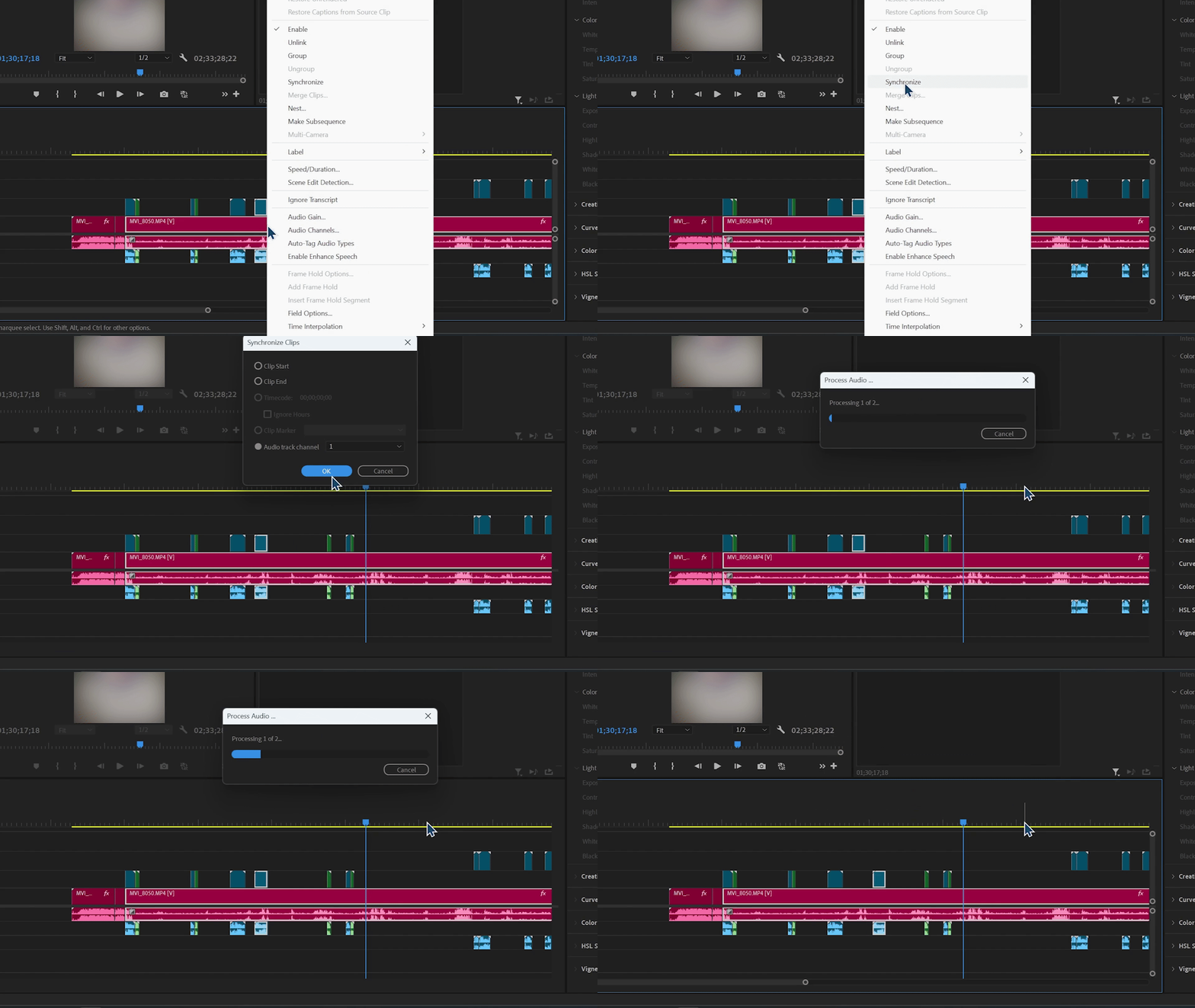
The small clip moves to sync to the big one.

And this is what happens when another small clip is synced to the big one:
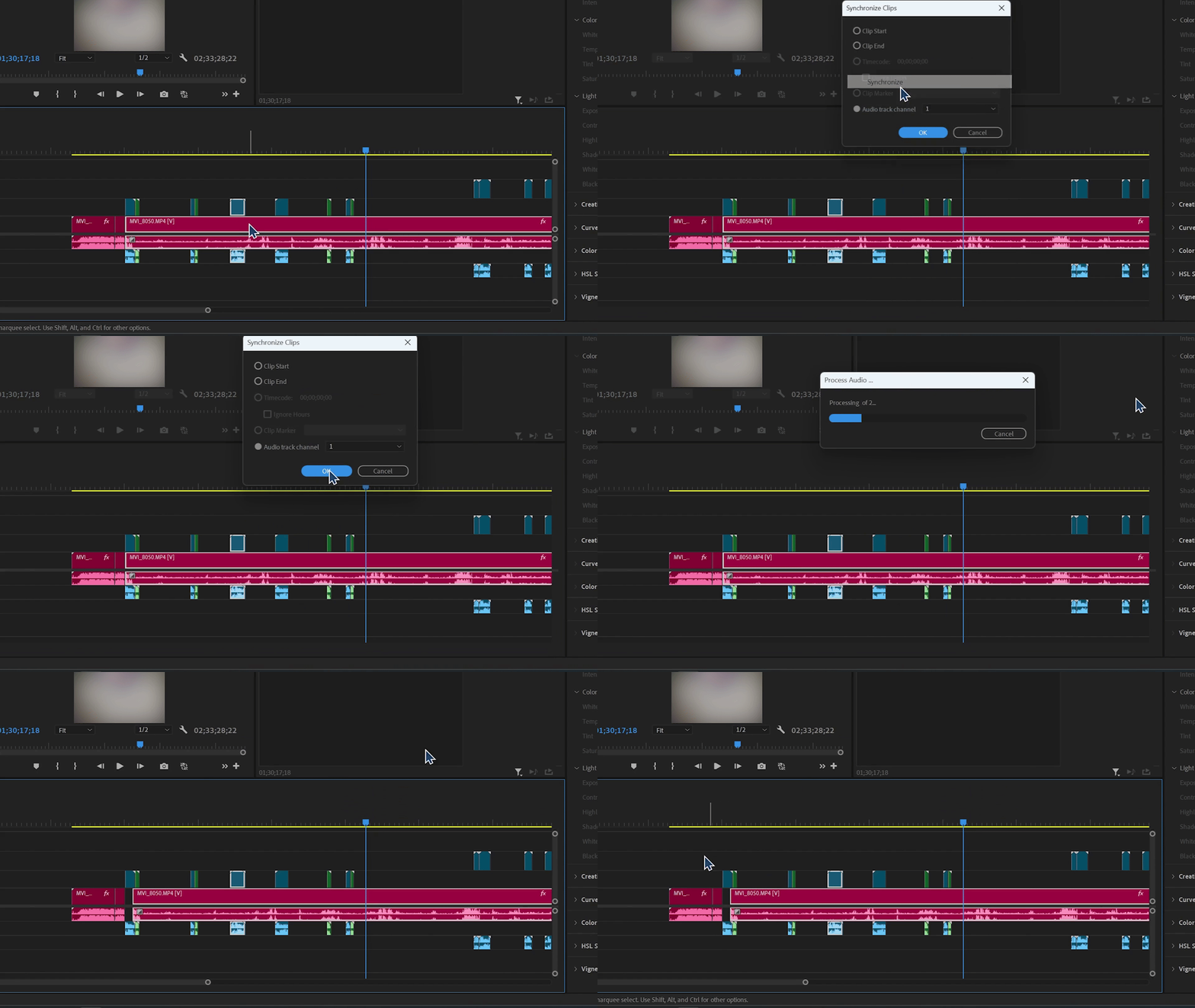
Now th big clip moved instead. Why? Just WHY?! I select syncing TO the clip on track one, doesn’t it mean the 1st track now acts as a master to all the other clips on the timeline and all of them shoulkd align to the 1st clip, not vice versa?

It’s been like this for ages, like 10 years or more. Why is this problem ignored?

And no, the clip selection order changes nothing.

4 replies

Community Expert
August 22, 2026

It doesn't matter about selection order or big clips versus small clips. There's one rule: when you sync two clips, Premiere Pro always moves whichever clip needs to shift to the right. Moving a clip to the left could push it before the start of the timeline, so Premiere avoids that.

That said, for a sync like this I'd recommend using Clip > Create Multi-Camera Source Sequence. It's much quicker than syncing clips one at a time.

AndrewTheGreat
Known Participant
August 22, 2026

This behavior should be fixed, it’s nonsense that Pr does that, there should not be any rules. And it’s an easy fix - Adobe should just make the track you choose when Synchronization is used not move at all. This one above was just an example, a Multicam is not an option in a lot of cases. For instance when we have a rush hour at the studio, we are given an interview which is to be on air in half an hour, we edit it and THEN a good audio comes in, so what I should undo the cutting, sync it and cut again? No, I just sync the good audio with the parts I have already edited, but then this thing happens… And there are a lot of other situations when multicams don’t work or plain syncing is just faster or more convenient to work with. Like when a person misspelled a phrase and you find this phrase in another take, so to not align it by hand you just drop it there and sync. 

I just don’t get it why is this so much a problem to make the track NOT move since you point it anyways here:


Stop trying to edit and EDIT!
Community Expert
August 22, 2026

In your rush hour scenario, use multicam to sync, open the Multicam Source Sequence and copy/paste the clips into your edit timeline. There is no scenario where, in the video you used above, syncing that many camera start/stops individually makes sense when you can do the sync at once with mulitcam. 

Another option is to put each start/stop on its own track or use a tool like Syncalia