

Camera Raw like interface for Premiere Pro CC
Hi Adobe
I'm a photographer and video producer looking for an easier way to grade and adjust the levels of my footage in Premiere.
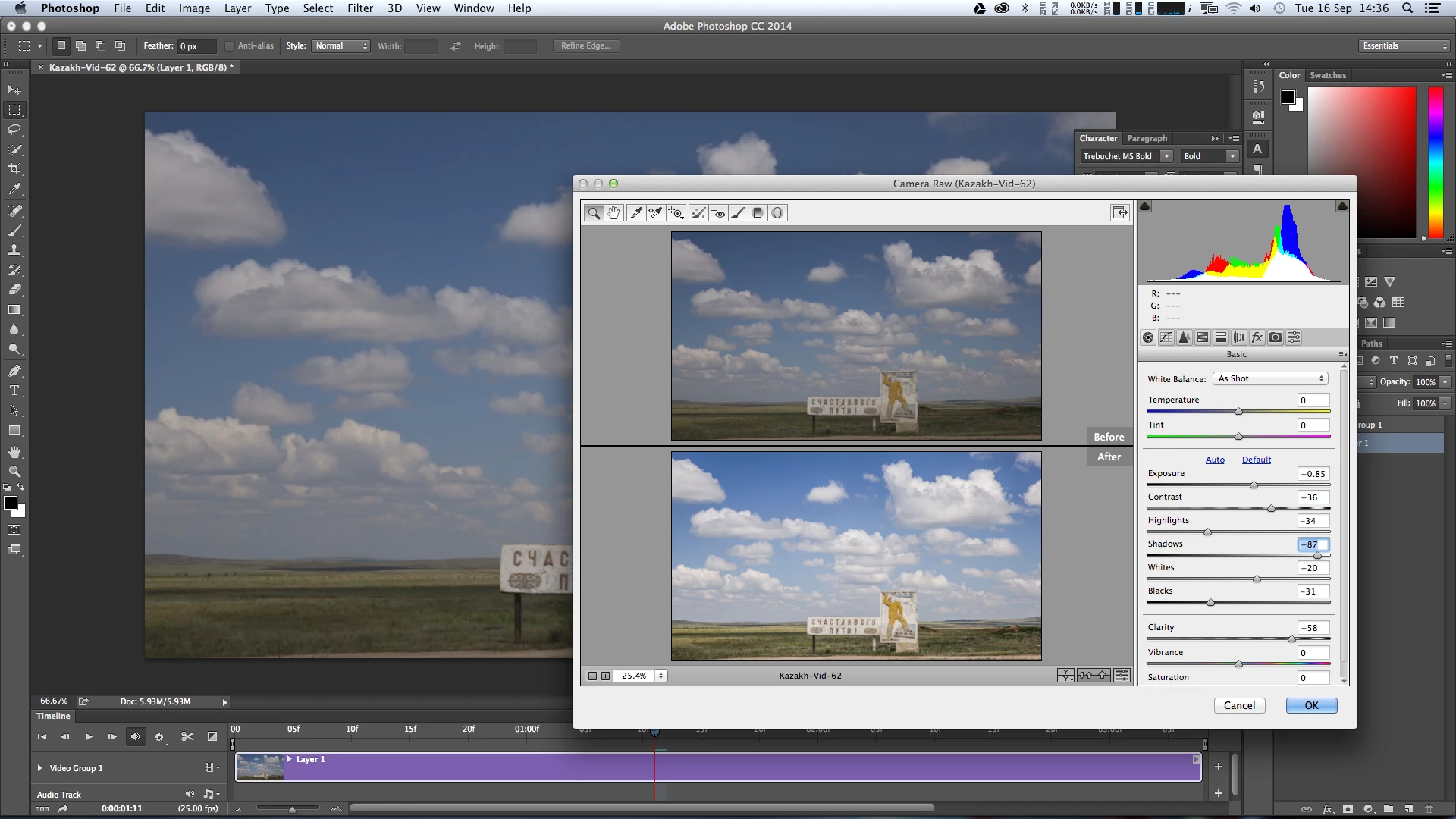
The DynamicLink with SpeedGrade is really lovely and quick, but getting my head around the new SG interface and being able to squeeze the best results out of it is a real challenge. Recently I discovered that I can open video files in Photoshop CC and use the Adobe Camera Raw interface as an effect on the footage and apply colour and levels changes there. This has really opened up the grading process for me and coming from a stills background with several years of using Lightroom to process my photos, I find the Camera Raw interface much more intuitive. It has allowed me to get better results much faster than I was getting out of SpeedGrade. The only issue is the workflow and render time involved in getting the video from Premiere to Photoshop and then back again is drawn out and complex.
My questions are:
Is there a current effect or plugin that replicates the Camera Raw interface and feature set in Premiere Pro / SpeedGrade?
Is this a feature Adobe is looking to include in future updates of Premiere?
It maybe laziness on my behalf not taking the time to learn the interface of SpeedGrade, but I know Adobe is a responsive developer and that this feature would speed up the grading process and would really appeal to the DSLR community who use your products for both photos and videos production.
Thanks in advance
Dan
[signature with personal info removed by mod]PEC
 AdChoices