Participant
July 29, 2021
Answered

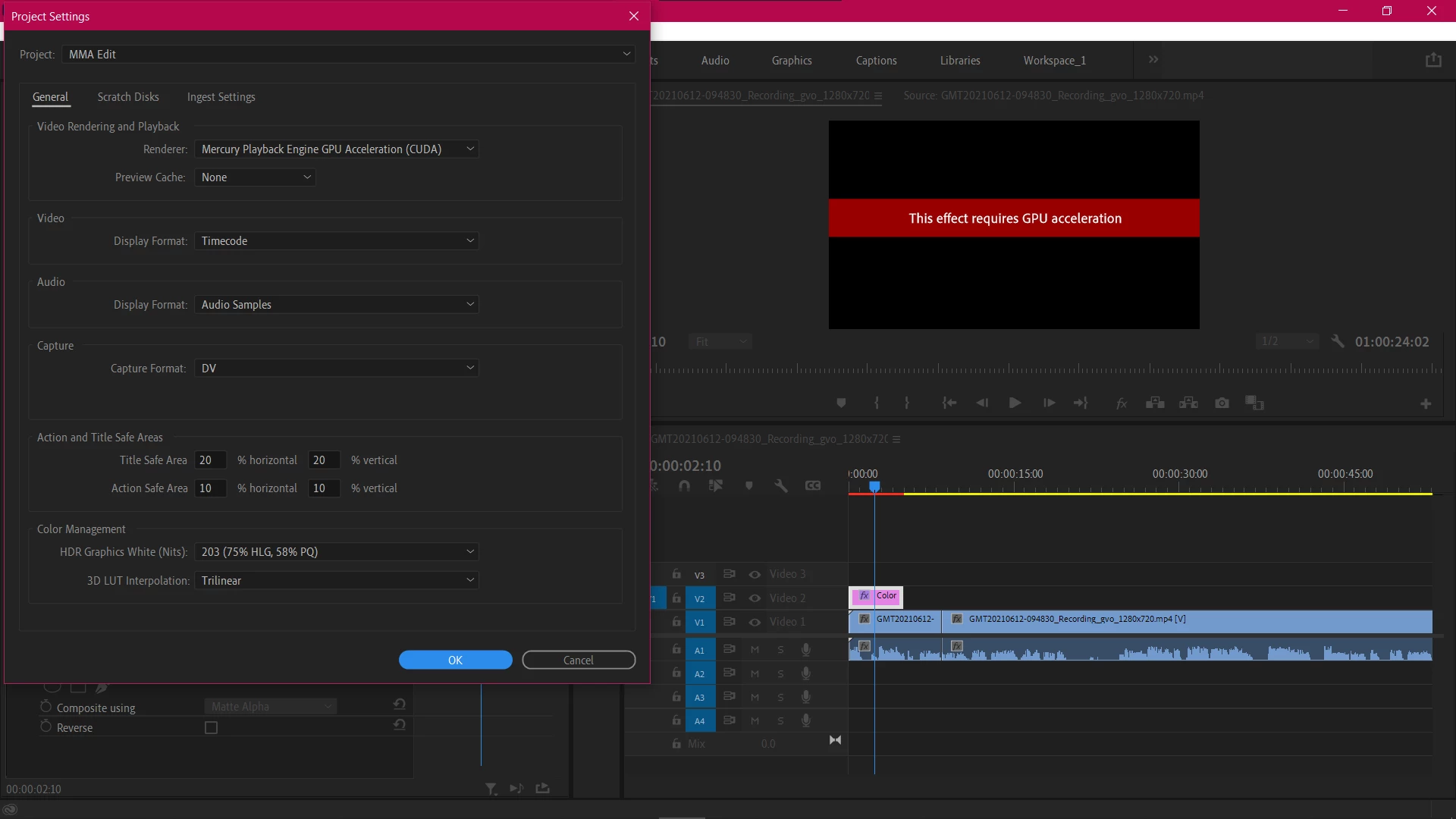
Can anybody help figure this GPU Acceleration error?

  • July 29, 2021
  • 4 replies
  • 879 views


I have been facing this issue for the past week now and it is frustrating. I need to get done with some very important projects. I have checked my GPU.  It is an MX250. It's running on the latest driver and even tried re-installing it. Still not working. I have tried importing this into another project. Still the same error.

The project settings are in (CUDA). So, I don't understand what the error might be.


This topic has been closed for replies.
Correct answer RjL190365

Here's the problem:


It's a driver issue, not a hardware issue (per se). You see, newer versions of Premiere Pro now require Studio Drivers (not the Game Ready drivers) in order to run properly. Unfortunately, the MX250 does not support any Studio Driver at all - only the Game Ready Driver. And Game Ready drivers have been known to have issues with video editing programs, especially "pro"-level ones.


Worse, laptop GPU drivers are usually OEM-specific, and are (you guessed it!) based on the Game Ready drivers. OEMs will not use a Studio Driver at all in their standard/mainstream laptops. Nor will they support the installation or use of the proper driver - and worse, some of them will even completely void the factory warranty when such a driver is installed. And many will not update their graphics driver to a sufficiently new version until a substantial number of users have experienced issues with the existing "latest" driver, which may be many releases old at that time.
4 replies

RjL190365Correct answer
Legend
July 30, 2021

Here's the problem:


It's a driver issue, not a hardware issue (per se). You see, newer versions of Premiere Pro now require Studio Drivers (not the Game Ready drivers) in order to run properly. Unfortunately, the MX250 does not support any Studio Driver at all - only the Game Ready Driver. And Game Ready drivers have been known to have issues with video editing programs, especially "pro"-level ones.


Worse, laptop GPU drivers are usually OEM-specific, and are (you guessed it!) based on the Game Ready drivers. OEMs will not use a Studio Driver at all in their standard/mainstream laptops. Nor will they support the installation or use of the proper driver - and worse, some of them will even completely void the factory warranty when such a driver is installed. And many will not update their graphics driver to a sufficiently new version until a substantial number of users have experienced issues with the existing "latest" driver, which may be many releases old at that time.

PanavAuthor
Participant
July 31, 2021

That might be it. But I am furious on part of adobe. 

Now I just have to stick with the sme version of Adobe till the time I replce my laptop and that is not happening any time soon.🙎

Legend
August 7, 2021

Blame the authoritarian hardware manufacturers, in this case. And Intel is especially sneaky about this. Adobe was merely forced to follow the mainstream support policies of the chip manufacturers. And had Adobe elected to continue support for older or obsolete hardware or driver versions, it would have been forced to forego support for newer hardware, to the point that systems with newer hardware will underperform - sometimes severely.

Ann Bens
Community Expert
Community Expert
July 29, 2021

If you are trying to use a VR effect on a non VR clip you get this error message.

nishu_kush
Legend
July 29, 2021

Hii Panav,


Thanks for writing in.

Agree with what the expert said. You GPU is not in the supported GPUs list: https://helpx.adobe.com/premiere-pro/user-guide.html/premiere-pro/system-requirements.ug.html

Which effect have you applied? Is it happening with all the effects?

Let us know.


Thanks,

Nishu

PanavAuthor
Participant
July 31, 2021

But I have made videos with it in the past. And I have used GPU accelerated projects. Not the first time I was applying a color matte.

Peru Bob
Community Expert
Community Expert
July 29, 2021

The card may not be supported.