
Participant
July 17, 2024
Answered

Can i give credit to multiple footages using Automation Blocks?
  • July 17, 2024
  • 2 replies
  • 266 views

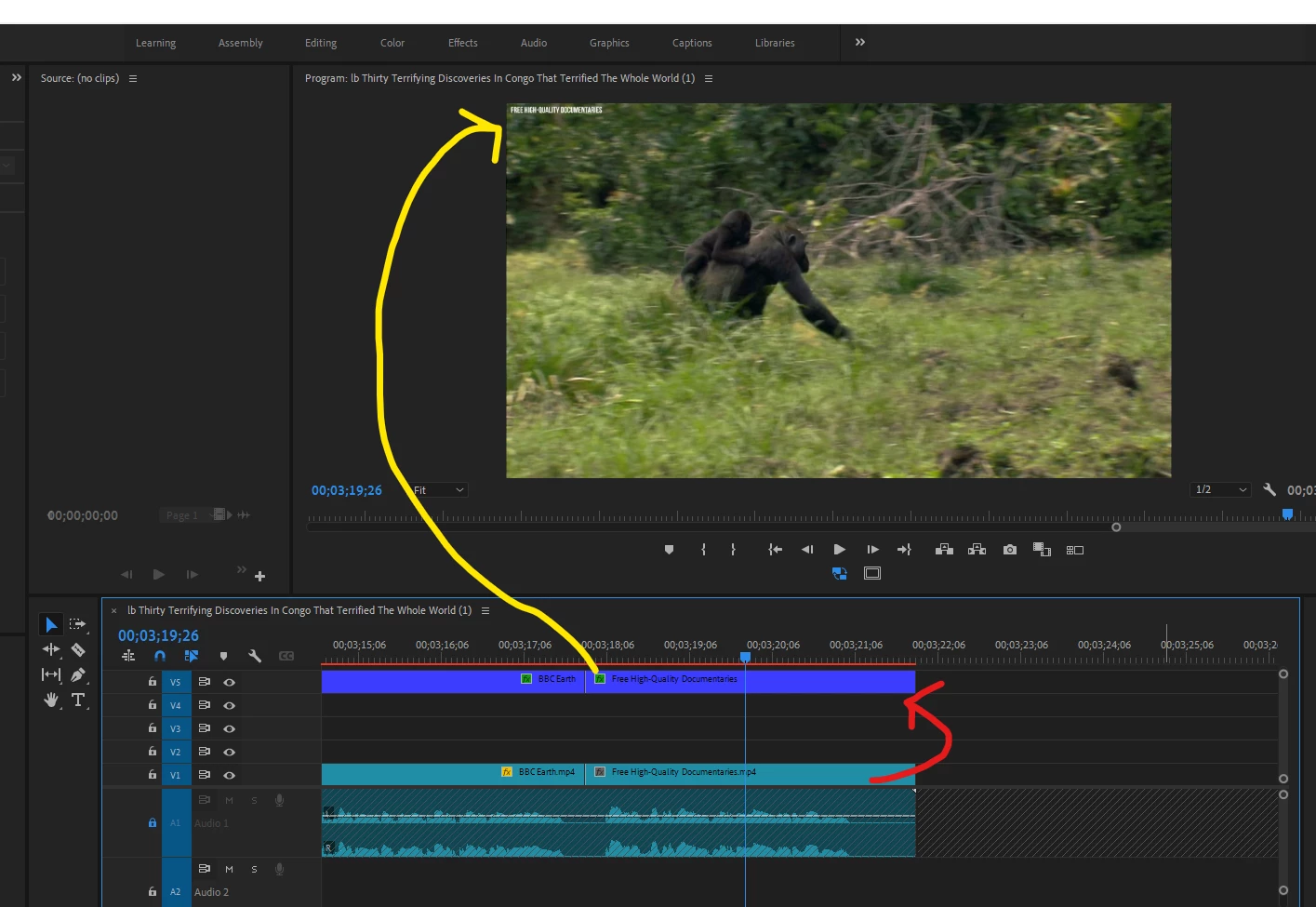
 I was actually looking for a help in automation block. i need a script which can do the following task in one click -
1) Select all mp4 footages from Premeire pro sequence
2) Then rename all the footages, removes .mp4 file format name. for example the the footage name is XYZ.mp4 it will be XYZ Only
3) after that, Copy all the footage names. and paste it on the video layer 5 Text.

This script will be used, to give credit from where all the footages collected from.

This topic has been closed for replies.
Correct answer Bruce Bullis

Yes, you can change the names of track items.

2 replies

Mathias Moehl
Community Expert
Community Expert
July 18, 2024

Hi,

we have no ready to use tool for that, but you can create the blockcode yourself. Here are some tips to get you started:


Use the for each clip of sequence block to loop over the lips in the active sequence and do the following steps for each of them:
- Use the Set Attribute of Project Item block to set the name of the corresponding project item. If you give this block a sequence clip as argument, it will convert it to the corresponding project item automatically. I assume here that you want to rename the XYZ.mp4 to XYZ in the project panel, right (i.e. change the project item). If you want to change only the name shown inside the timeline (i.e. the name of the clip instance inside the sequence) you need the Set Attribute of Clip block instead.


What exactly do you have on video layer 5? Are these Premeire Pro titles? The texts of these titles cannot be set with scripting, but you can set the texts of Ae Mogrts. 

THis tutorial explains a scenario, which I think is close to what you want to achieve - except that adds numbers instead of names:
https://community.adobe.com/t5/premiere-pro-discussions/automatic-shot-numbering-with-automation-blocks/td-p/14371311


If you need help implementing a custom script, you can also hire an expert.


Mathias Möhl - Developer of tools like BeatEdit and Automation Blocks for Premiere Pro and After Effects
Bruce Bullis
Bruce BullisCorrect answer
Legend
July 17, 2024

Yes, you can change the names of track items.