> This didn't work for me....
I agree that the solution was given, but as I lurked along, it seemed to me that a detail or 2 might be overlooked. So I'm going to give it one more try! lol. If I am wrong, and this is what you tried, no problem.
> Select all clip in project window, hit Link Media.
I think you got that right. We are at this screenshot:
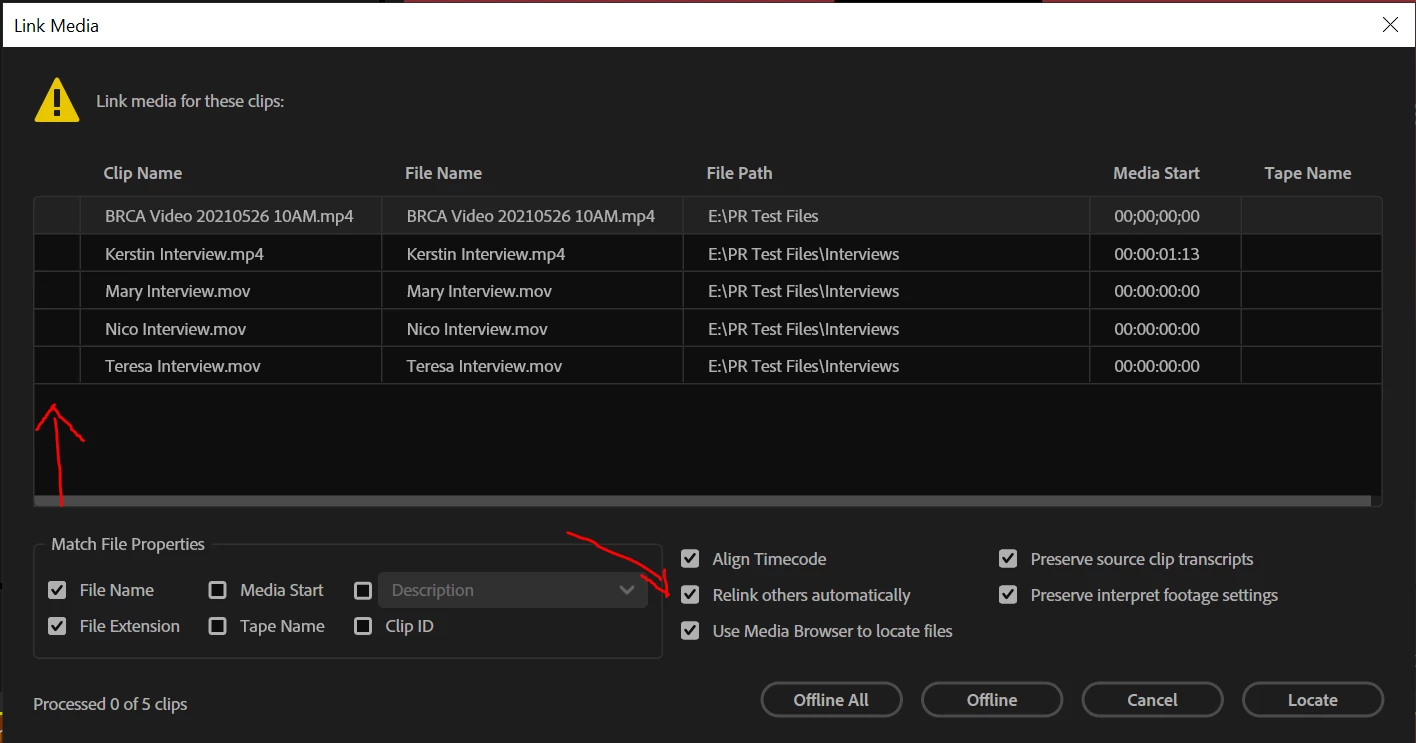
> Locate first clip and the rest will follow.
In at least one place, I think you said that at this step you selected one clip. You can't really select anything at this step. The top clip is highlighted, and there are no checkmarks. I do not recall it being mentioned, but at this step, make sure that "Relink others automatically is checked." I think it is selected by default, but it is "sticky" for being deselected for some conditions.
When you click "Locate," you get to this screenshot:
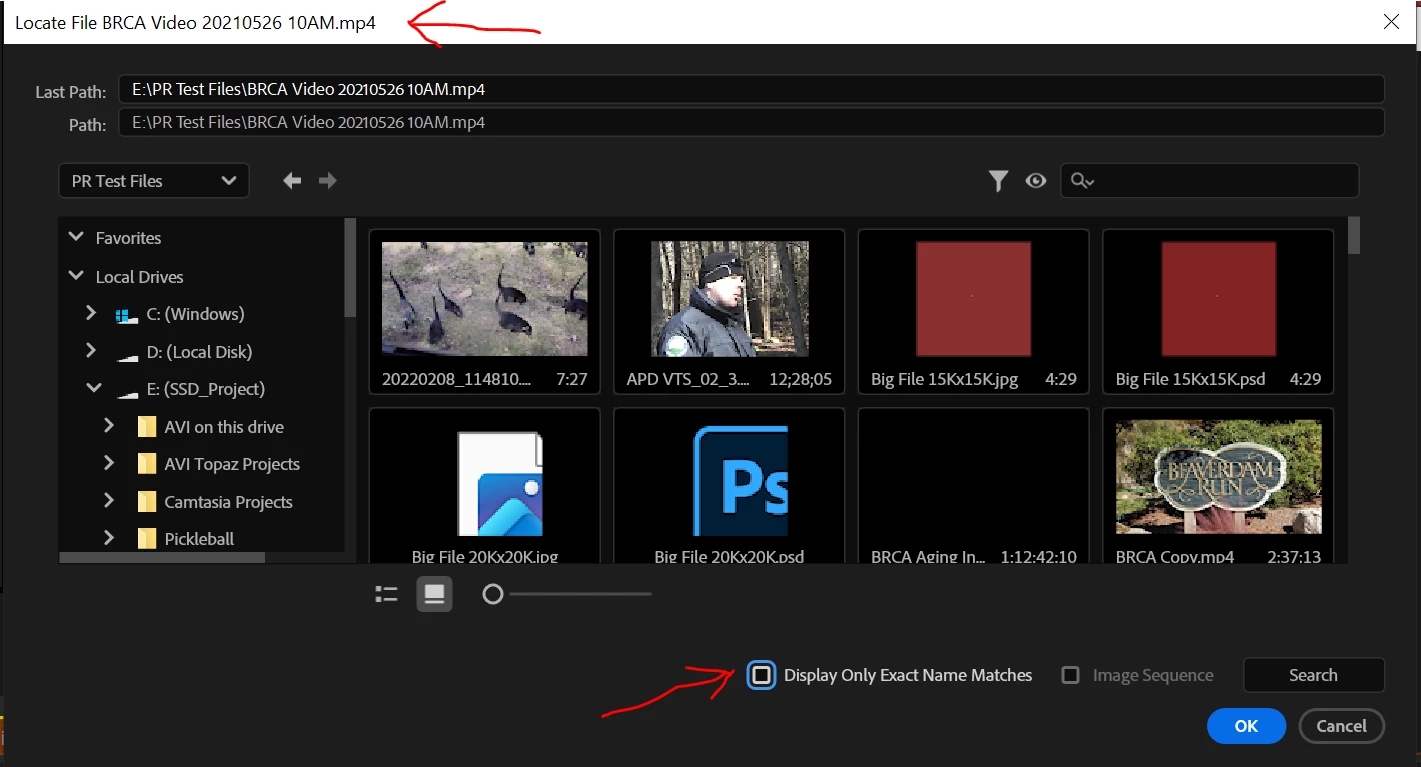
Notice that the "highlighted" file from the previous step is at the top as the one currently being located. To make seeing it easier, make sure that "Display Only Exact Name Matches" is checked.
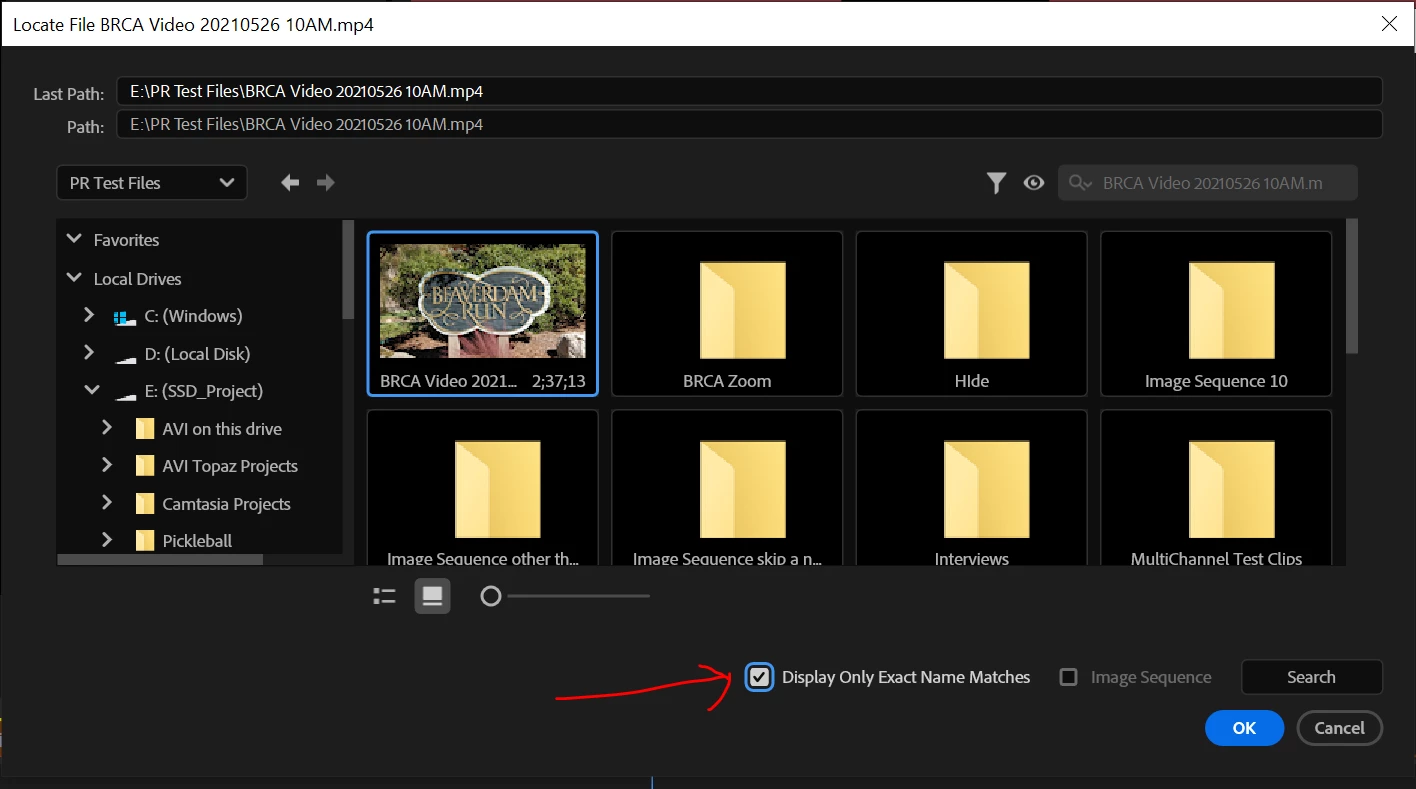
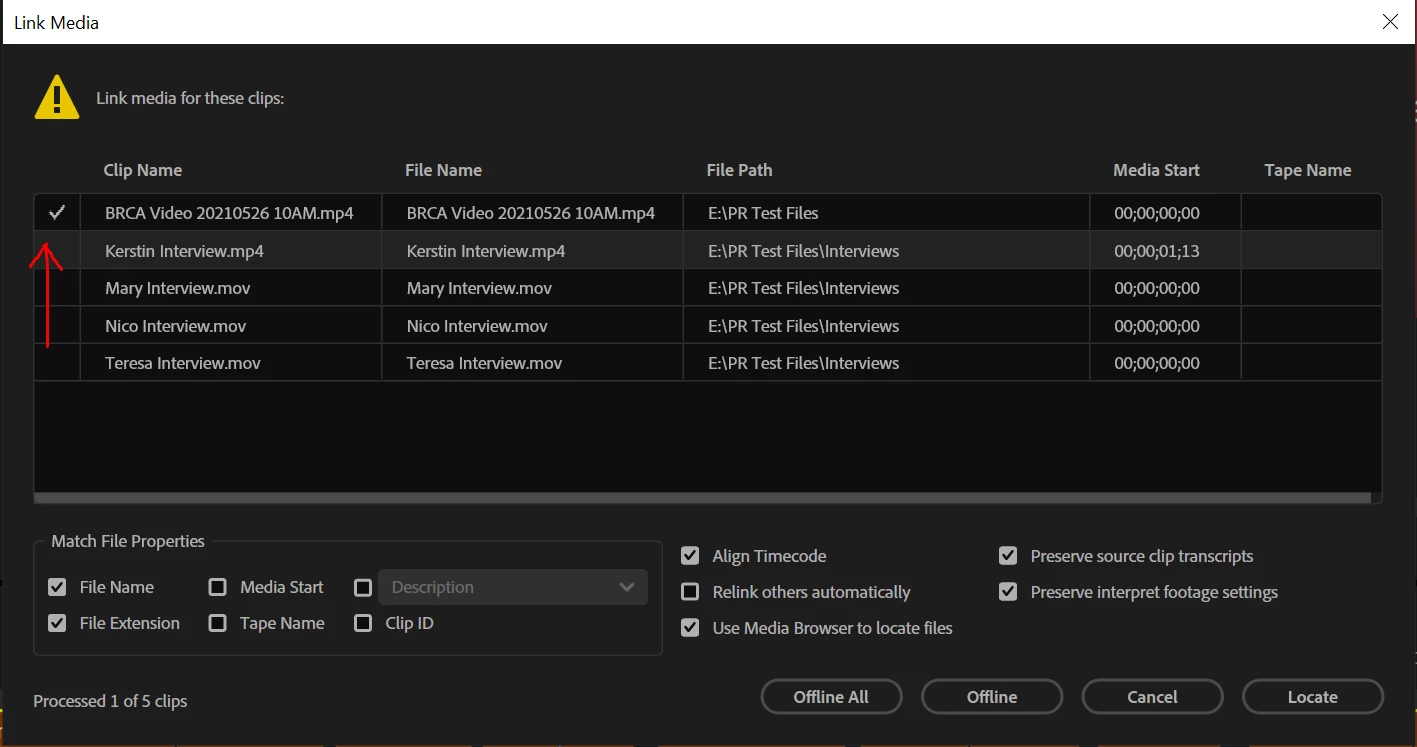
If this is all good, yes, all files are found and the dialogue window closes. If "Relink others" is not checked, you will be in the previous screen with the one file found (checked) and the next file highlighted.
Stan
Thank you, Stan, this helped solve the mystery. The file name that it's looking for is not the clip name. The files I have in the directory do have the same name as the clips in the project, but when I select "Link Media", the list in the box with the Locate button shows the first row "Clip Name" and the second row "File Name". The file names are autogenerated alphanumeric strings that are stored on my client's storage drive at a remote location. OK, I get it now. The editor must have worked with all the media stored remotely. When I tried to download the project, their server only offered me an option to Open the file, not to download directly, so I tried opening and saving to my computer, then tried to link to the project's footage that I had previously downloaded to my local folder, and I didn't notice that it wasn't looking for the clip name. So I would have to open the file with live links over the internet, I guess. I've already worked around the problem as far as getting the project done on time, so I won't be trying to link remotely, but it appears that's what I would have to do. Thank you for your additional help, Stan! That was very thoughtful of you and helped me understand what was going on. 🙂




 AdChoices