Participant
June 11, 2021
Answered

Can I somehow use creation date info on timeline?

  • June 11, 2021
  • 1 reply
  • 3095 views

Hey!


I need to see clip creation date info on timeline while editing, is this somehow possible? Ideally I would like it to replace clip's source time, but I think this is impossible in premiere. Or maybe there is a way to add creation date info in the clip's name?


I need it to organize the material. Any ideas are welcome how to utilize the creation date metadata. 
This topic has been closed for replies.
Correct answer gerikp

Well.....

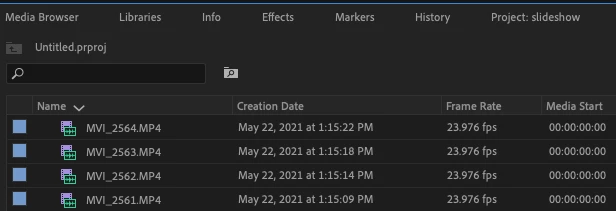
You can show the creation date in your project panel next to your clips by using metadata display. And then when you come across a clip in your timeline you want to know what the creation date was you could right-click and select "reveal in project" ... or even easier add a keyboard shortcut for "reveal in project".


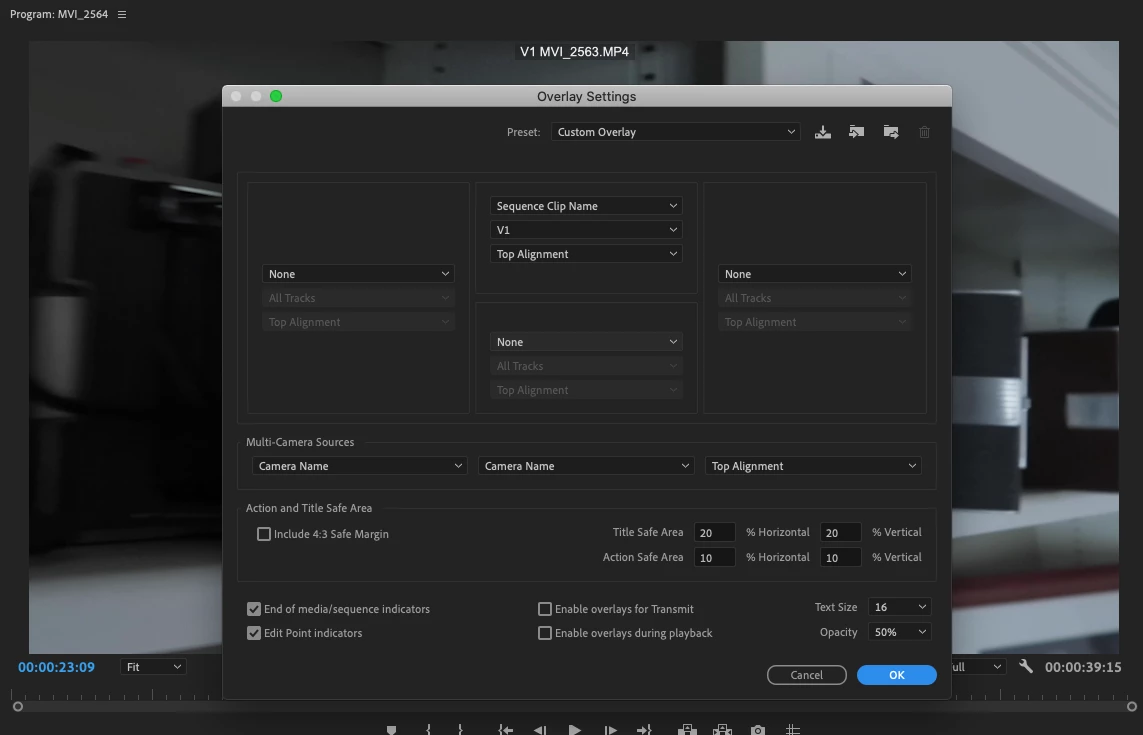
Or, you could add the creation date info to your clip names. And then use overlays (found by clicking the small wrench in your program panel).


1 reply

gerikp
Community Expert
gerikpCommunity ExpertCorrect answer
Community Expert
June 11, 2021

Well.....

You can show the creation date in your project panel next to your clips by using metadata display. And then when you come across a clip in your timeline you want to know what the creation date was you could right-click and select "reveal in project" ... or even easier add a keyboard shortcut for "reveal in project".


Or, you could add the creation date info to your clip names. And then use overlays (found by clicking the small wrench in your program panel).


Participant
June 11, 2021

Thank you for the reply! Kinda knew already that there wouldn't be any easy route. Just wanted to make sure I am not forgetting something. 

gerikp
Community Expert
Community Expert
June 11, 2021

You're welcome. And yes, sometimes you have to come to terms with the fact that there might not be any easy ways to do something. Cheers!