
Can I use a gradient overlay in Premiere Pro?
I have been searching for an answer to the question of whether I can use a gradient overlay to darken the sky in Premiere Pro. I know this program about 1/50th as well as Photoshop, but one helpful person in the forum told me about masking and changing the color of the sky. That helped, but I still can't find if I can use an actual gradient. Someone else suggested in another post to use the titler, but I can't figure out how to do that, nor can i find a tutorial for it. Still another poster said that the Premiere Pro developers are intending to add this feature soon.
Here is what I would like to do:
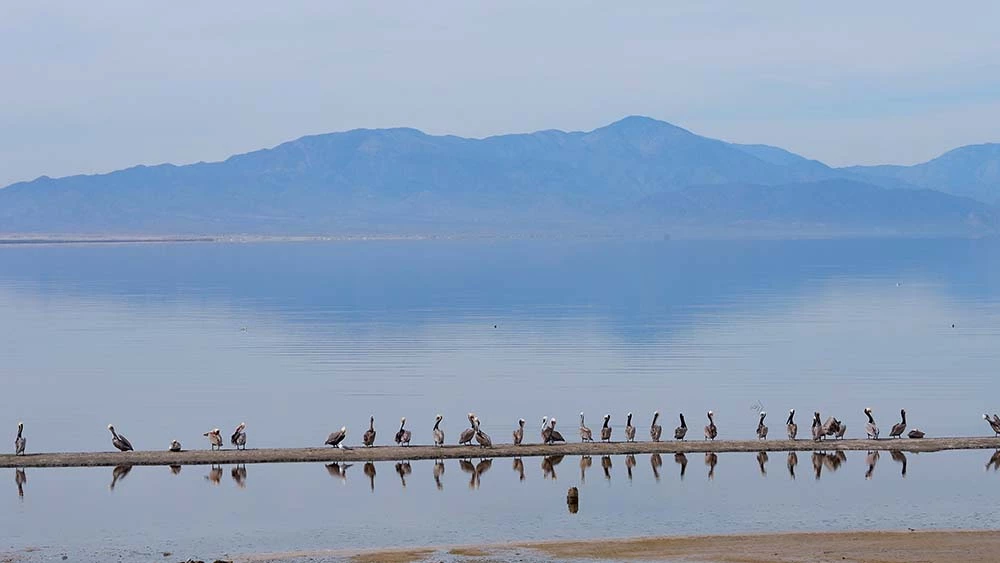
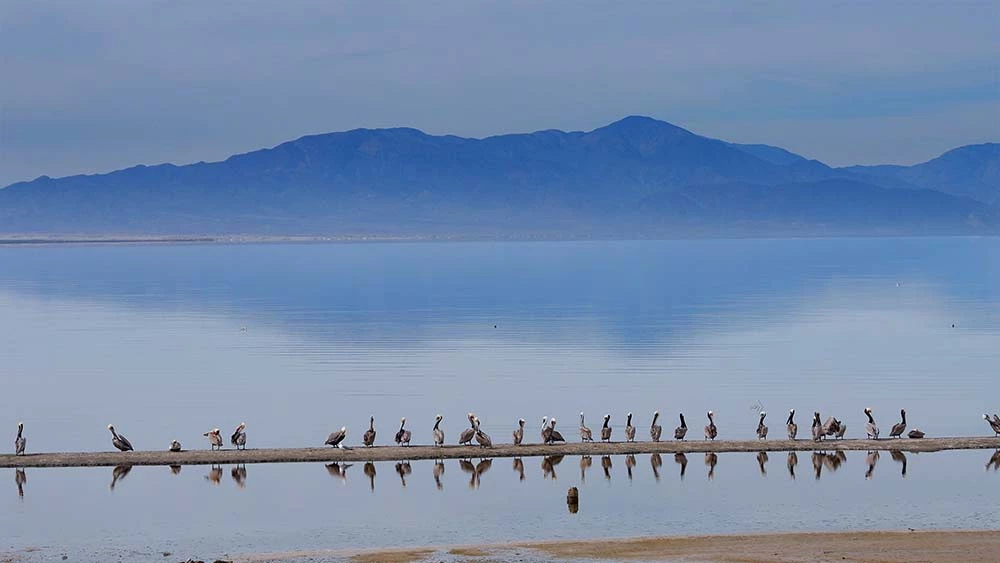
Screen shot from my DJI phantom 4 taken at the Salton Sea in southern California. The drone remains stationary for 30 seconds during this clip and the pelicans move around, so I could do things to this if I knew how.
In Photoshop, I would select and copy everything above the horizon to a new layer and use the multiply blend mode:
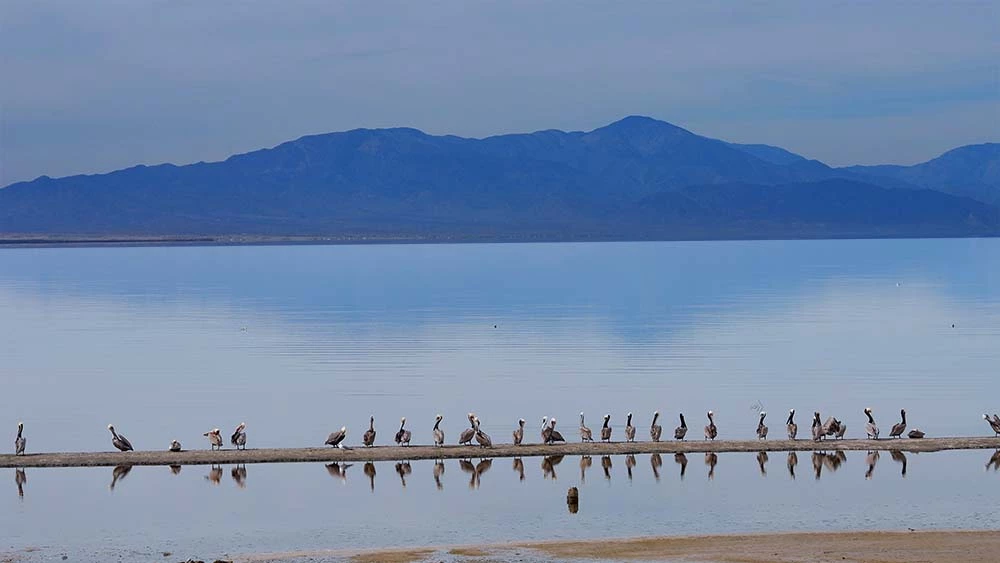
This is way too harsh of an effect, so I can apply a gradient mask to the upper layer to make the transition smoother:
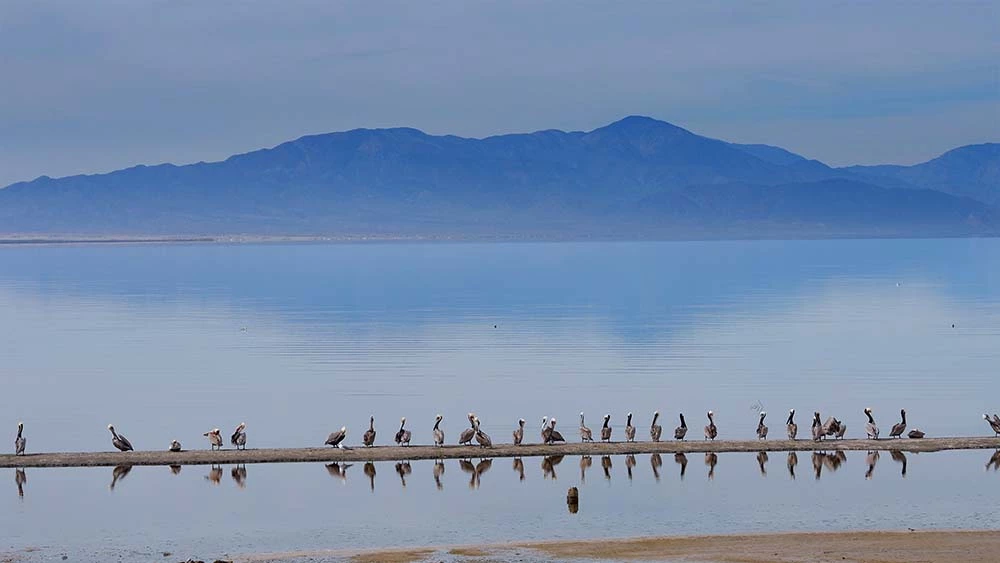
Just for the heck of it, I selected the darkened mountains in the third photo, copied them to yet another layer, flipped that layer vertically, moved the inverted mountains down over the water, set the blend mode to multiply again, turned the opacity down to 30%, put some horizontal motion blur on the layer, and put another gradient mask on the layer:
Now I realize that the last step might be asking too much from Premiere Pro, but should I not be able to at least add a dark gradient mask to the top of this clip? Someone please help me out here!
Thanks
David
 AdChoices