Known Participant
April 21, 2019
Question

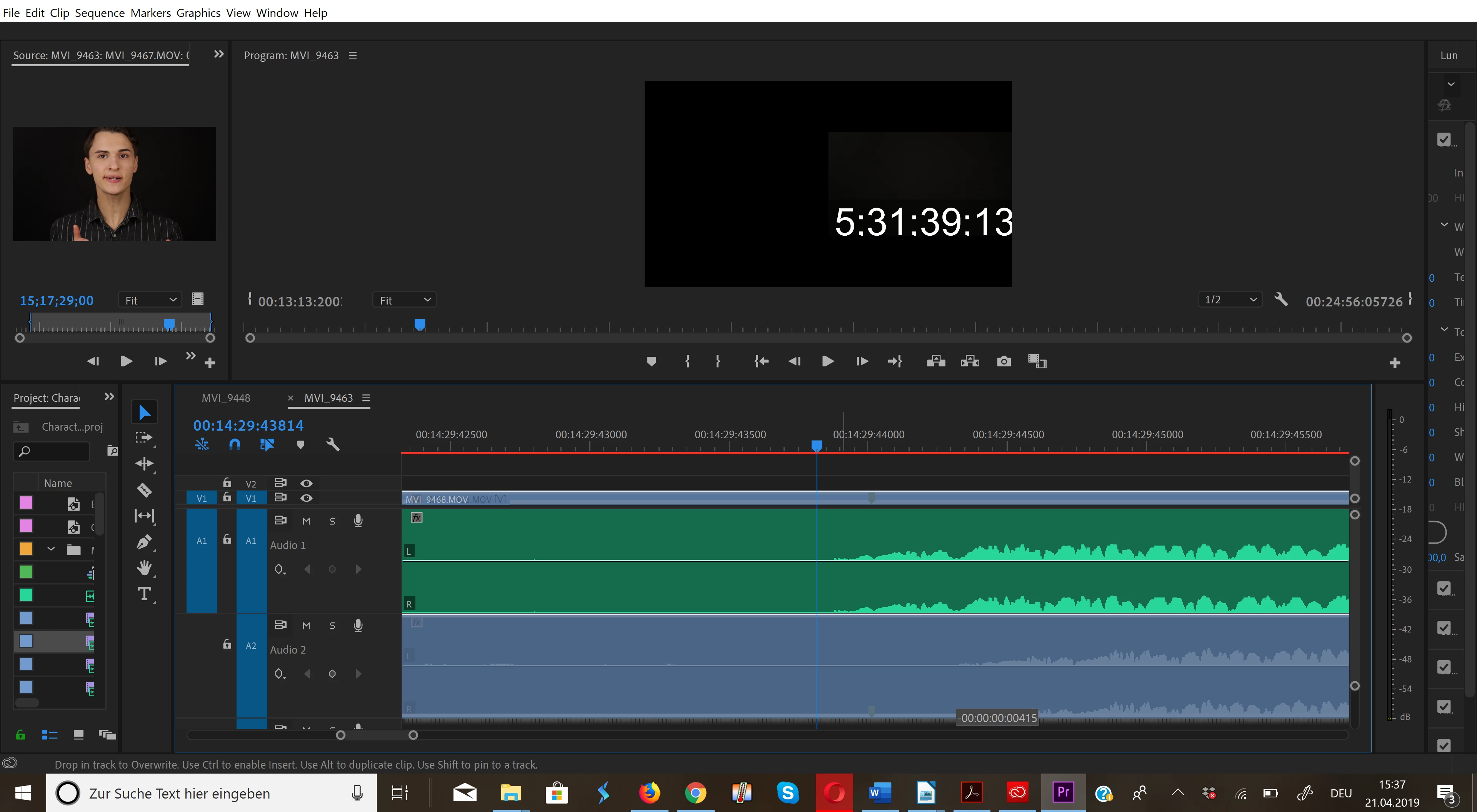
Can not drag audio clip by -00:00:00:00415

  • April 21, 2019
  • 2 replies
  • 346 views

Hello,

I am trying to synchronize two clips manually, but for some reason, no matter how much zoomed in I am, I can not drag my audio clip by about -00:00:00:00415. I click on the clip I want to drag, I drag it, I release it, but instead of jumping to where I dragged it, it just stays where it was. Dragging the clip by half a second or so is no problem, but I can not drag it by a small value.

Any solutions? And is there a way to drag it by typing a number instead of using the mouse?
    This topic has been closed for replies.

    2 replies

    Ann Bens
    Community Expert
    Community Expert
    April 21, 2019

    If your audio has video attached you can only move it by the frame and not audio samples.

    Sky24Author
    Known Participant
    April 21, 2019

    Yes, that seems to be it. I can freely drag the audio clip which has no video attached to it, but not the one that has video.

    Is there a way to change this?

    (turning off snapping makes no difference)

    Inspiring
    April 21, 2019

    If you want to move the audio attached to the video in subframe increments, you'll need to un-link it from the video.

    Click on the clip to select it then go to the menu Clip > Unlink. After the move, you may want to relink the repositioned audio back to the video again for ease of editing.

    MtD

    Community Expert
    April 21, 2019

    What happens if you turn off snapping?