preditorj40153117
Inspiring
February 10, 2020
Question

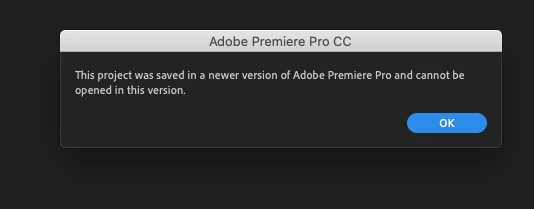
Can not open files i worked on yesterday ( can not drag Video either )

  • February 10, 2020
  • 3 replies
  • 502 views

This is a file that I worked on 3hrs a day for the past week. I have not reverted back to an old version. 
It is a lot of work in that project. 
13.1.5 (build47)

What can I do?


This topic has been closed for replies.

3 replies

Legend
February 10, 2020

there are so many things that we need to know before we can even begin to troubleshoot your problem...

First, what are the properties of your source clips and what are your sequence settings?  Have you installed any updates or new apps recently?   Have you tried opening a recent autosave?  What kind of computer are you working on and have you installed any creative cloud updates recently?   

preditorj40153117
Inspiring
February 10, 2020

4k 420 @50mbps
No updates until i uninstalled and reinstalled about 5 minutes ago
Other projects that i worked on yesterday open and behave as normal. 

Macpro cylinder 6core, 64gig (owc)ram, 10.15.3
The footage is on a Scandisk SSD via usb3.0 (bandwidth 374mbps write)

Other projects are

on the external drive via TB2  (write speed 191mbps)

preditorj40153117
Inspiring
February 10, 2020

Premiere opens now. This is true. 
The new thing is that i can not drag video and audio at the same time but pull from the source monitor.
Clicking on image and dragging = NO

Click on the video only icon and drag = NO
Overwrite icon = NO
Audio only = Yes (audio goes in every way)


Jeff Bugbee
Community Expert
Community Expert
February 10, 2020

Can you open a new project and see if you are able to import footage? Drag a video/audio clip from a bin to the empty timeline panel (to create a sequence based off the media specs) and see if that works

preditorj40153117
Inspiring
February 10, 2020

OK. I do not know how it did it but i restarted the computer 3x and then it opened.